EasyManua.ls Logo

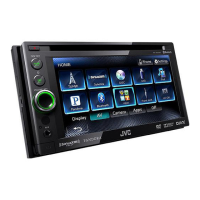
JVC KW-AV58 - User Manual

JVC KW-AV58
82 pages
Print Icon
To Next Page IconTo Next Page
Loading...
JVC
MONITOR WITH DVD RECEIVER
MONITOR CON
RECEPTOR DE
DVD
MONITEUR AVEC RECEPTEUR
DVD
KW-AV58
KW-AV50
2VD
VIDEO
[l]DOLB~
DIGITAL
I
Made for
ruJO§~
!DIGITAL
VIDEO)
~iPod
DiPhone
I
I
I
I
I
I
I
I
I
I
\
DIVX
..
Only
for
KW-AVSO
Solo
para
KW-AVSO
Uniquement
pour
le
KW-AVSO
~
'R'Aoao_.l
READY
For
canceling
the
display
demonstration,
see
page
8.
Para
cancelar
Ia
demonstraci6n
en
pantalla,
consulte
Ia
pagina
8.
\
I
I
I
I
I
I
Pour
annuler
Ia
demonstration
des
affichages,
referez-vous
a
Ia
page
8.
For
installation
and
connections,
refer
to
the
separate
manual.
Para
Ia
instalaci6n
y
las
conexi
ones,
refierase
al
manual
separado.
Pour
!'installation
et
les
raccordements,
se
referer
au
manuel
separe.
INSTRUCTIONS
MANUAL
DE
INSTRUCCIONES
MANUEL D'INSTRUCTIONS
For
customer
Use:
Enter
below
the
Model
No.
and
Serial
No.
which
are
located
on
the
top
or
bottom
of
the
cabinet.
Retain
this
information
for
future
reference.
Model
No.
Serial
No.
L
VT2285-00
1 A
[J/JW]

Table of Contents

Other manuals for JVC KW-AV58

Questions and Answers

  • H
    heathmariaSep 9, 2025
    What to do if my iPod/iPhone does not turn on or work with my JVC Car Video System?
    • P
      Perry ClarkSep 9, 2025
      If your iPod/iPhone does not turn on or work with your JVC Car Video System: • Check the connecting cable and its connection. • Charge the battery. • Check whether the iPod control mode is correctly selected. • Reset the iPod/iPhone.
  • B
    Brandon ArellanoAug 23, 2025
    What to do if my JVC KW-AV58 Car Video System has a USB Device Error?
    • A
      Arthur BellAug 23, 2025
      If your JVC Car Video System displays a USB Device Error, it could be due to an abnormal USB power voltage. Try turning the unit off and then on again. If that doesn't work, connect another USB device to see if the issue persists.
  • J
    Juan LeeAug 25, 2025
    How to fix JVC Car Video System when no sound comes out of the speakers?
    • C
      cmillerAug 25, 2025
      If no sound is coming from the speakers of your JVC Car Video System, first, make sure the volume is adjusted to an audible level. Also, check the speaker cords and connections to ensure they are properly connected.
  • K
    Kenneth HaasAug 26, 2025
    Why is there static noise while listening to the radio on my JVC Car Video System?
    • L
      Linda VargasAug 27, 2025
      If you're experiencing static noise while listening to the radio on your JVC Car Video System, ensure the aerial is firmly connected.
  • T
    Terry HernandezAug 27, 2025
    Why does my JVC KW-AV58 show 'No Signal'?
    • B
      Benjamin WilliamsAug 27, 2025
      If your JVC Car Video System displays 'No Signal', try the following: • Start playback on the external component connected to the VIDEO IN jack. • Check the cords and connections. • The signal input may be too weak. • If the rear view camera is not connected while is selected for , press MENU/DISP OFF to display , then press [AV] to restore the screen.
  • P
    Patricia RodriguezAug 29, 2025
    What does 'Restricted Device' mean on my JVC KW-AV58?
    • M
      Megan BlackAug 29, 2025
      If your JVC Car Video System displays 'Restricted Device', check whether the connected iPod/iPhone is compatible with the unit.
  • R
    Robin MartinezSep 18, 2025
    Why is there no picture on the AV-IN screen of my JVC KW-AV58 Car Video System?
    • A
      aandersonSep 18, 2025
      If no picture appears on the AV-IN screen of your JVC Car Video System: • Turn on the video component if it is not on. • Connect the video component correctly.
  • Y
    youngclarenceSep 18, 2025
    Why is there no playback picture shown when using my JVC Car Video System?
    • Z
      zdaughertySep 18, 2025
      No playback picture is shown when the parking brake is not engaged.
  • T
    tmillerSep 7, 2025
    Why is sound sometimes interrupted while playing a track on my JVC KW-AV58?
    • C
      Crystal HuntSep 7, 2025
      If the sound is sometimes interrupted while playing a track on your JVC Car Video System, the tracks may not be properly copied onto the USB device. Try copying the tracks again.
  • C
    Christopher NelsonSep 4, 2025
    Why is there no picture on the external monitor connected to my JVC KW-AV58 Car Video System?
    • R
      Ronald PopeSep 4, 2025
      If no picture appears on the external monitor connected to your JVC Car Video System: • Connect the video cord correctly. • Select the correct input on the external monitor.

JVC KW-AV58 Specifications

General IconGeneral
BrandJVC
ModelKW-AV58
CategoryCar Video System
LanguageEnglish

Related product manuals