To Next Page
B
Bill MarshSep 3, 2025
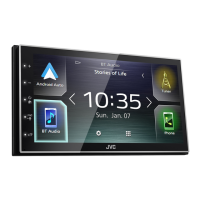
What does 'No Device' mean on my JVC Receiver?
- TTracey Brady DDSSep 3, 2025
If your JVC Receiver displays “No Device”, no smartphone is connected, or the connected smartphone is not compatible with MirrorLink.

What does 'No Device' mean on my JVC Receiver?
If your JVC Receiver displays “No Device”, no smartphone is connected, or the connected smartphone is not compatible with MirrorLink.
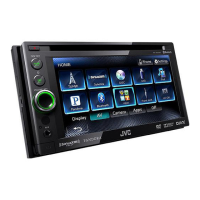
Why is sound interrupted with Bluetooth on JVC KW-NSX700 Car Video System?
If the sound is interrupted or skipped while using a Bluetooth audio player with your JVC Car Video System: • Reduce the distance between the unit and the Bluetooth audio player. • Disconnect the device connected for Bluetooth phone. • Turn off, then turn on the unit. • (When the sound is not yet restored) connect the player again.
Why audio player cannot be controlled on JVC Car Video System?
If the connected audio player cannot be controlled on your JVC Car Video System, check whether the connected audio player supports AVRCP (Audio Video Remote Control Profile).
Why no picture is displayed on JVC KW-NSX700 screen?
If your JVC Car Video System screen is not displaying a picture, ensure that the screen is turned on.
What does “Device Connection Error” mean on JVC Car Video System?
If your JVC Car Video System displays “Device Connection Error”, the device could not be connected.
Why is there no sound from my iPod/iPhone on my JVC Receiver?
If no sound is coming out of the speakers when using an iPod/iPhone with your JVC Receiver: * Disconnect the iPod, then connect it again. * Select another source, then reselect “iPod.”
Why does the sound skip when using a Bluetooth audio player with my JVC Receiver?
If the sound is interrupted or skipped while using a Bluetooth audio player with your JVC Receiver: * Reduce the distance between the unit and the Bluetooth audio player. * Disconnect the device connected for Bluetooth phone. * Turn off, then turn on the unit. * If the sound is still not restored, connect the player again.
Why no picture appears on external monitor with JVC KW-NSX700?
If no picture appears on the external monitor connected to your JVC Car Video System: • Connect the video cord correctly. • Select the correct input on the external monitor.
What to do if JVC KW-NSX700 Car Video System displays “Please Wait…”?
If your JVC Car Video System displays “Please Wait...”, and the message does not disappear, turn the unit off and on again, then connect the device again (or reset the unit).
How to turn on the screen on JVC Receiver?
If no picture is displayed on the screen of your JVC Receiver, make sure that the screen is turned on.
How to adjust the equalizer settings for different sound modes.
How to adjust brightness, contrast, blackness, color, tint, and detail.
How to enable the rear view camera function.
How the rear camera view appears when shifting to reverse.
Steps to save current settings to a user profile.
Steps to load saved settings from a user profile.
Steps to pair, connect, and disconnect Bluetooth devices.
How to handle incoming calls via Bluetooth.
How to make calls using direct entry, presets, or voice dialing.
Troubleshooting based on specific error messages displayed.
Troubleshooting guide based on common symptoms.
Step-by-step guide for installing the unit into the vehicle.
 General
| Brand | JVC |
|---|---|
| Model | KW-NSX700 |
| Category | Car Video System |
| Language | English |