LANG.
EXIT
LANG.
G
BACK
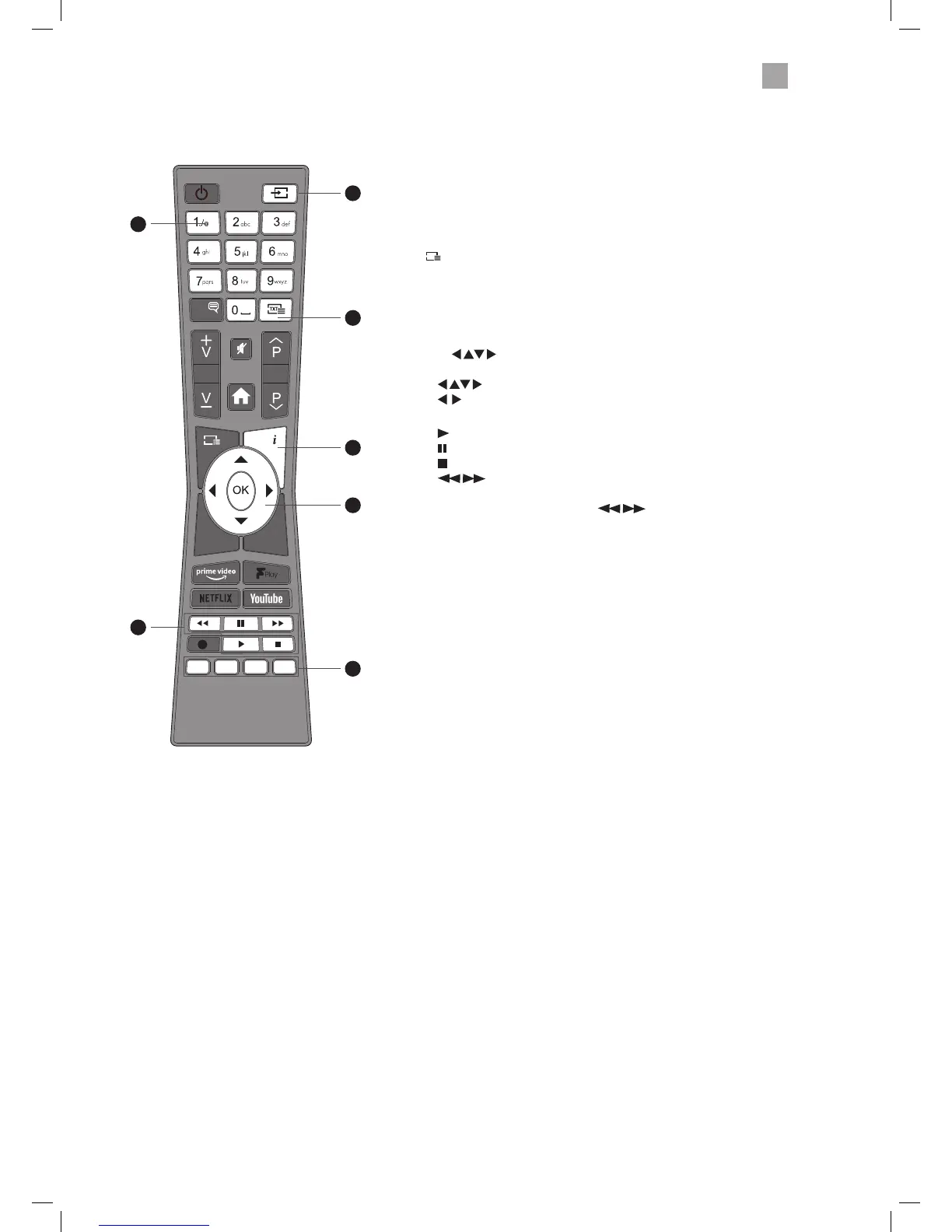
Overview of Remote Control Buttons for DVD Mode
1. 0-9 Number Button
• Select numbered items in a DVD menus.
• Press to directly select a chapter or title while the DVD is playing.
2. SOURCE
Press to change the source to DVD mode.
3.
TXT
• Press to show subtitle options.
4. i (info)
Press to see:
Title Elapsed - Title Remain - Chapter Elapsed - Chapter Remain -
Display O
5. OK /
• Press OK to select setting in menus.
• Allows you to navigate the OSD menus.
• skip chapters when a DVD is playing.
6. PLAYBACK buttons
•
plays the DVD.
pauses the DVD
•
stops the DVD.
• searches forwards and backwards when viewing a DVD
in play mode.
If the DVD is paused, press the
button to play back in
slow motion. 1/2 - 1/4 - 1/8 - 1/16 speed.
7. COLOURED BUTTONS
RED
To zoom in and out of the picture.
GREEN
Repeat Chapter, Title or All in DVD mode.
YELLOW
Selects the Root menu of the DVD playing.
BLUE
Selects the Title menu if available.
1
6
2
5
4
3
7
JVC 32' LED Smart HD TV with built-in DVD player LT-32C695_696 Manual.indd 49 23/11/2018 11:03



 To Next Page
 Loading...










