- 14 -
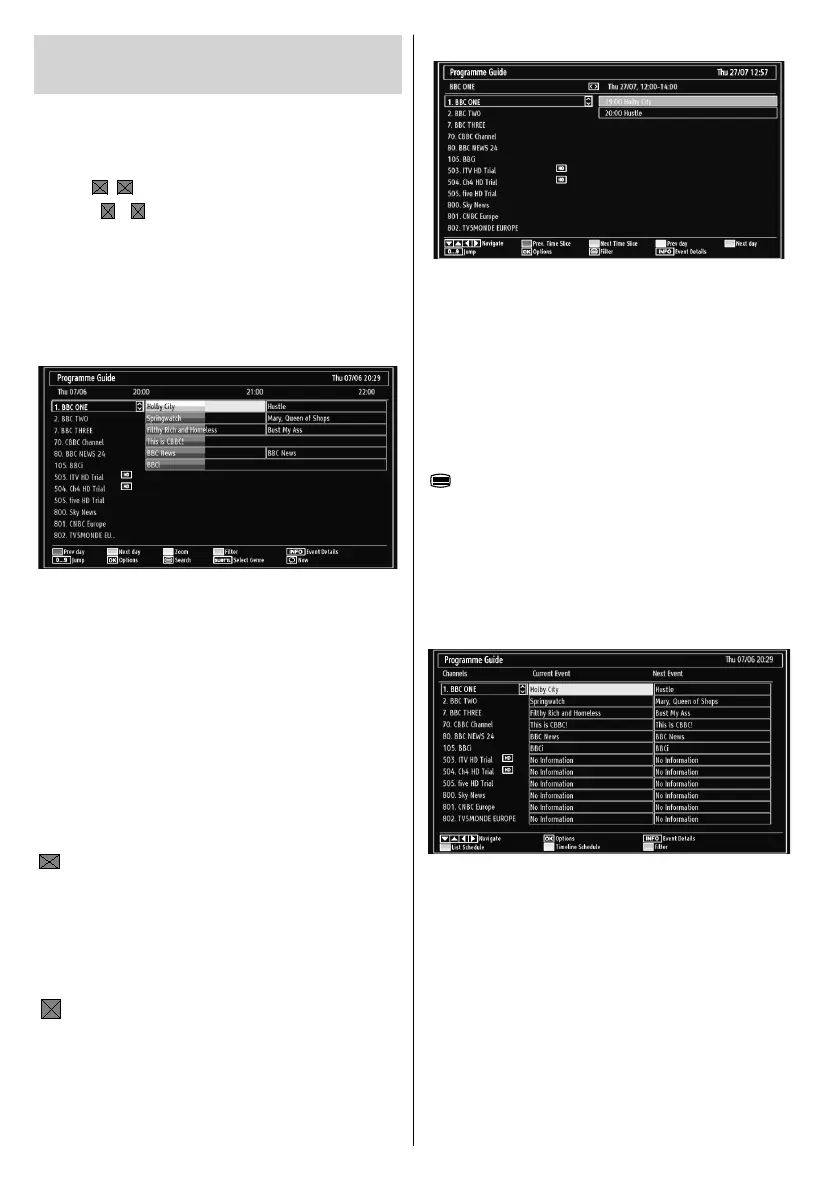
EPG List Schedule
Up/Down/Left/Right: Navigate.
Red button (Prev Time Slice): Displays the
programmes of previous time slice.
Green button (Next Time Slice): Displays the
programmes of the next time slice.
Yellow button (Prev Day): Displays the programmes
of previous day.
Blue button (Next day): Displays the programmes
of the next day.
“
” button (Filter): Views fi ltering options.
Numeric buttons (Jump): Jumps to the preferred
channel directly via numeric buttons.
OK (Options): Displays programme options including
“Select Channel” option.
INFO (Details): Displays the programmes in detail.
EPG Now and Next
Up/Down/Left/Right: Navigate.
OK (Options): Displays programme options including
“Select Channel” option.
Blue button (Filter): Views fi ltering options.
INFO (Event Details): Displays the programmes in
detail.
Green button: Programme schedule will be listed
Yellow button: Display EPG data in accordance with
timeline schedule.
Viewing Electronic Programme
Guide (EPG)
You can use the electronic programme guide (EPG)
to see information about available programmes.To
view the EPG menu please press EPG button on the
remote control.
Press “•
”/“ ” buttons to navigate through channels.
Press “• ”/“ ” buttons to navigate through the
programme list.
Please note that event information is updated •
automatically. If there is no event information data
available for channels, the EPG will be displayed
with blanks.
EPG Timeline Schedule
Red button (Prev Day): Displays the programmes
of previous day.
Green button (Next day): Displays the programmes
of the next day.
Yellow button (Zoom): Expands programme
information.
Blue button (Filter): Views fi ltering options.
Numeric buttons (Jump): Jumps to the preferred
channel directly via numeric buttons.
INFO (Details): Displays the programmes in detail.
OK (Options): Displays programme options including
“Select Channel” option.
“
” (Search): Displays “Guide Search” menu.
SUBTTL: Press SUBTITLE button to view Select
Genre menu. Using this feature, you can search the
programme guide database in accordance with the
genre. Info available in the programme guide will
be searched and results matching your criteria will
be listed.
“
”(Now) : Shows the current programme.
01_MB62_[GB]_woypbpr_3902UK_IDTV_NICKEL17_32925W_10075176_5020xxxx.indd 1401_MB62_[GB]_woypbpr_3902UK_IDTV_NICKEL17_32925W_10075176_5020xxxx.indd 14 27.10.2011 13:24:1327.10.2011 13:24:13



 To Next Page