EasyManua.ls Logo

JVC LT-32DE9BJ - User Manual

JVC LT-32DE9BJ
56 pages
Print Icon
To Next Page IconTo Next Page
Loading...
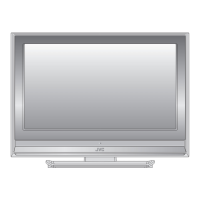
LT-32DE9BJ
LT-26DE9BJ
Trade Mark of the DVB Digital Video Broadcasting
Project (1991 to 1996) Number : 5229: LT-32DE9BJ
5230: LT-26DE9BJ
LCD FLAT TVLCD FLAT TV INSTRUCTIONSINSTRUCTIONS

Table of Contents

Questions and Answers

  • N
    Nicholas WilliamsonSep 9, 2025
    Why I cannot operate the TSR (Time Shifted Recording) on my JVC LT-32DE9BJ LCD TV?
    • P
      Phyllis AndersonSep 9, 2025
      If you cannot operate the TSR (Time Shifted Recording) on your JVC LCD TV, it may not be available during recording. Wait until the recording is finished. Also, ensure there is enough space by deleting unnecessary programmes.
  • R
    rwrightAug 23, 2025
    What to do if JVC LT-32DE9BJ LCD TV remote control is not working?
    • E
      Emily JosephAug 23, 2025
      If the remote control for your JVC LCD TV isn't working, make sure the top end of the remote is pointed directly towards the receiving part of the TV. Try removing and reinserting the batteries, or replace them with a new set.
  • B
    Bruce BarrettAug 25, 2025
    Why I cannot update new software on JVC LCD TV?
    • M
      markramosAug 25, 2025
      If your JVC LCD TV does not show a message requesting an update, it means no software is currently available for update.
  • K
    kellyrichardAug 26, 2025
    Why my JVC LT-32DE9BJ LCD TV has no power?
    • M
      Mark ReynoldsAug 26, 2025
      If your JVC LCD TV shows no message or has no power, check the main power cable to ensure it's properly plugged into a suitable and switched-on power outlet. Try connecting the power cable to a different outlet to rule out outlet issues.
  • G
    garciajacobAug 27, 2025
    How to fix no sound on JVC LCD TV?
    • J
      Jason StephensAug 27, 2025
      If your JVC LCD TV has no or poor sound, first check that your AV cable is correctly connected. Then, verify the TV's volume levels and ensure it is not on mute. Finally, check the audio type or soundtrack option in the AV menu.
  • J
    Jennifer PorterAug 29, 2025
    How to improve poor picture quality on JVC LCD TV?
    • J
      Janice SanchezAug 29, 2025
      To improve poor picture or sound quality on your JVC LCD TV, position the antenna in a location free from obstructions. Ensure there are no mobile phones or microwave ovens nearby. Adjust the antenna direction for better picture and, if using an active antenna, set the antenna power in the menu to 'On' to improve reception. Check the signal levels and adjust your antenna if the level is too low, as weather conditions can affect signal strength.
  • A
    Amanda RaySep 18, 2025
    Why I am unable to access the EPG when I am playing back a recording on my JVC LCD TV?
    • E
      Erica StokesSep 18, 2025
      The EPG is not available when playing a recording on your JVC LCD TV. Stop the recording and go to a live TV channel to access the EPG.
  • M
    Matthew VazquezSep 18, 2025
    What is the default PIN code for JVC LT-32DE9BJ LCD TV?
    • R
      Rachel WrightSep 22, 2025
      The default PIN code for your JVC LCD TV is always 0000.
  • L
    lloyddarrenSep 7, 2025
    Why I cannot make reservations on my JVC LT-32DE9BJ LCD TV?
    • A
      Anna SmithSep 8, 2025
      If you cannot make reservations on your JVC LCD TV, check that no previous reservations are conflicting with the new one. Also, ensure that the TV is switched on at the time of the reservation.
  • P
    Phillip MullenSep 4, 2025
    Why I cannot watch pay channels on my JVC LT-32DE9BJ?
    • S
      Susan RitterSep 4, 2025
      To resolve the issue of being unable to watch pay channels on your JVC LCD TV, verify in the menu that you have a valid and active subscription for the channels you are trying to view.

JVC LT-32DE9BJ Specifications

General IconGeneral
Resolution1366 x 768 Pixels
Display TypeLCD
HD TechnologyHD Ready
HDMI Ports2
USB Ports1
Aspect Ratio16:9
Contrast Ratio3000:1
Viewing Angle178° (H) / 178° (V)
VGA InputYes
Component InputYes
Composite InputYes
Headphone JackYes
Screen Size32 inches
Standby Power Consumption0.5W

Related product manuals