GB-13
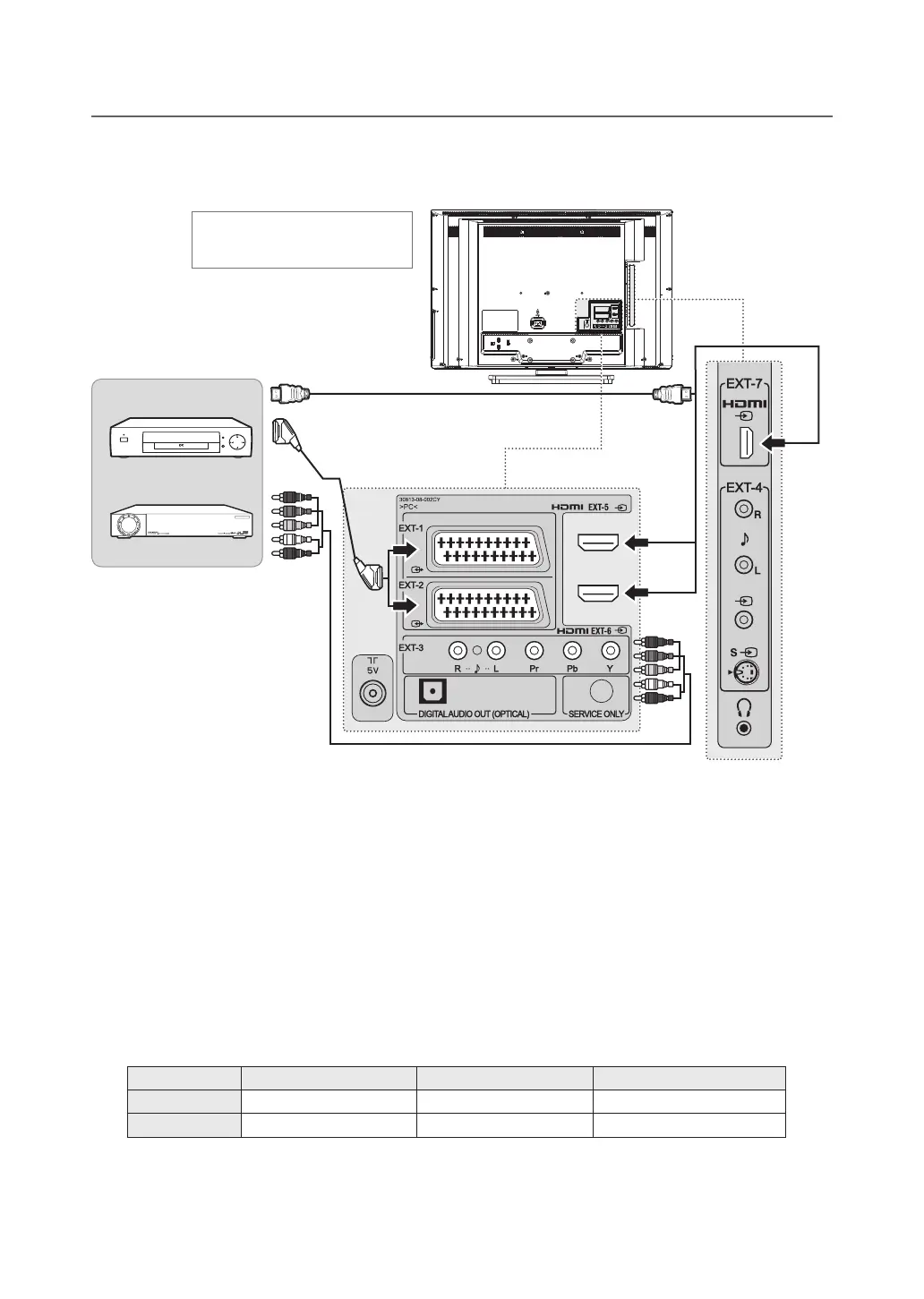
Connecting the DVD or Set-Top Box
With a SCART cable
Connect the SCART cable between the SCART connector (EXT-1 or EXT-2) on TV and the SCART connector of
DVD or STB.
With a component cable
Connect the component video and audio cable between the component video and audio input connectors (EXT-3) on
TV and the component video and audio output connectors of DVD or STB.
NOTE: Dependingonthemanufacturer,theY/Pb/PrjacksmaybeidentifiedasY/PB/PR,Y/B-Y/R-YorY/CB/CR.
With an HDMI cable
ConnecttheHDMIcablebetweenthe(EXT-5, EXT-6 or EXT-7)onTVandtheHDMIoutputconnectorofDVDor
STB.
NOTE: AllHDMIinputssupportDVIvideobutonlyfirstHDMIinput(EXT-5)supportsDVIaudiothroughcomponentaudio
input (EXT-3).
SCARTInput/Output COMPONENTInput HDMIInput
LT-26DE9BJ EXT-1, EXT-2 EXT-3 EXT-5, EXT-6
LT-32DE9BJ EXT-1, EXT-2 EXT-3 EXT-5, EXT-6, EXT-7
CONNECTING EXTERNAL DEVICES
HDMI
SCART
COMPONENT
DVD
STB
Heretheshownillustrationis
LT-32DE9BJ model and may be
somewhat different from your TV.



 To Next Page
 Loading...








