GB-9
PREPERATION
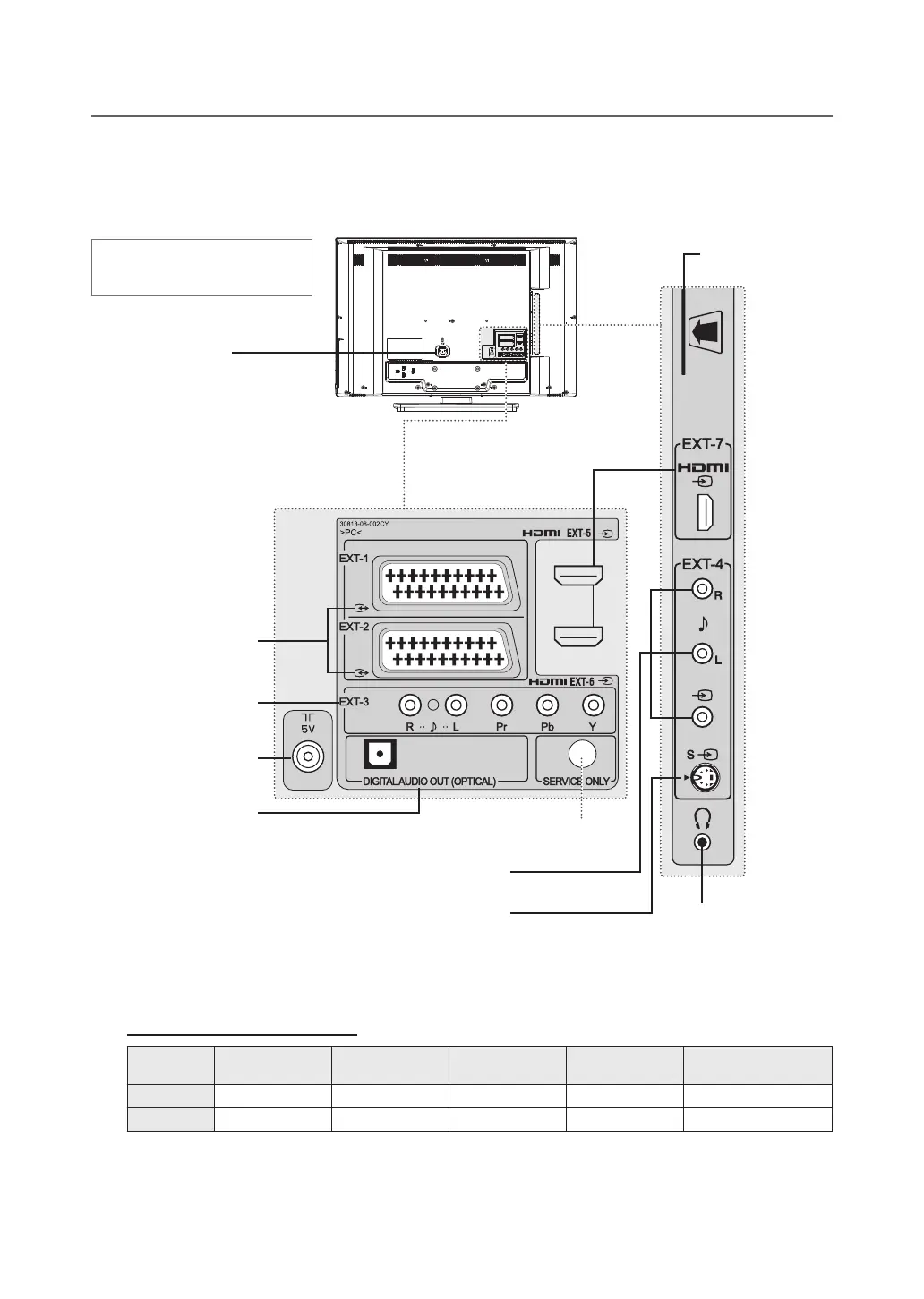
Rear and Side Panel
External AV Terminals by Model
SCART
Input/Output
COMPONENT
Input
COMPOSITE
Input
S-VIDEO
Input
HDMI
Input
LT-26DE9BJ EXT-1, EXT-2 EXT-3
EXT-4 EXT-4S EXT-5, EXT-6
LT-32DE9BJ EXT-1, EXT-2 EXT-3
EXT-4 EXT-4S EXT-5, EXT-6, EXT-7
CI (Common Interface) SLOT
A slot for a CAM (Conditional
Access Module).
HDMI INPUT
ConnecttotheHDMIoutputsofDVDorSTB.
H/P
Connects to headphones.
AC INPUT
Connects the power cord.
SCART INPUT/OUTPUT
ConnecttotheSCARTinput/output
of VCR, DVD or STB.
COMPONENT INPUT
Connect to the component
outputs of DVD or STB.
RF INPUT
Connects to an antenna or a
cable system.
DIGITAL AUDIO OUT (OPTICAL)
Connects to a digital audio component
(Digital TV audio output only).
COMPOSITE INPUT
Connect to the Composite video and audio outputs of VCR.
S-VIDEO INPUT
Connect to the S-video output of VCR or DVD.
Not available
(Service only)
Heretheshownillustrationis
LT-32DE9BJ model and may be
somewhat different from your TV.


 To Next Page
 Loading...









