GB-14
CONNECTING EXTERNAL DEVICES
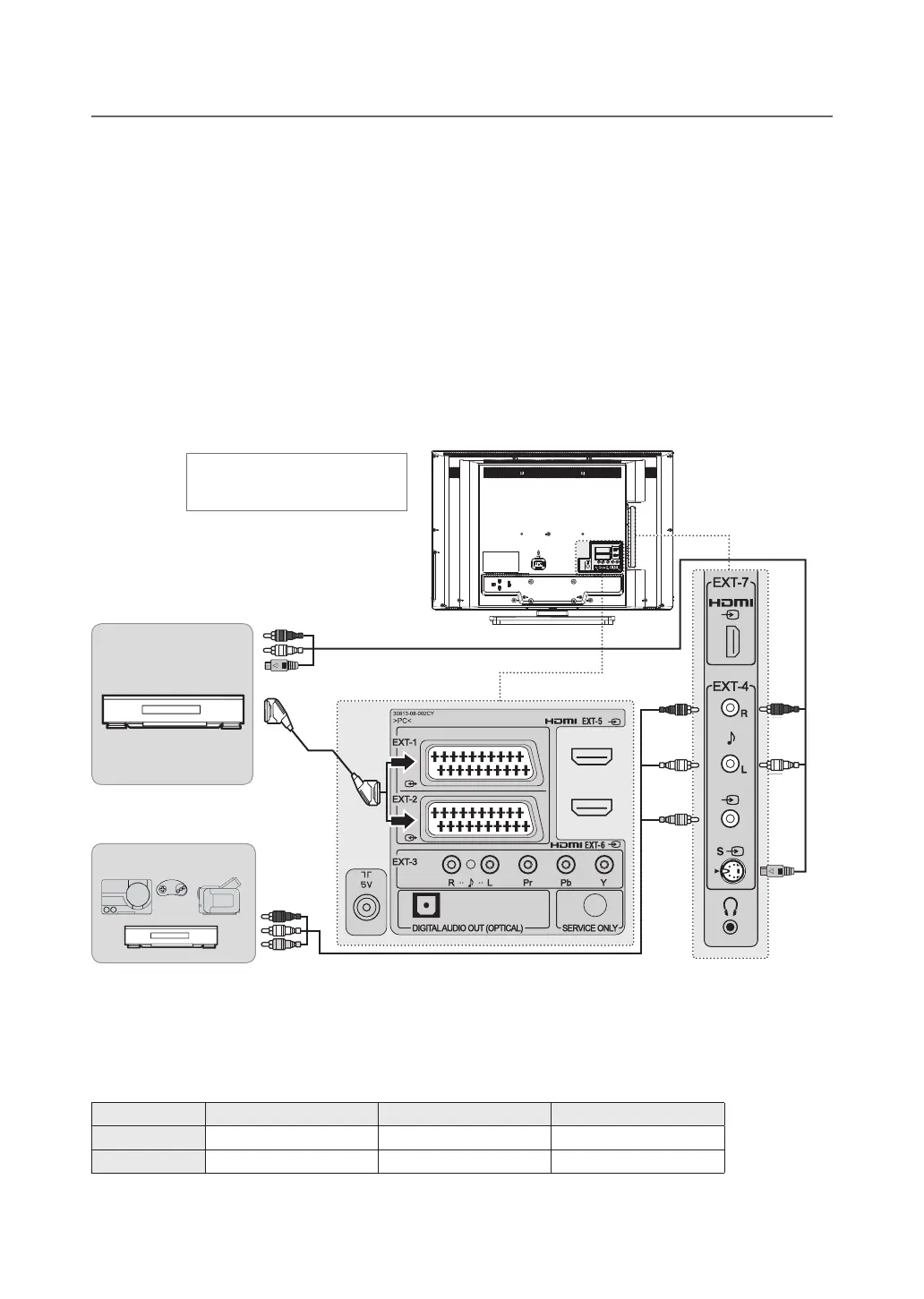
Connecting the VCR
With a SCART cable
Connect the SCART cable between the SCART connector (EXT-1 or EXT-2) on TV and the SCART connector of
VCR.
With a composite cable
Connect the composite video and audio cable between the composite video and audio input connectors (EXT-4) on
TV and the composite video and audio output connectors of VCR.
With a S-video cable
Connect the S-video and audio cable between the S-video and audio input connectors on TV (EXT-4) and the
S-Video and audio output connectors of VCR.
NOTE: ThecompositevideoandS-VideoshareAudio-L/RinEXT-4onside.
Connecting the Camcorder or Game Console
With a composite cable
Connect the composite video and audio cable between the composite video and audio input connectors (EXT-4) on
TV and the composite video and audio output connectors of camcorder or game console.
SCARTInput/Output COMPOSITEInput S-VIDEOInput
LT-26DE9BJ EXT-1, EXT-2
EXT-4 EXT-4S
LT-32DE9BJ EXT-1, EXT-2
EXT-4 EXT-4S
Heretheshownillustrationis
LT-32DE9BJ model and may be
somewhat different from your TV.
VCR
SCART
S-VIDEO
Camcorder / Game consoles / VCR
Cable of COMPOSITE
Cable of S-Video
COMPOSITE



 To Next Page
 Loading...








