6
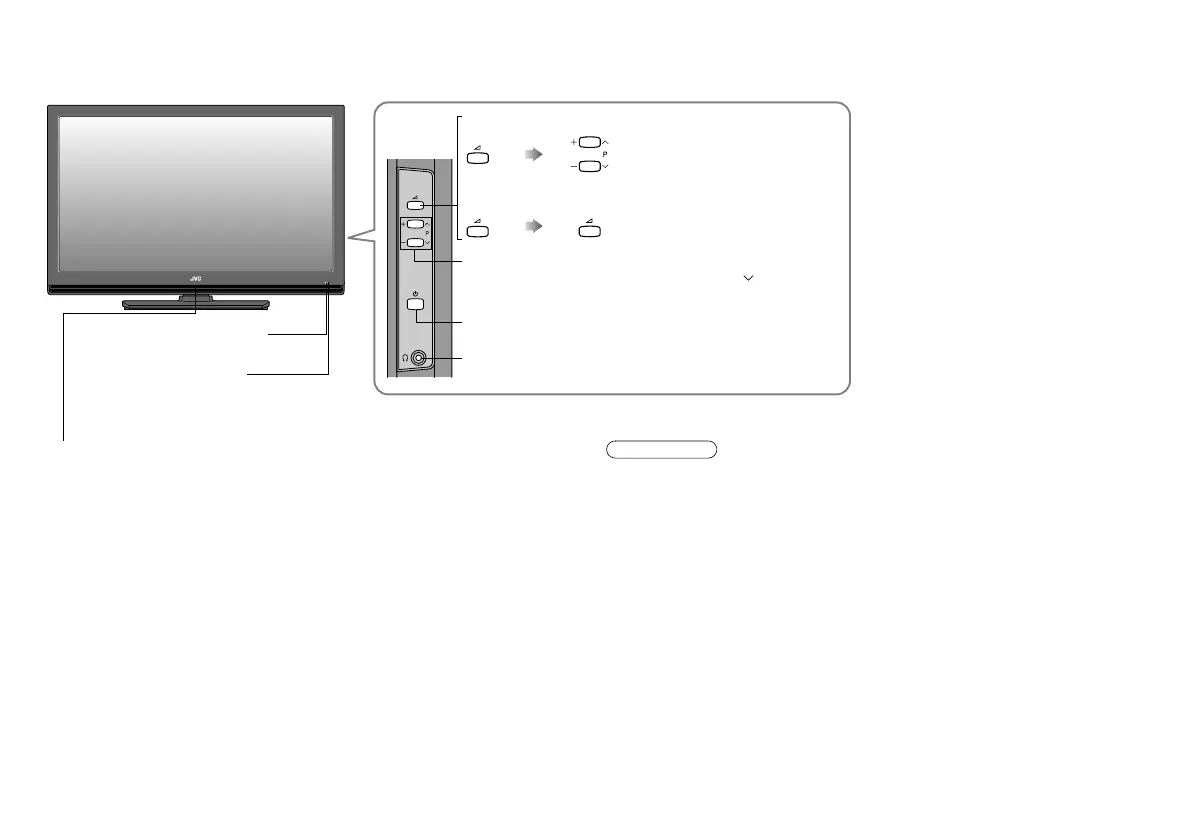
Power lamp
ON: Lit
OFF: Unlit
z When “Power Lamp” is set to “Off”, the Power lamp will not light up.
g “Power Lamp” (P. 29)
z The power lamp will blink before the “Record” timer starts to function.
When the “Record” timer is in progress, the power lamp lights even though
the TV is off (standby). For details, refer to “Timer” (P. 11) on the separate
manual “WATCHING DIGITAL CHANNELS”.
z Peel off the protection films pasted on the glossy finish of the TV after the
TV has been placed properly. (P. 7)
Remote control sensor
Switch between digital / analogue channels.
Turn on / off (standby) the TV.
Headphone jack (stereo mini jack R3.5 mm)
Change channel / EXT terminal.
To switch to an external input, press P repeatedly.
Volume
Eco Sensor
g“What is “Eco Sensor”?”
(P. 34)
Note
Names and functions of parts
LT-42DR9BJ_003A.book Page 6 Thursday, September 11, 2008 3:03 PM



 To Next Page
 Loading...








