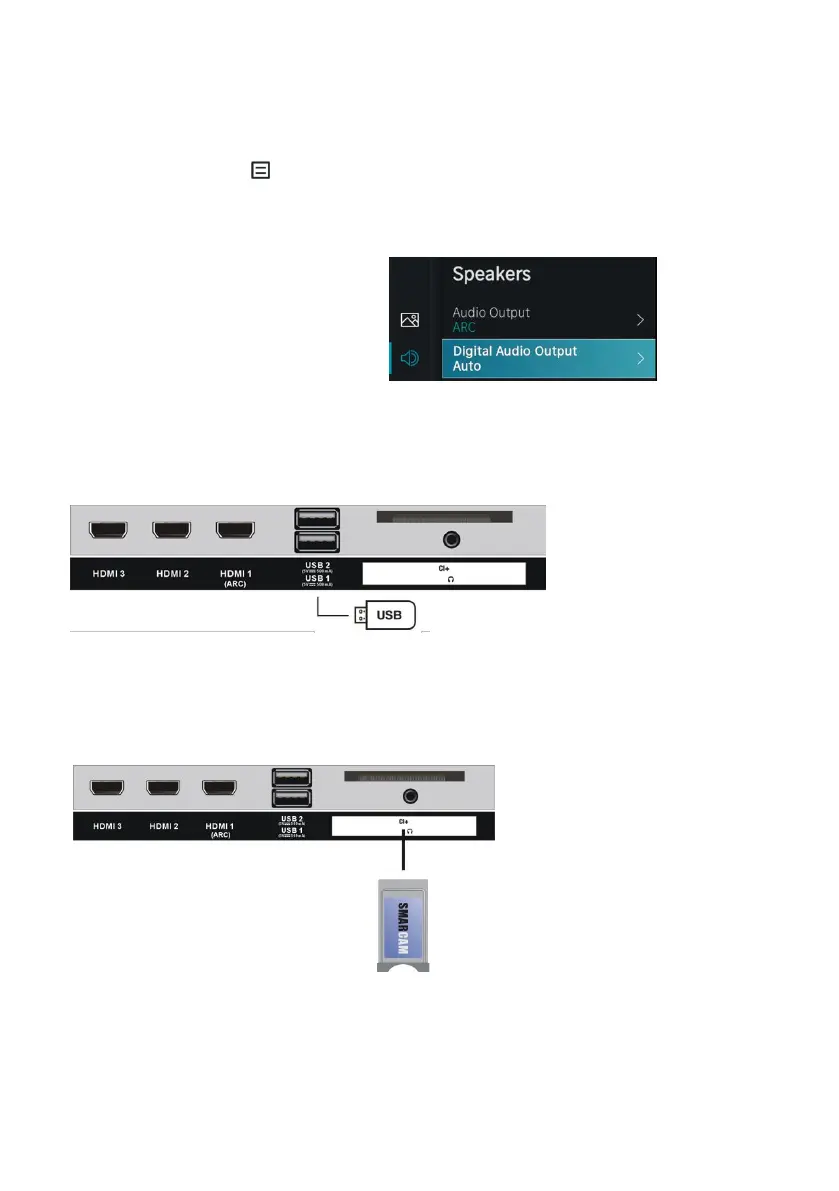
We raden aan de digitale audio-uitgang in te stellen op ‘Auto’ om de Dolby Atmos-inhoud in het
optimale Dolby-formaat via de HDMI ARC naar de AVR of soundbar te sturen.
De digitale audio-uitgang van uw tv instellen:
Druk op de menuknop om Instellingen te selecteren en druk op de OK knop om het OSD-
menu te openen.
Ga naar Geluid → Luidsprekers → Digitale audio-uitgang
Selecteer “Auto”.
USB-aansluiting
Een CI-kaart inbrengen
USB-geheugenapparaat
(niet inbegrepen)
Stop uw CI-kaart (Conditional Access
Module) in om naar speciale digitale
kanalen in uw gebied te kijken.



 To Next Page