EasyManua.ls Logo

JVC LT-32P679 - User Manual

JVC LT-32P679
64 pages
Print Icon
To Next Page IconTo Next Page
Loading...
LCT2385-001A-A
0208KTH-II-IM
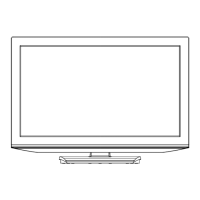
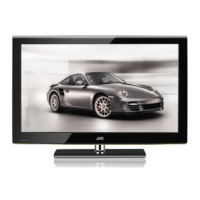
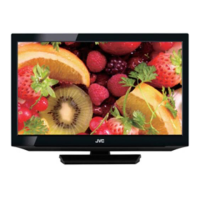
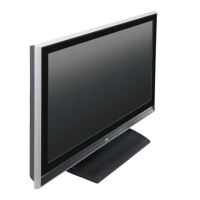
LCD Television Users Guide
Important Note:
In the spaces below, enter the model and serial number of your television (located at the
rear of the television cabinet). Staple your sales receipt or invoice to the inside cover of this
guide. Keep this user’s guide in a convenient place for future reference. Keep the carton
and original packaging for future use.
Model Number:
Serial Number:
POWER
SLEEP
MODE
TV STB VCR DVD AUDIO
INPUT
123
456
789
0
TUNE
TV
RETURN
+
iPod MUTING
– CH + – VOL +
RM-C1480
TV
DVR
STATUS
VIDEO
GUIDE
TV/VCR
SUB T.
SUB CH ML/MTS DISPLAY
SOUND
OK
M
E
N
U
F
A
V
O
R
I
T
E
A
S
P
E
C
T
B
A
C
K
V1 V2 V3 V4 V5
TV DVD/DVR DBB TUNER USB
PCON
iTV
LT-32P679
iPod is a trademark of Apple Inc., registered in the
U.S. and other countries.
LCT2385-001A-A English 1LCT2385-001A-A English 1 4/14/08 3:42:17 PM4/14/08 3:42:17 PM

Questions and Answers

  • J
    Jamie KleinSep 8, 2025
    What to do if my HDMI device doesn't work with my JVC LCD TV?
    • T
      Timothy VegaSep 8, 2025
      This JVC television can accept a variety of HD signals, including 720/60p, 1080/60i and 1080/60p. It does not accept a 1080/24p signal. In some cases, a Blu-ray or HD-DVD may only offer the choice of 1080/60i or 1080/24p. In this case, it is necessary to choose the 1080/60i output.
  • B
    Brandon YoungSep 10, 2025
    How to fix a JVC LT-32P679 LCD TV screen that is 80% black?
    • T
      Tracy ClarkSep 10, 2025
      If your JVC LCD TV screen is 80% black, the Closed Caption Text mode is likely turned on. Turn it off in the Closed Caption Menu.
  • S
    Sara RoblesSep 12, 2025
    What does “Weak Signal” mean on my JVC LT-32P679 LCD TV?
    • M
      Margaret AdamsSep 12, 2025
      This OSD appears when the digital channel that you have selected is too weak to receive or no signal is being detected for that channel.
  • A
    Anna AndersonSep 14, 2025
    Why is the picture slightly cut off on my JVC LCD TV in 1080p format?
    • E
      Eric MooreSep 14, 2025
      Change the picture format setting on your external device to 1080i or other resolution.
  • N
    Nathan RogersSep 15, 2025
    What does “No Program” mean on my JVC LT-32P679 LCD TV screen?
    • R
      Robert WilliamsSep 16, 2025
      It appears when that channel is not receiving a signal and you have the Noise Muting function OFF and you have a single screen. Even if "NO PROGRAM" appears on the screen, your timer functions and auto shut off functions that you set, are still active. It moves automatically every two seconds to prevent the screen from burn-in. This applies if you are watching an analog channel.
  • M
    Michael WallSep 18, 2025
    Why does the screen disappear except for the menu screen on my JVC LCD TV?
    • D
      David NicholsSep 18, 2025
      This occurs when you select a digital menu when your input source is from the HDMI connection. Press the menu button.

JVC LT-32P679 Specifications

General IconGeneral
Screen Size32 inches
Display TechnologyLCD
Aspect Ratio16:9
HDMI Ports2
USB Ports1
Audio Output10W x 2
Contrast Ratio3000:1
TunerDVB-T/C
VGA Input1
SCART Inputs1
Component Input1
Composite Input1
Headphone Output1
Standby Power Consumption0.5W
Resolution1366 x 768
Viewing Angle178°
Dimensions (W x H x D) with Stand732 x 476 x 180 mm

Related product manuals