Just the way
you like it
Picture Mode
Standard
Bright-1
Features
Colour Temp.
Hue
Colour
Sharp
Bright-2
Contrast
Cool
Picture
IMPORTANT! PREPARE USE
SETTINGS
TROUBLE?
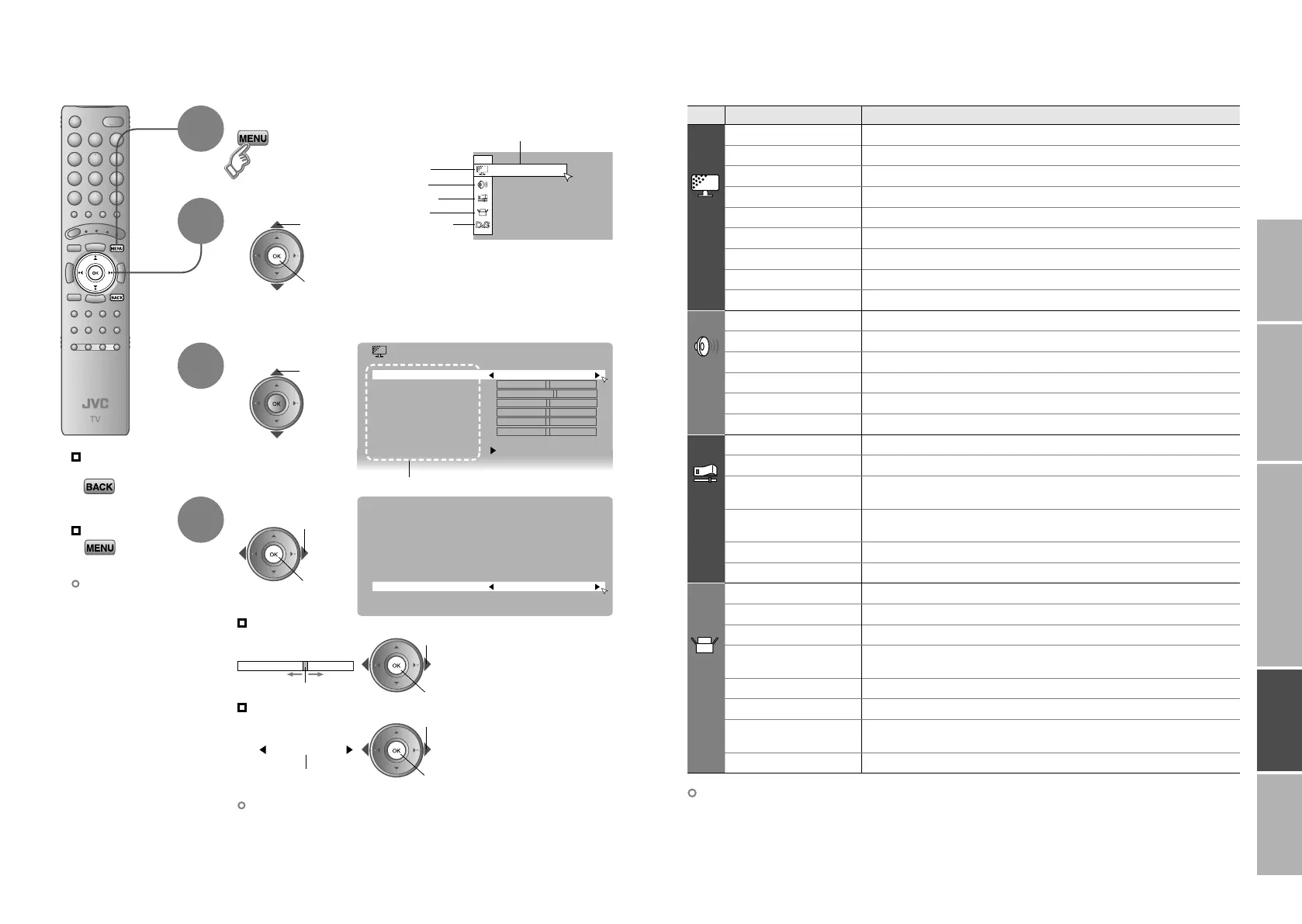
Customising your TV
Display the menu bar
Select a menu
Select an item
Adjust / Configure
Move
The item will change.
Selected menu’s title
Items
Picture
Sound
Features
Set Up
To the previous
screen
Exit
1
The menu disappears
after one minute of
inactivity.
When adjusting
with the sliding-bar
2
3
4
When selecting
from presets
2 next
1 select
select
2 set
1 adjust /
select
2 set
1 adjust
2 set
1 select
Some items have a
sub-menu.
DTV (P. 36)
Other settings · Change the aspect ratio “ZOOM” (P. 20)
· Turn on “3D Cinema Sound” “3D CINEMA SOUND” (P. 20)
Menu Item Adjustments / Configurations
Picture
Picture Mode
Picture mode (Bright / Standard / Soft)
Bright-1
Backlight brightness (Darker Brighter)
Contrast
Contrast (Lower Higher)
Bright-2
Brightness (Darker Brighter)
Sharp
Sharpness (Softer Sharper)
Colour
Colour (Lighter Deeper)
Hue
Tint (Reddish Greenish)
Colour Temp.
Colour temperature (Warm / Normal / Cool)
Features
Finer picture adjustments (P. 42)
Sound
Stereo / t · u
Mode / Language (v : MONO / s : STEREO / t : SUB1 / u : SUB2)
Bass
Low tones (Weaker Stronger)
Treble
High tones (Weaker Stronger)
Balance
Speaker balance (Left Stronger Right Stronger)
3D Cinema Sound
Ambience level (High / Low / Mono / Off)
Tone Correction
Make the sound more clear (On / Off)
Features
Sleep Timer
Timer for turning off the TV (P. 30)
Child Lock
Stops children from watching specific channels (P. 31)
Appearance
Format for displaying the channel number
(Type A / Type B)
Blue Back
Displays a blue screen and mute the sound
when the signal is weak or absent (On / Off)
Favourite Setting
Clear favourite channel settings (P. 29)
Power Lamp
Lights power lamp (P. 6) while the TV is on (On / Off)
Set Up
Auto Program
Select a country, it automatically registers channels (P. 12, ⁄)
Edit / Manual
Change registered channels or add new ones (P. 16)
Decoder(EXT-2)
For when connected to VCR with “T-V LINK” (On / Off)
Component
Auto Select
Changes the TV input to “EXT-4” when a component signal is input to
“EXT-4” (On / Off) (Not available when viewing PC)
EXT Setting
For use with video players and other devices (P. 27)
HDMI Setting
Size (1 / 2 / Auto), Audio (Digital / Analogue / Auto)
Attenuator
For when the picture is not displayed because of too strong radio waves
(On / Off)
PC Position
PC position adjustment (P. 26)
34-35 4/5/2006 4:41:21 PM



 To Next Page