7 EN
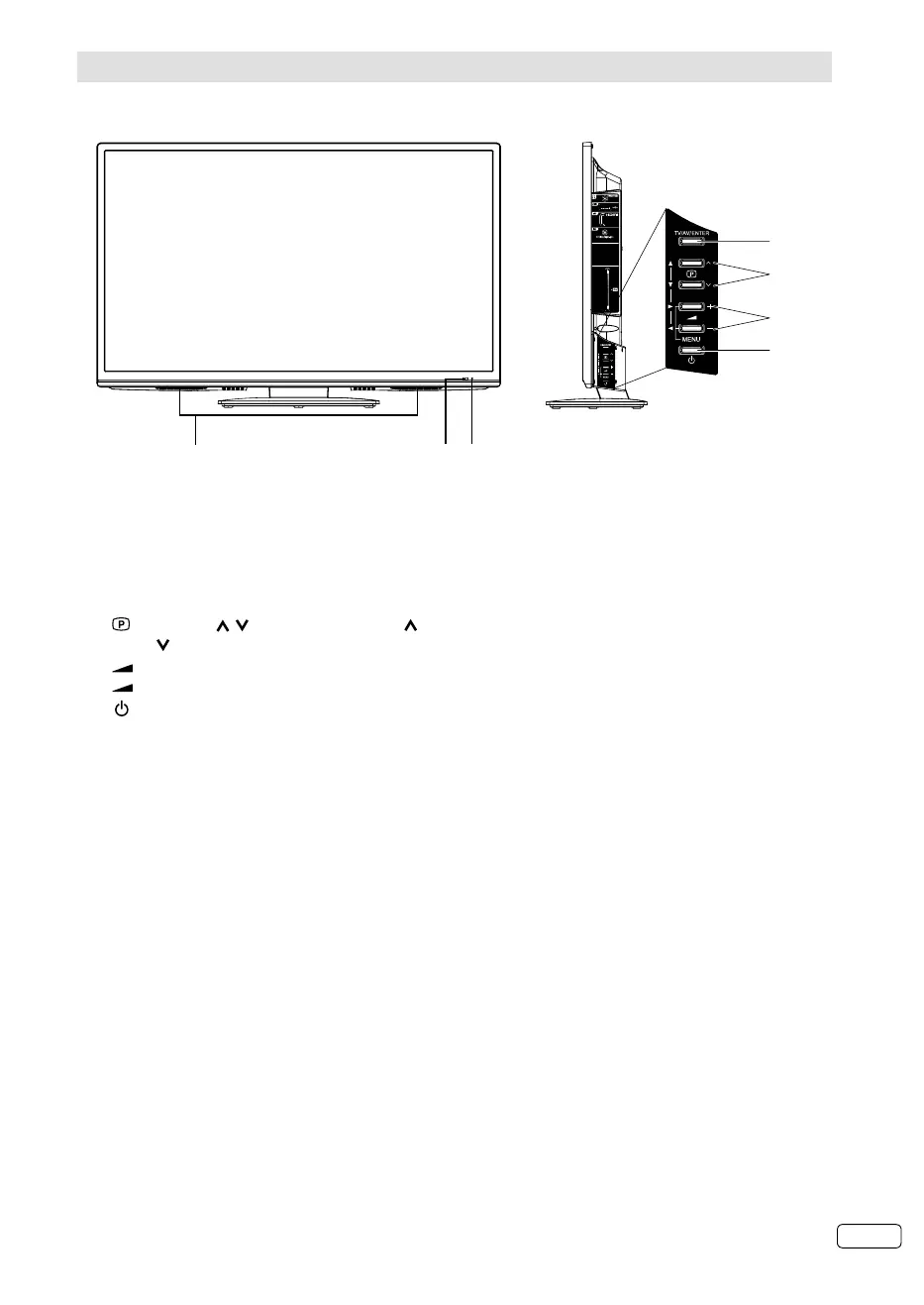
Location of controls
3
7
5
6
1
4
2
Description of Indicators and Controls
1. Loudspeakers
2. Power indicator: The power indicator lights up red in standby mode, and green in power - ON mode.
3. Remote sensor
4. TV/AV/ENTER button: Select input mode. In Menu : Using as ENTER button.
5.
(Channel) / /▲/▼ buttons: Press to change to a higher numbered channel set into memory.
Press
to change to a lower numbered channel set into memory. In Menu: Setting.
6.
(Volume) +/–/◀/▶/MENU buttons : Volume / In Menu :To display the menu screen. Press hold
(Volume) +/– the same time about 1 second the menu will be appear.
7.
(Power)-button: Preparation: Connect power-cable to AC220~240V/50Hz.
Press power-button to enter standby mode or turn on the power.
If you want to cut the mains power-supply, please power-off with your remote-unit first. Wait for the red
light, before you cut the line. Failure to do so, might hinder the TV to save (memorize) recent settings.
For complete disconnection from the mains power supply, remove the supplied power cable from the
socket.
J3NW2151A_EN.indd 7J3NW2151A_EN.indd 7 3/4/13 2:51:27 PM3/4/13 2:51:27 PM



 To Next Page
 Loading...










