2
10
Preparation
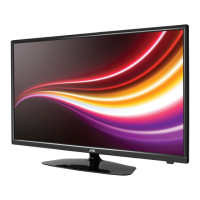
Front / Right Side View and Controls
Item Description
1 MULTI FUNCTION SWITCH Switches the TV into standby and on. Selects modes (channel,volume, and source).
2 POWER LED
Illuminates when the TV is in standby mode. The LED will blink confirming that a timer
recording programme has started in the standby mode.
3 IR (Infrared Receiver)
Receives IR signals from the remote control.
Do not put anything near the sensor, as its function may be affected.
4
Press to start playback or pause. (DVD mode)
5
Press once to stop playback and leave in resume state. (DVD mode)
Press twice to stop playback completely. (DVD mode)
Press to eject disc. (DVD mode)
2
1
4
5
3
Remove the stand assembly before mounting the TV onto the wall.
• If you are wall mounting your TV you may wish to buy a 90° HDMI adapter. This will help with your cable management.
• Please read this instruction manual carefully while setting up your TV.
• If you require additional assistance please call our Call Centre on (UK) 0344 561 1234 or (Ireland) 1 890 818 575.
Our Customer Contact Centre is open 24/7.
1. Remove the 4 screws from the neck of the stand and detach the
stand.
Mounting the TV to a Wall
2. This TV is designed to be wall-mounted with
a standard 200 mm x 200 mm mounting kit
(sold separately) designed for flat-panel TVs.
Mount this TV according to the instructions
included in the mounting kit. Due to space
restrictions, we recommend that you make all
connections before mounting on to
the wall.
SCART
SPDIF
Coax.OUT
VGA
ANT.
HDMI 1
(ARC)
HDMI 2
HDMI 3
LAN
x4
SCART
SPDIF
Coax.OUT
VGA
ANT.
HDMI 1
(ARC)
HDMI 2
HDMI 3
LAN
200mm
Four mounting holes
(size M6 screw)
200mm



 To Next Page