Connections and Setup
Network Connection
Note: Instructions below are just the usual ways to connect your TV to the wired or wireless network. The connection
method may be different depending on your actual network
If you have any questions about your home
network, please refer to your ISP.
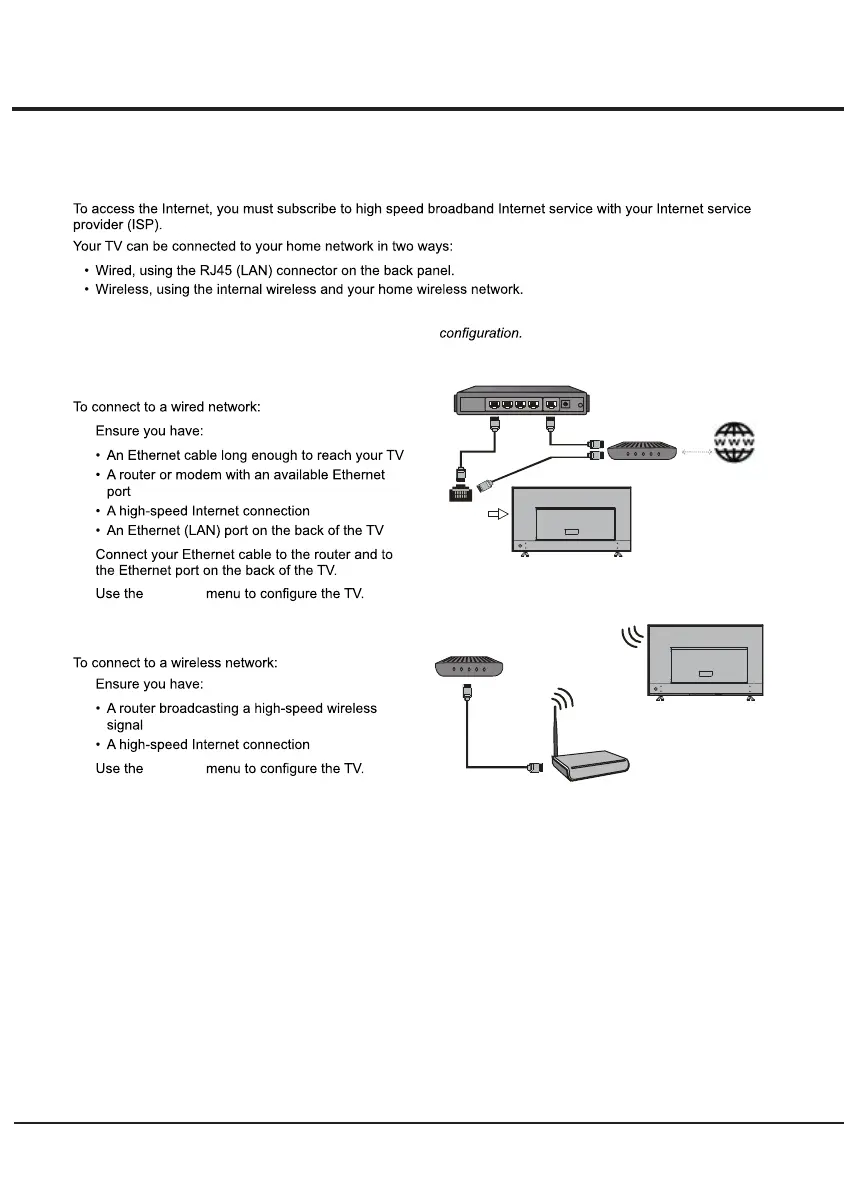
Connecting to a wired network
1.
2.
3. Network
Connecting to a wireless network
1.
2. Network
Modem
Internet
TV Set
Router
Ethernet
Port on the
back panel
or
Wireless Router
Modem
TV Set
Built-in wireless
connection
9



 To Next Page