11
Base Stand Assembly Instruction
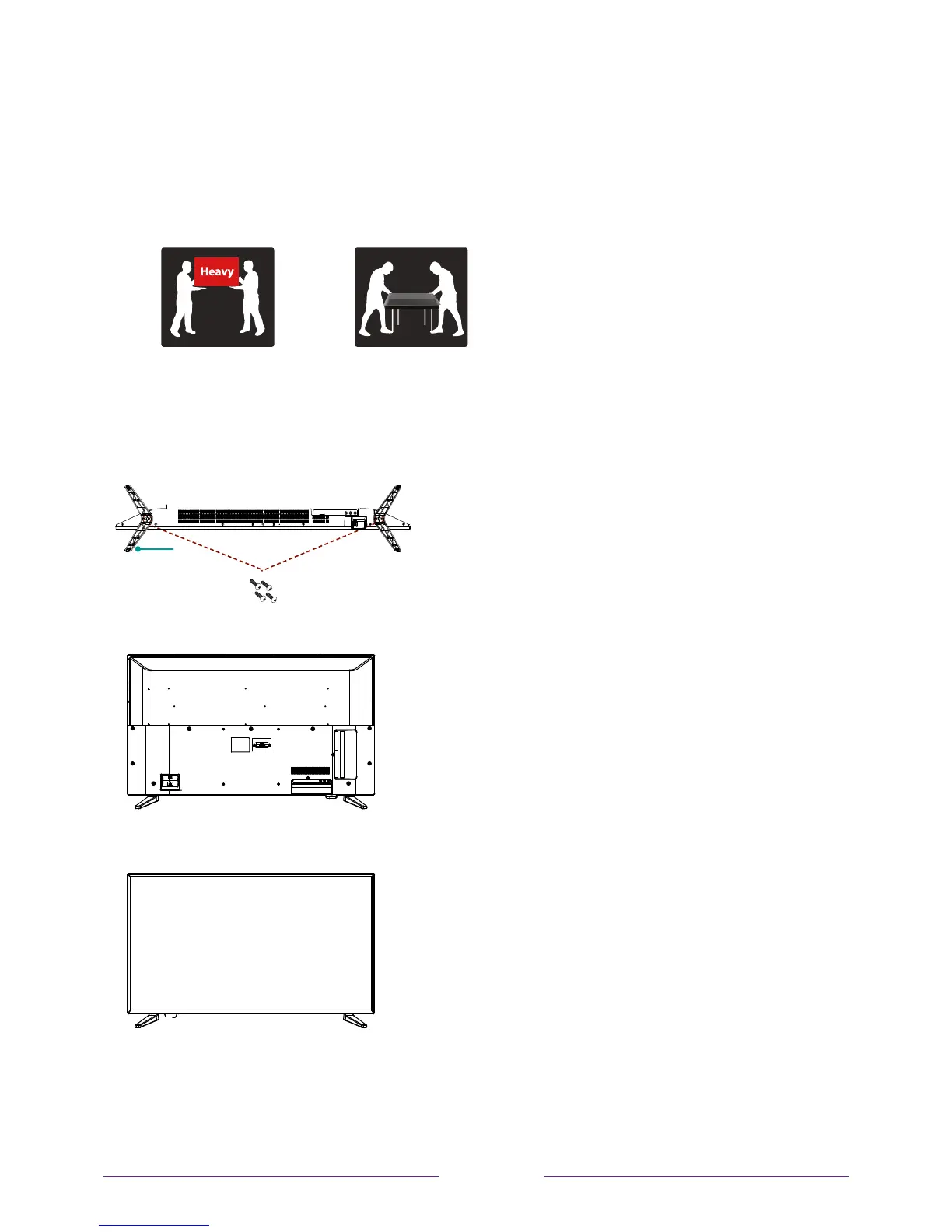
Attach the stands to the bottom of the TV by inserting the stand into slots on the TV.
Secure the stands to the TV with the supplied screws.
It is recommended two people handle TV stand installation.
To prevent scratch or damage to the TV screen, place the TV on a soft, flat surface.
To attach the left and right leg that forms the stand:
1.Place the legs into the bottom slots of the TV, insert and tighten the screws
(found in the accessories bag) in the circled areas with the screwdriver (not provided).
2. After securing the stand, place the TV on a stable surface. The TV is ready for use now.
Note: TV can also be wall mounted. Wall mount sold separately.
leg
Screws


 To Next Page
 Loading...