5
USE
TROUBLE?
SETTING
By default, the language set in “Audio Language” (P. 12) is automatically
selected.
When not broadcast in that language, another broadcast language is
automatically selected.
䡵 Switch to another language
: Special audio track for the visually impaired
Undefined: When the audio’s language cannot be identified
Dolby: Dolby Digital
z The language that can be selected depends on the broadcast.
z Please read ““Dolby Digital” output from the DIGITAL AUDIO OUT
terminal” (P. 18) before selecting “Dolby”.
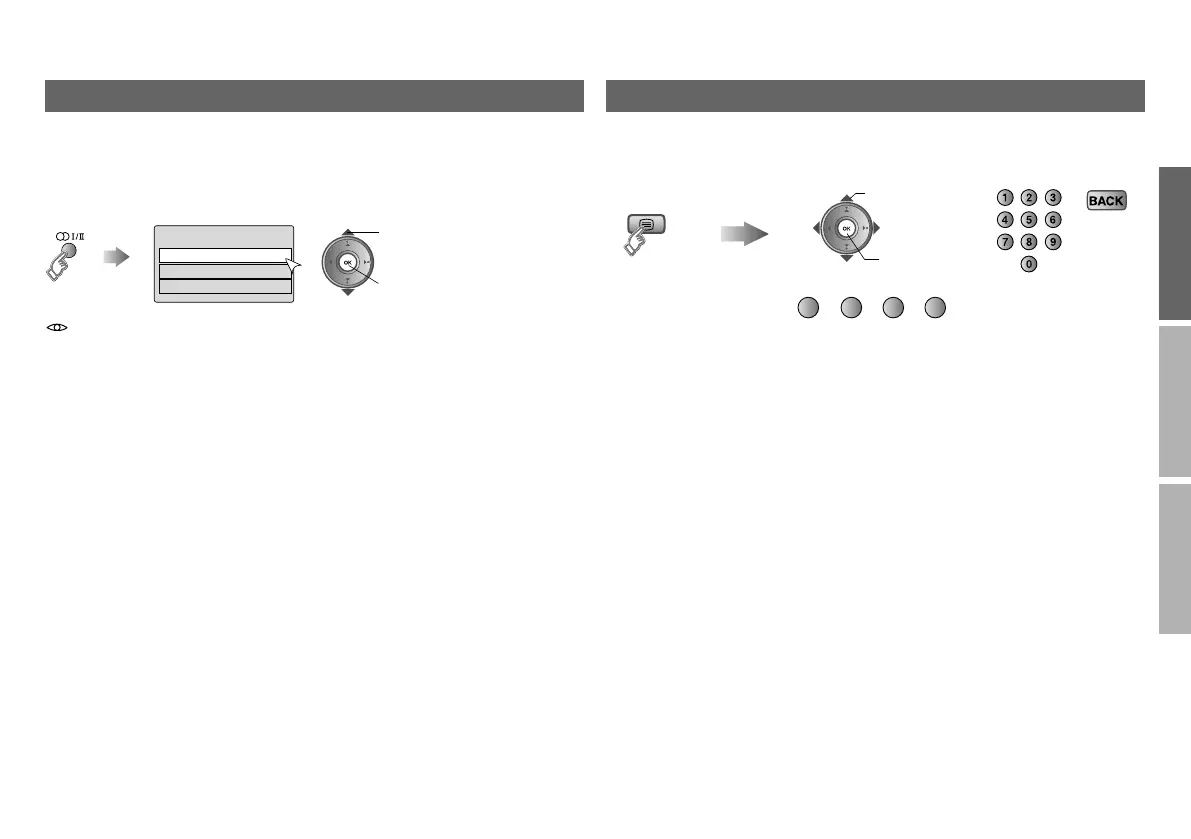
Select audio language
Audio Selection
English
Gaelic
Welsh
A select
B set
View teletext information
Enter the
Teletext mode
Operate according to the screen indications.
You can use the buttons shown below.
B set
A select
(red) (green) (yellow) (blue)
LT-42DR9BJ_DTV_003A_EN.book Page 5 Wednesday, July 16, 2008 4:42 PM



 To Next Page
 Loading...