56
8
PVR (Personal Video Recorder)
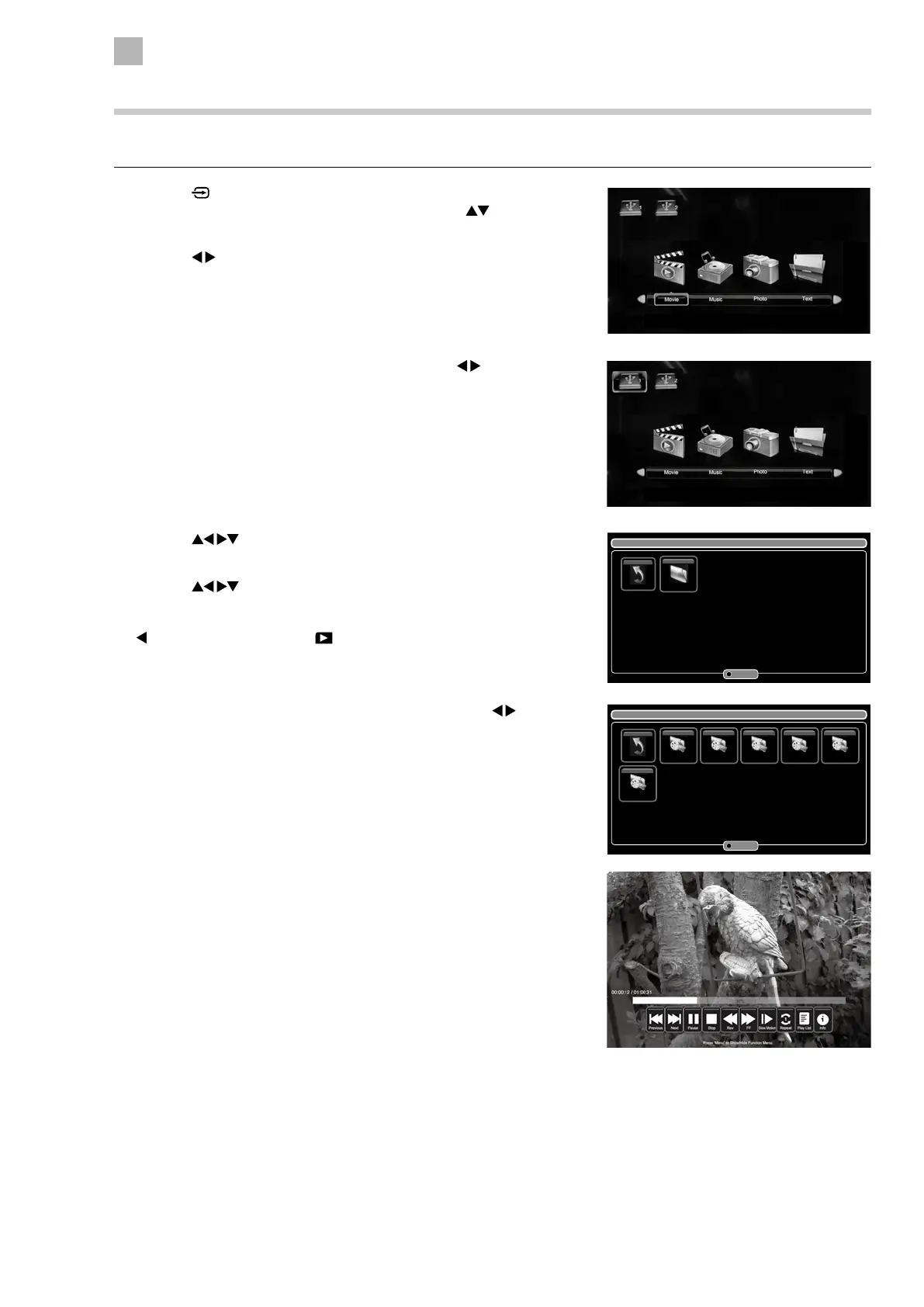
6. Press the MENU button to display the function bar. Press the
buttons and then press the OK button to select the function: Previous /
Next / Pause / Stop / Rev / FF / Slow Motion (x1/2 / x1/4 / x1/8 / x1/16 /
x1/32 / Play) / Repeat (Repeat All, Repeat Off / Repeat 1) / Play List / Info.
7. Press the EXIT button to return to the previous menu.
Playing Recorded Programme
You can play a recorded programme from the recorded programme list or from a USB Storage Device.
1. Press the
button on the right bottom panel under the TV frame or the
INPUT button on the remote control and then press the
buttons to
select the USB mode and then press the OK button.
2. Press the
buttons to select MOVIE and then press the OK button.
3. If you have more the one devices connected, press the
buttons to
select your storage device and then press the OK button.
4. Press the buttons to select the "_MSTPVR" folder and then press
the OK button.
5. Press the
buttons to select your recorded programme and then
press the OK button. A tick box will be displayed. If you want to delete
the file, press the RED button to enter the Sub Menu and then press the
button to confirm. Press the PLAY button to view.
/usb/sdb1/_MSTPVR
Return _MSTPVR
Directories: 1 Files: 0 Total: 1 1/1
Sub Menu
/usb/sdb1/_MSTPVR
Return 3_BBC_ONE_... 3_BBC_ONE_... 2_Channel_4... 2_Channel_4... 2_Channel_4...
1_BBC_TWO_...
Directories: 0 Files: 6 Total: 6 1/1
Sub Menu


 To Next Page