EasyManua.ls Logo

JVC LT-50MAW 780 - User Manual

JVC LT-50MAW 780
32 pages
Print Icon
To Next Page IconTo Next Page
Loading...
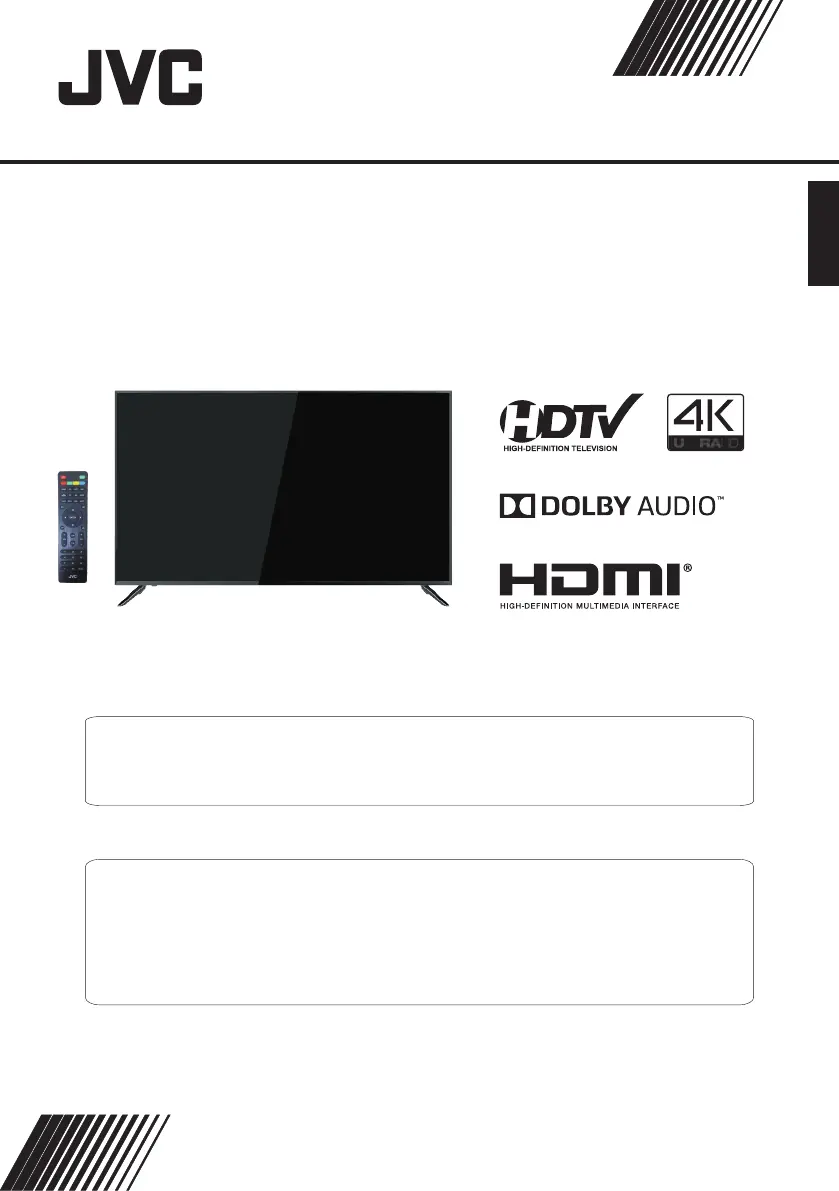
4K Ultra-HD LED TV
LT-50MAW780
(50" class/ 50 diagonal)"
USER GUIDE
Before operating the unit, please read this manual thoroughly.
ATTENTION
If you purchase a universal remote control from your local retailer, please contact the remote manufacturer for the
required programming code.
ENGLISH
PLEASE HAVE THE MODEL NUMBER READY PRIOR TO CALLING
FOR RECYCLING INFORMATION, PLEASE CONTACT CUSTOMER SERVICE.
CUSTOMER SERVICE - 1-888-582-8870

Questions and Answers

  • K
    Kyle GarciaAug 18, 2025
    Why is my JVC LED TV picture breaking up?
    • S
      susanstewartAug 18, 2025
      Electrical atmospheric interference, such as lightning, may cause picture breakup. To resolve this, keep the TV away from electrical sources like cars, hair dryers, and welders. Ensure space between the TV and optional equipment. Check the antenna and its connection, keeping it away from power or input/output cables.
  • J
    Justin NguyenAug 20, 2025
    What to do if my JVC LT-50MAW 780 has good sound but abnormal color or no picture?
    • B
      Bob GardnerAug 20, 2025
      Check the antenna connection and condition. If you're using a Component input, inspect the Component connections; incorrect or loose connections can cause color problems or a blank screen.
  • B
    beth83Aug 23, 2025
    How to fix no power on JVC LT-50MAW 780 LED TV?
    • M
      Melanie CarrollAug 23, 2025
      Check that the power cord is plugged in and the power outlet works. Unplug the power cord, wait 60 seconds, then plug it back in and restart the TV.
  • P
    Pamela GonzalesAug 26, 2025
    What to do if my JVC LT-50MAW 780 LED TV remote control not working?
    • M
      millerjoAug 26, 2025
      The remote control batteries may be exhausted, so replace them if needed. Clean the remote control lens. Ensure the distance between the TV and remote is within 8 meters, within the recommended operating angle, and that there are no obstructions in the path.
  • S
    sean81Aug 28, 2025
    Why is my JVC LT-50MAW 780 picture distorted?
    • L
      Lori ChangAug 28, 2025
      Distortion, especially on fast-moving pictures, may be caused by the compression of video content.
  • E
    ehillAug 30, 2025
    Why is my JVC LED TV not showing picture in full screen?
    • F
      Frederick BrownAug 30, 2025
      Black bars may appear on the sides when displaying SD (4:3) content on HD channels. Black bars on the top and bottom may appear on movies with aspect ratios different from your TV. Adjust the picture size option on your external device or TV to full screen.
  • T
    Thomas PhillipsSep 1, 2025
    Why is my JVC LED TV USB not playing?
    • C
      Charles DeckerSep 2, 2025
      Check that the USB cable and power supply are connected. The hard drive may not be formatted. Ensure the USB disk is compatible and the multimedia data formats are supported.
  • B
    Brian CooperSep 4, 2025
    Why after auto tuning only some channels are available on my JVC LT-50MAW 780?
    • S
      stacy92Sep 4, 2025
      Check that your area is covered by Digital Video Broadcasts. Try re-tuning or manually tuning for missing channels. Check that you are using the correct antenna type.
  • J
    James SummersSep 7, 2025
    What to do if my JVC LT-50MAW 780 has good picture but no sound?
    • B
      brian97Sep 7, 2025
      First, increase the volume and check if the TV is muted by pressing the MUTE button on the remote. Then, check the sound settings. If you're using external devices, make sure their volumes aren't too low or off. If using AVI or Component inputs, verify the cables are properly and securely connected.
  • A
    Andrew ColeSep 9, 2025
    Why is my JVC LED TV turning on automatically?
    • S
      Savannah KelleySep 9, 2025
      Check if the On Timer is set to On in the Setup menu.

Summary

Safety and Warnings

General Safety Precautions

Covers CAUTION/WARNING blocks about shock, fire, moisture, and plug usage.

FCC Compliance and Battery Precautions

Covers FCC rules, compliance statements, important notes, and battery warnings.

Important Safety Instructions List

Lists 20 numbered safety instructions and associated symbols.

Safety Guidelines with Visuals

Details safety guidelines through visual examples like not removing the back cover, not standing on the TV, etc.

Installation

Wall Mount

General Description

Remote Control Layout

Introduces the remote control and its main buttons.

Remote Control Button Functions

Details the specific functions of the remote control buttons.

Additional Remote Control Functions

Continues explaining functions like EPG, FAV, HDMI, AV, TV, SLEEP, CC, MTS.

External Connection

Menu System Instruction

Picture Menu Settings

How to adjust picture effects like contrast, brightness, and color temperature.

Troubleshooting

Power, Picture, Sound, and Remote Issues

Solutions for common problems like no power, no picture, sound issues, and remote control non-responsiveness.

Channel Selection and USB Playback Issues

Solutions for problems with selecting channels or playing USB content.

Picture Distortion and Speaker Noise

Solutions for distorted video or noise from the speakers.

JVC LT-50MAW 780 Specifications

General IconGeneral
BrandJVC
ModelLT-50MAW 780
CategoryLED TV
LanguageEnglish

Related product manuals