EasyManua.ls Logo

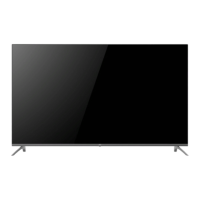
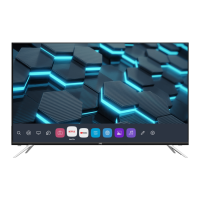
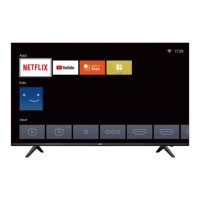
JVC LT-55NQ7105AT - User Manual

JVC LT-55NQ7105AT
24 pages
Print Icon
To Next Page IconTo Next Page
Loading...
LT-55NQ7105AT

Questions and Answers

JVC LT-55NQ7105AT Specifications

General IconGeneral
Screen Size55 inches
Display TechnologyLED
Smart TVYes
Operating SystemAndroid TV
HDMI Ports3
USB Ports2
Wi-FiYes
BluetoothYes
Audio Output20W
HDRHDR10, HLG
Refresh Rate60 Hz
Resolution3840 x 2160

Summary

Warning

Important Safety Instructions

Base Installation

Buttons on the TV

Remote Control Functions

How to Pair Remote Control with the TV

Explains the Bluetooth pairing process for the remote control with the TV.

General Operation (Switching)

Switching on

Details how to turn on the TV using the remote or the power button.

Switching off

Explains how to turn off the TV, including standby mode.

General Operation (Network & Setup)

Network Connection

Guides on connecting the TV to a wired or wireless network.

Initial setup

Describes the on-screen setup process for the TV.

Homepage Operation

Using Homepage - TV

How to access TV features and settings from the homepage.

Using Homepage - Apps

How to access and use applications on the smart TV.

Using your TV (Basic Operations)

Accessing channels

Instructions on how to change TV channels using buttons or remote.

Watching connected devices

How to select and view content from connected external devices.

Volume

How to control the TV's sound volume using buttons or remote.

Using Quick Access Menu

How to access the quick menu for settings and options.

Display & Sound

Overview of picture and sound settings available in the TV menu.

TV

Section detailing TV-specific settings like channels and organizer.

Using your TV (Settings & Configuration)

TV Settings

Guide to configuring various TV preferences and settings.

Channels Setup

Steps for setting up analogue and digital TV channels.

Picture & Display

Adjusting picture quality and screen display settings.

Sound

Adjusting sound settings, volume, and audio output.

Smart Zone

Accessing smart features like music, apps, and timers.

System

Managing system settings like language, environment, and power modes.

Program guide and PVR

Using TV guide and recording features with a USB device.

Multimedia

Video

How to play video files from a USB device.

Photo

How to view photo files from a USB device.

Music

How to play music files from a USB device.

Disk

How to access and play files from a disk drive.

USB Feature

Supported file formats and USB device compatibility.

Problems & Solutions

Fail to link to the network

Troubleshooting steps for network connectivity issues.

The video could not be played smoothly

Solutions for choppy or interrupted video playback.

When two mobile hard disks are connected

Addressing issues with recognizing multiple connected hard disks.

Some videos fail to play

Reasons and fixes for unsupported video file playback.

Video stops playing midway

Troubleshooting intermittent video playback interruptions.

What should I pay attention to, when I do SW updating

Precautions and tips for software updates.

There are no distinct changes of TV interface after SW updating

Explaining interface changes (or lack thereof) after updates.

Troubleshooting

No picture, no sound

Steps to resolve issues with no picture or sound.

No color

How to fix problems with no color or incorrect color display.

Remote control does not work

Solutions for when the remote control is unresponsive.

No picture, normal sound

Steps to fix issues when the picture is missing but sound is present.

Normal picture, no sound

How to resolve problems with no sound despite a normal picture.

Unorderly ripples on the picture

Addressing interference causing picture distortions.

Snowy dots and interference

Solutions for static, dots, and signal interference on screen.

Ignition

Explains interference from electrical appliances affecting the picture.

Ghost

How to resolve ghosting effects caused by signal reflection.

Radio frequency interference

Identifying and removing radio frequency interference sources.

If the TV software crashes

Steps to take when the TV software becomes unresponsive.

Wall Mount Specifications

Technical Features

Related product manuals