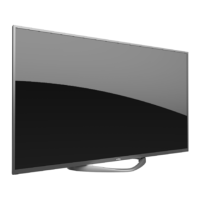
This document describes the JVC 4K UHD HDR Smart TV, model LT-50MA877, a 50-inch class (50" diagonal) television designed for a complete home theater experience.
Function Description
The JVC LT-50MA877 is a smart television that offers a wide range of functionalities for entertainment and connectivity. It features a super slim LCD TV with LED backlight, providing a high-quality visual experience. The integrated ATSC TV tuner allows for HDTV broadcast reception, while multiple HDMI® inputs ensure true digital connections for various external devices. The TV supports digital media playback from USB devices, including flash disks, USB hard disks, and digital cameras, for viewing pictures, playing music and video files, and displaying text files.
As a smart TV, it provides access to internet applications like Netflix, YouTube, VUDU, Pandora, Twitter, AccuWeather, and Screencast, allowing users to stream content, browse social media, and check weather information directly from the television. It also includes features for parental control, sleep timers, and various audio and video adjustments to customize the viewing and listening experience.
Important Technical Specifications
Display:
- Viewing Picture Size (diagonal): 50" class (50" diagonal)
- Resolution: 3840 x 2160 (4K UHD)
- Aspect Ratio: 16:9
- Backlight: LED
TV System:
- TV System: ATSC Digital system and NTSC Analog system
- Video Signal System: NTSC
- Receiving Channel: Cable: 1-135 / Air: 2-69 (ATV&DTV)
Power:
- Power Consumption: 120W
- Input Power Voltage: AC 100-240V 50/60Hz
Audio:
- Audio Output Power (THD ≤ 7%): 2 x 10W
- Audio Technologies: Manufactured under license from Dolby Laboratories (Dolby, Dolby Audio, double-D symbol).
Connectivity:
- High-Definition Multimedia Interface (HDMI) Input: x 3 (HDMI1(ARC) supported)
- YCb(Pb)Cr(Pr) Input: x 1
- Composite Video Input: x 1
- Audio Input: x 1
- Headphone Output: x 1
- Coaxial: x 1
- LAN: x 1
- USB 2.0 Input: x 2
- Antenna Input Impedance: 75 ohm (VHF/UHF)
Physical:
- Dimensions (approx) with stand fitted (WxDxH): 1123 x 250 x 710 mm (44.21 x 9.84 x 27.95 inches)
- Net Weight (with stand): 11.51 kg (25.38 lbs)
- Wall Mount Compatibility: 200mm x 200mm mounting hole pattern, requires 4 pcs of type M6 screws (longer than 12mm not recommended).
Supported Signals (Input Resolution / Vertical Frequency):
- Digital: ATSC
- Analog: PAL-M/PAL-N/NTSC M
- CVBS: PAL/NTSC
- Component:
- 480i: 60Hz
- 480p: 60Hz
- 720p: 50Hz/60Hz
- 1080i: 50Hz/60Hz
- 1080p: 50Hz/60Hz
- HDMI:
- 480p: 60Hz
- 720p: 50Hz/60Hz
- 1080i: 50Hz/60Hz
- 1080p: 50Hz/60Hz
- 3840x2160: 24Hz/25Hz/30Hz/60Hz
Usage Features
Remote Control:
The television is primarily operated via an infrared remote control. Key functions include:
- POWER: Turns the TV on/off.
- MUTE: Toggles sound on/off.
- Digital Buttons (0-9, -): Direct channel selection.
- CH ▲/▼: Changes channels up/down.
- VOL +/-: Adjusts volume.
- PICTURE: Selects picture mode.
- SOUND: Selects sound mode.
- INFO: Displays program information.
- MENU ( ): Displays main menu or exits current menu.
- OK: Validation key.
- Arrow buttons (▲▼◄►): Navigates on-screen menus and changes values.
- RETURN ( ): Returns to previous menu.
- EXIT: Exits the menu.
- COLOR BUTTONS: Used in EPG or Program Edit menu.
- SOURCE ( ): Switches among different input sources (TV, AV, Component, HDMI1, HDMI2, HDMI3, USB).
- Digital Media Player Control Buttons: Play/pause, stop, backward, forward for USB media.
- CC/SUBTITLE: Switches subtitles in USB mode.
- MTS/AUDIO: Switches audio track in USB mode or MTS/Audio Language in TV mode.
- ASPECT: Sets aspect ratio (16:9, 4:3, native, etc.).
- TTS: Toggles Text-to-Speech on/off.
- Dedicated App Buttons: YouTube, VUDU, NETFLIX for direct access to streaming services.
On-Screen Display (OSD) Menu System:
The TV features an intuitive OSD menu for configuring various settings:
- Picture Settings: Adjusts contrast, brightness, color, sharpness, tint, backlight, and color temperature (Cool, Standard, Warm). Pre-set picture modes include Sports, Normal, Mild, Save, and User.
- Sound Settings: Adjusts equalizer (User mode only), balance, AVL (Automatic Volume Level), surround sound, video description, digital audio output (Auto/PCM), audio language, and DAP (Digital Audio Processing) settings (DAP Enable, DAP Mode, Surround Virtualizer, Dialog Enhancer, Auto Volume Control).
- Function Settings: Includes noise reduction (off/low/middle/high), MPEG noise reduction, aspect ratio, CEC Link Setup (Enable CEC link, Auto Power On, Auto Standby), HDMI EDID (2.0/1.4), Netflix Deactivation, Netflix ESN display, Netflix Version display.
- Time Settings: Configures Off Time (to turn off TV), On Time (to turn on TV from standby), Sleep Timer (10-240 mins), Auto Sleep (power off after 10 mins with no signal), Auto Sync (clock from DTV signal), Clock (manual setting when Auto Sync is off), and Time Zone.
- Options Settings: Sets OSD Language, OSD Time (display duration), Closed Caption, Reset (factory settings), Network Configuration, Software Update (USB), Internet Update Check, Network Update Information, and User Mode.
- Parent Control: Allows setting a 4-digit password (default 0000, universal 1980) to lock programs. Features include Set Password, USA TV, USA MPAA, Canada English, Canada French, RRT Setting, and RRT Reset.
- Channel Settings: Manages antenna type (Antenna/Cable), Auto Search (ATV/DTV), Program Edit (skip, shield, delete, favorite), DTV Manual Search, ATV Manual Search (Current CH, Fine-Tune), and Signal Information (DTV only).
Network Connectivity:
- Supports both wired (LAN) and wireless (WIFI) network connections.
- Wired Network: Allows dynamic (DHCP) or static IP address configuration (IP, Netmask, Gateway, DNS).
- Wireless Network: Scans for available access points (Scan AP), allows entering SSID and password for connection.
- Provides status indicators (Success/Fail) for network connection.
Internet Applications:
- Netflix: Sign in to watch TV shows and movies.
- YouTube: Browse and play videos.
- VUDU: Discover, watch, and collect movies and TV.
- Pandora: Access Pandora account for music streaming.
- Twitter: Log in, view news feeds, refresh pages, like/unlike content, view/add comments.
- AccuWeather: Input city or zip code to get weather information.
- Screencast: Access Screencast interface.
Maintenance Features
Safety and Warnings:
The manual emphasizes critical safety precautions, including:
- Electrical Safety: Warning against electric shock, not opening the cabinet, referring servicing to qualified personnel. Instructions for polarized plugs and extension cords.
- Fire Hazard: Warning against exposure to rain/moisture, keeping candles/open flames away.
- FCC Compliance: Class B digital device, Part 15 FCC Rules, with warnings about harmful interference.
- Battery Precautions: Batteries should not be exposed to excessive heat, do not mix old/new or different types of batteries, remove batteries if not used for extended periods.
- Installation Safety: Avoid unstable surfaces, pay attention to children, do not block ventilation, avoid direct sunlight/heat sources, do not trap power cord.
- Environmental: Double insulation, use identical replacement parts for servicing. Product marking indicates it should not be disposed of with household waste; recycle responsibly.
Troubleshooting Guide:
The manual provides a comprehensive troubleshooting section for common issues:
- No power: Check power cord, outlet, restart TV.
- No picture: Check antenna, tune to another station, adjust contrast/brightness.
- Good picture but no sound: Increase volume, check mute mode, sound settings, external device volumes, cable connections.
- Good sound but abnormal color or no picture: Check antenna, component connections.
- No response to remote control: Change batteries, clean remote lens, check distance/obstructions.
- Colored dots on screen: Acknowledged as a structural property of LED screens, not a malfunction.
- Picture breaking up: Keep TV away from noisy electrical sources, check antenna/connections, ensure space for optional equipment.
- Only some channels available after Auto Tuning: Check Digital Video Broadcast coverage, re-tune, verify antenna type.
- Channel cannot be selected: Check if channel is blocked in main menu settings.
- USB not playing: Check USB cable/power, formatting, compatibility of disk/data formats.
- Picture distorted (macroblock, small block, dots, pixelization): May be due to compression of video content, especially fast-moving scenes.
- Noise from speaker: Check cable connections, ensure video cable is not connected to audio input, low signal level.
- TV turns on automatically: Check On Timer setting in Setup menu.
- Picture not shown in full screen: Black bars on HD channels displaying SD (4:3) content or movies with different aspect ratios are normal; adjust picture size option on external device or TV.
Picture Defects and Reason (Reference):
- Snowy Picture: Weak signal; adjust antenna or install amplifier.
- Double Image or Ghosts: Reflections from tall buildings; adjust antenna direction or raise it.
- Radio Wave Interference: Nearby radio transmitters or short-wave receiving equipment.
- High Temperature Electrothermal Interference: Nearby high-temperature electrothermal equipment.
Software Update:
The TV supports software updates via USB. Users are instructed to copy new software to a USB storage device and follow on-screen steps. Internet update check is also available.
General Maintenance:
- Clean the TV with a non-abrasive dry cloth.
- If the remote control is not used for a long period, remove batteries to prevent leakage.
- When connecting external devices, ensure the TV is powered off and match connection terminal colors to cables.

 Need help?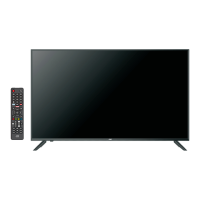

 To Next Page
 General