EasyManua.ls Logo

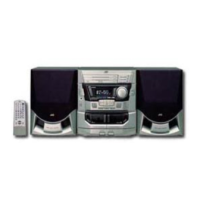
JVC MX-J10 - Service Manual

JVC MX-J10
98 pages
Print Icon
To Next Page IconTo Next Page
Loading...

Table of Contents

Question and Answer IconNeed help?

Do you have a question about the JVC MX-J10 and is the answer not in the manual?

JVC MX-J10 Specifications

General IconGeneral
Playable MediaCD, CD-R, CD-RW
MP3 PlaybackYes
Frequency Response20 Hz - 20 kHz
Signal-to-Noise Ratio80 dB
TunerFM/AM
Weight4.5 kg
DAC1-bit
TypeMini Hi-Fi System

Summary

Safety Precautions

Important for laser products

Safety guidelines specific to laser-based products.

Instructions

Warnings, Cautions and Others

General safety and operational warnings for the unit.

Getting Started

Accessories

Lists all supplied accessories with the system.

How to Put Batteries in the Remote Control

Instructions for installing batteries in the remote control.

Connecting the FM Antenna

Guide on how to connect the FM antenna to the unit.

Connecting the AM (MW;LW) Antenna

Guide on how to connect the AM antenna to the unit.

Common Operations

Turning the Power On and Off

Procedures for powering the system on and off.

Adjusting the Volume

How to control the audio output volume level.

Sound Modes

Explanation of available sound effect modes.

Using the Tuner

Tuning in a Station

Steps for tuning into radio stations manually or automatically.

Presetting Stations

How to store favorite radio stations for quick access.

Using the CD Player

Normal Play

Basic operation for playing a CD.

Selecting a Disc, Track or Passage Within a Track

Methods to choose specific tracks or sections on a CD.

Using the Cassette Deck (Listening to a Tape)

Regular Play

Basic procedure for playing a cassette tape.

Reverse Mode

How to enable playback of both sides of a cassette.

Using the Timer

Setting the Clock

Procedure for setting the system's internal clock.

Setting the Timer

Instructions for setting automatic power-on/off timers.

Care And Maintenance

Compact Discs

Guidelines for handling and cleaning compact discs.

Cassette Tapes

Tips for proper storage and handling of cassette tapes.

Troubleshooting

Specifications

Disassembly method

Removing the Metal Cover

Steps to remove the main unit's outer metal cover.

Removing the CD Changer Mechanism Assembly

Removing the Front Panel Assembly

Removing the Cassette Mechanism Assembly

Removing Each Board of the Front Panel Assembly

Removing the Rear Cover

Removing the Rear Panel

Removing the Main Board

Removing Only the Main Board without Removing Each Assembly

Removing the Power Transformer Board

Removing the Playback, Recording and Eraser Heads

Removing the head Amp.and Mechanism Control P.C.Board

Removing the Capstan Motor Assembly

Removing the Capstan Motor

Removing the Flywheel

Removing the Reel Pulse P.C.Board and Solenoid

Removing the CD Servo control board

Removing the CD tray assembly

Removing the CD mechanism assembly

Removing the CD mechanism

Removing the CD pick unit

Removing the actuator motor boad

Removing the can unit

Removing the actuator motor and belt

Removing the cams R1;R2 assembly and cam gear L

Removing the C.G. base assembly

Adjusting method

Measuring devices necessary for adjustment

Lists required test equipment for calibration.

Precautions for measuring

Important considerations before starting adjustment procedures.

Arrangement of Adjusting Positions

Tape Recorder Section

Confirmation of head angle

Procedure to verify and adjust head angle settings.

Confirmation of tape speed

Procedure to verify and adjust tape speed accuracy.

Reference Values for Confirmation items

Double tape speed

Reference values for confirming double tape speed performance.

Difference between the forward and reverse speed.

Reference values for forward/reverse speed difference.

Electrical Performance

Adjustment of recording bias current

Steps to adjust recording bias current for optimal performance.

Reference Values for Electrical Function Confirmation Items

Electrical test values for confirming system functionality.

Maintenance of laser pickup

Replacement of laser pickup

Procedure for replacing the laser pickup unit.

Flow of functional operation until TOC read

Description of major ICs

BA15218 F(IC303):OP AMP.

Details and pin functions for the BA15218F operational amplifier IC.

TC4053 BP(IC304):Analog switch

Details and pin functions for the TC4053BP analog switch IC.

BA6897 FPW(IC602):4 channel driver

Details and pin functions for the BA6897FPW 4-channel driver IC.

LC72136 N(IC2):PLL Frequency synthesizer

AN8806 SB (IC601): RF&Servo AMP

BH3854 AS(IC302): E.Volume

Block diagrams

CD section

Block diagram illustrating the CD player circuitry.

Amplifier section

Standard schematic diagrams

Cassette amplifier & Mechanism control section

Detailed schematic for the cassette deck's electronic components.

System circuit control

CD servo & amplifier circuit

Schematic diagram for the CD player's servo and amplifier circuits.

Amplifier circuit

Printed circuit board

System control board

Layout of the system control printed circuit board.

H.Phone jack board

Layout of the headphone jack printed circuit board.

P.C. Board (Amplifier board)

Power supply board

Layout of the power supply printed circuit board.

CD Servo & amplifier board

CD Mechanism driver board

CD Tray section switch board

Cam switch board

Cassette mechanism amplifier board

PARTS LIST

Exploded view of general assembly and parts list

Visual breakdown of the entire system with part numbers.

Cassette mechanism assembly and parts list

Detailed parts list for the cassette mechanism assembly.

CD changer mechanism assembly and parts list

Detailed parts list for the CD changer mechanism assembly.

Electrical parts list

List of electrical components used in the system.

Packing materials and accessories parts list

Lists packaging materials and included accessories.

Related product manuals