EasyManua.ls Logo

JVC XL-MC2000BK - User Manual

JVC XL-MC2000BK
20 pages
Print Icon
To Next Page IconTo Next Page
Loading...
For Customer Use:
Enter below the Model No. and Serial
No. which are located either on the rear,
bottom or side of the cabinet. Retain this
information for future reference.
Model No.
Serial No.
LVT0359-001B
[J ]
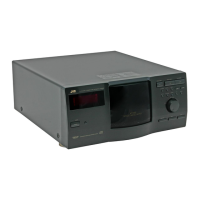
COMPACT COMPONENT SYSTEM
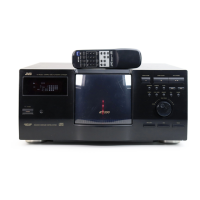
XL-MC2000BK
COMPACT DISC AUTOMATIC CHANGER
'
Enter below the Model No. and Serial No.
which are located on the rear, bottom or
side of the cabinet. Retain this information
for future reference.
INSTRUCTIONS
POWER
STANDBY
XL-MC2000
COMPACT DISC AUTOMATIC CHANGER
PLAY/PAUSESTOP/CLEAR
REPEAT PLAY MODE MEMORY
DISC/TRACK
EXCHANGE RANDOM INTRO
CALL CANCEL
TRACK
OPEN/CLOSE
DISC
DOWN
UP
DISC EJECT
200
ENHANCED COMPULINK CONTROL SYSTEM
OPTICAL DIGITAL OUTPUT
'
CALL
RANDOM INTRO REPEAT
TRACKDISC
EXCHANGE
POWER
OPEN/
CLOSE
CANCEL MEMORY
7890
3456
12
CONTINUE ONE DISC PROGRAM
RM-SXLMC2000JR REMOTE CONTROL
+
1 DISC
1 DISC
200

Questions and Answers

JVC XL-MC2000BK Specifications

General IconGeneral
TypeCD Player
Playback FormatsCD, CD-R, CD-RW
Remote ControlYes
Channels2
Signal-to-Noise Ratio100 dB
Output Level2.0 V
Power RequirementsAC 120V, 60Hz
Power Consumption20 W
Weight3.5 kg
Digital-to-Analog Converter1 Bit DAC
OutputAnalog
Playback ModesRepeat
Frequency Response20 Hz - 20 kHz

Summary

Warning and Cautions

Laser Product Warnings

Details safety warnings related to the laser product, including potential radiation hazards.

General Safety Precautions

Provides essential safety guidelines for operation, including electrical shock and fire prevention.

Introduction

Product Overview and Features

Introduces the JVC XL-MC2000BK CD changer and highlights its key capabilities and digital audio output.

Precautions

Installation Precautions

Advises on selecting an appropriate installation location, moving the unit, and avoiding noise interference.

Compact Disc Handling

Specifies using only compatible discs and keeping the disc storage area clear of obstructions.

Operation Precautions

Covers safe operation practices like turning off the unit, unplugging cords, volume adjustment, and condensation prevention.

Setting Up

Connecting the Unit

Explains how to connect the CD changer to an amplifier/receiver via analog, digital optical, and CompuLink connections.

Installing Remote Batteries

Guides on inserting batteries into the remote control and provides battery replacement information.

Control Panel and Remote Control

Control Panel Overview

Details the buttons and functions available on the main unit's control panel for operation.

Display Information

Describes the information presented on the unit's display, including playback modes and status indicators.

Remote Control Functions

Outlines the buttons on the remote control and their corresponding functions on the CD changer.

Basic Operation

Powering the Unit On;Off

Instructions on how to turn the CD changer on, put it in standby mode, and turn it off completely.

Loading and Unloading Discs

Step-by-step guide for inserting discs into the changer and removing them from the unit.

Playing Discs

Covers selecting playback modes, discs, tracks, starting, interrupting, skipping, and stopping playback.

Continue Mode Playback

Basic Continue Playback

Explains playing discs sequentially in numerical order, with automatic loop back to the first disc.

Random Playback

Details how to play discs and tracks in a randomized sequence with brief pauses between them.

Repeat Playback

Describes options for repeating entire discs or specific tracks within the CONTINUE mode.

Intro Playback

Explains the function to play the first 15 seconds of each disc's first track for previewing.

One Disc Mode Playback

Basic One Disc Playback

Guides on selecting and playing a single disc entirely, with options for specifying the starting track.

Random Track Playback

Covers playing all tracks of a selected disc in a random order.

Repeat Playback Options

Details playing the selected disc or a specific track repeatedly in the ONE DISC mode.

Intro Playback

Explains playing the first 15 seconds of each track on a selected disc for preview.

Program Mode Playback

Basic Program Setup

Instructs on selecting discs and tracks, registering them as program steps, and starting programmed playback.

Program Step Management

Covers reviewing, deleting individual steps, adding steps, and clearing the entire program.

Random Program Playback

Explains playing programmed steps in a random sequence.

Compulink-3 Remote Control System

Automatic Power and Source Control

Details how CompuLink-3 enables automatic power on/off and source selection between linked JVC components.

Synchronized Recording

Explains the function for synchronized recording when linking with a cassette deck or MD recorder.

Handling and Taking Care of Discs

Disc Care and Handling

Provides guidelines on protecting discs from damage, keeping them in cases, and proper storage.

Cleaning Discs

Describes the correct method for cleaning soiled disc surfaces using a soft cloth.

Specifications & Packing List

Product Specifications

Lists technical details like power requirements, dimensions, weight, and audio output specifications.

Package Contents

Enumerate the items included in the product package, such as the changer, remote, and cables.

Troubleshooting

Limited Warranty

Warranty Service and Coverage

Details what JVC will do, what the customer must do, and what is excluded from the warranty.

Warranty Terms and Limitations

Outlines the duration of express and implied warranties and legal limitations.

Related product manuals