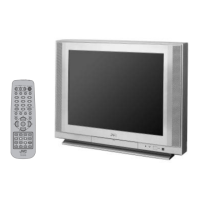
This document is a user's guide for JVC Color Televisions, specifically models AV-36950, AV-35955, AV-32950, and AV-27950. It provides comprehensive instructions on connecting, operating, and maintaining the television sets, along with important safety precautions and troubleshooting tips.
Function Description
The JVC Color Televisions are designed to provide a complete home entertainment experience. They feature a color display capable of receiving NTSC and BTSC multichannel sound broadcasts across VHF, UHF, and various cable bands (Sub Mid, Mid, Super, Hyper, and Ultra bands), supporting up to 181 channels via a frequency synthesizer system. The televisions are equipped with multiple input and output options to connect various external devices.
Key functions include:
- Channel Tuning: The televisions can automatically scan and memorize available channels (Auto Tuner Setup) from either cable or antenna sources. Users can also manually add or delete channels from the scan list.
- Audio/Video Playback: They support connections for VCRs, camcorders, and external amplifiers, allowing playback of video tapes, home movies, and enhanced audio experiences. S-Video input is available for higher quality video from compatible accessories.
- Remote Control Operation: A dedicated remote control (RM-C755) is provided for convenient operation, including power on/off, volume adjustment, channel changing, menu navigation, and control of compatible VCRs and cable boxes.
- Onscreen Menus: An intuitive menu system allows users to adjust various settings, including picture (tint, color, brightness, detail, notch, noise muting, video status), sound (bass, treble, balance, MTS stereo/SAP/mono), and clock/timers.
- Picture-in-Picture (PIP): This feature allows simultaneous viewing of two different video sources, with the ability to swap the main and PIP pictures and move the PIP window to different corners of the screen.
- Closed Captioning: The televisions can display closed captions or text information (CC1-CC4, T1-T4) when available in a program, with options to select caption channels and background colors.
- Timer Functions: An On/Off Timer allows users to schedule the TV to turn on and off at specific times, serving as an alarm, program reminder, or to simulate presence. A Sleep Timer can automatically turn off the TV after a set interval (15 to 180 minutes).
- Channel Guard-Lock: This security feature allows users to lock specific channels, requiring a three-digit lock code to access them, preventing unauthorized viewing.
Usage Features
The televisions are designed for user-friendly operation with several convenience features:
- Initial Setup (Plug In Menu): Upon first power-on or after a prolonged power interruption, a "Plug In Menu" guides users through essential initial settings such as language selection, auto tuner setup, and clock setting. This ensures the TV is configured correctly from the start.
- Direct Channel Access: Channels can be selected directly using the 10-key pad on the remote control. For single-digit channels, a "0" is pressed first, and for channels above 99, the "100+" button is used with the two-digit number.
- Channel Scanning: The CHANNEL -/+ buttons allow users to scan through channels one at a time.
- Return+ Function: This feature enables quick switching between two previously viewed channels. Holding the RETURN+ button for three seconds programs a "Return Channel" for scanning.
- Muting: The MUTING button instantly mutes and unmutes the TV sound.
- Hyper Surround: This feature creates a deep, three-dimensional sound effect using the TV's front-firing speakers.
- Video Status Modes: Users can select different video status modes ("Standard," "Choice," "Theater") to quickly apply predefined picture settings. "Choice" allows saving custom picture adjustments.
- Noise Muting: This function inserts a blue screen and eliminates noise on channels that are not broadcasting or have a weak signal.
- JVC AV Compu Link: For compatible JVC VCRs and HiFi systems, this feature automates video playback. Inserting a pre-recorded tape into the VCR can automatically turn on the VCR, start playback, and switch the TV to the correct video input.
Maintenance Features
The user's guide emphasizes several aspects of maintenance to ensure the longevity and safe operation of the television:
- Safety Precautions: Detailed instructions are provided regarding electrical safety, proper installation (ventilation, avoiding water, power cord care), and handling of the unit. Users are warned against opening the TV cabinet or attempting repairs themselves.
- Cleaning: The TV should be unplugged from the wall outlet before cleaning. Liquid or aerosol cleaners should not be used.
- Battery Replacement: Instructions for changing the AA batteries in the remote control are included, with a recommendation for alkaline batteries for longer life. Users are advised to reprogram CATV and VCR codes if batteries are changed slowly.
- Power Interruption Handling: The guide explains that after a power interruption, the "Plug In Menu" will reappear for re-setting initial preferences, and the clock will need to be reset.
- Troubleshooting Guide: A comprehensive troubleshooting section helps users diagnose and resolve common issues related to power, picture, sound, remote control, and channel selection, often guiding them to specific pages in the manual for solutions.
- Professional Servicing: Users are instructed to refer all servicing to qualified personnel, especially for issues like damaged power cords, liquid spills, exposure to water, abnormal operation, physical damage, or significant changes in performance. When replacement parts are needed, only manufacturer-specified parts should be used.
- Disposal: For end-of-life disposal, users are advised to consult a qualified service technician to prevent picture tube implosion.
- Warranty Information: The manual includes a limited warranty statement, outlining coverage for parts and labor, and provides contact information for authorized service centers and customer relations. It specifies that in-home service is available for models with screens larger than 25 inches.

 Need help?
 General

 To Next Page