EasyManua.ls Logo

JVC AV-27F703 - 27" Real Flat TV - User Manual

JVC AV-27F703 - 27" Real Flat TV
112 pages
Print Icon
To Next Page IconTo Next Page
Loading...
COLOR TELEVISION
USER'S GUIDE
For models:
AV-36F803
AV-36F713
AV-36F703
AV-32F803
AV-32F713
AV-32F703
AV-27F803
AV-27F713
AV-27F703
TM
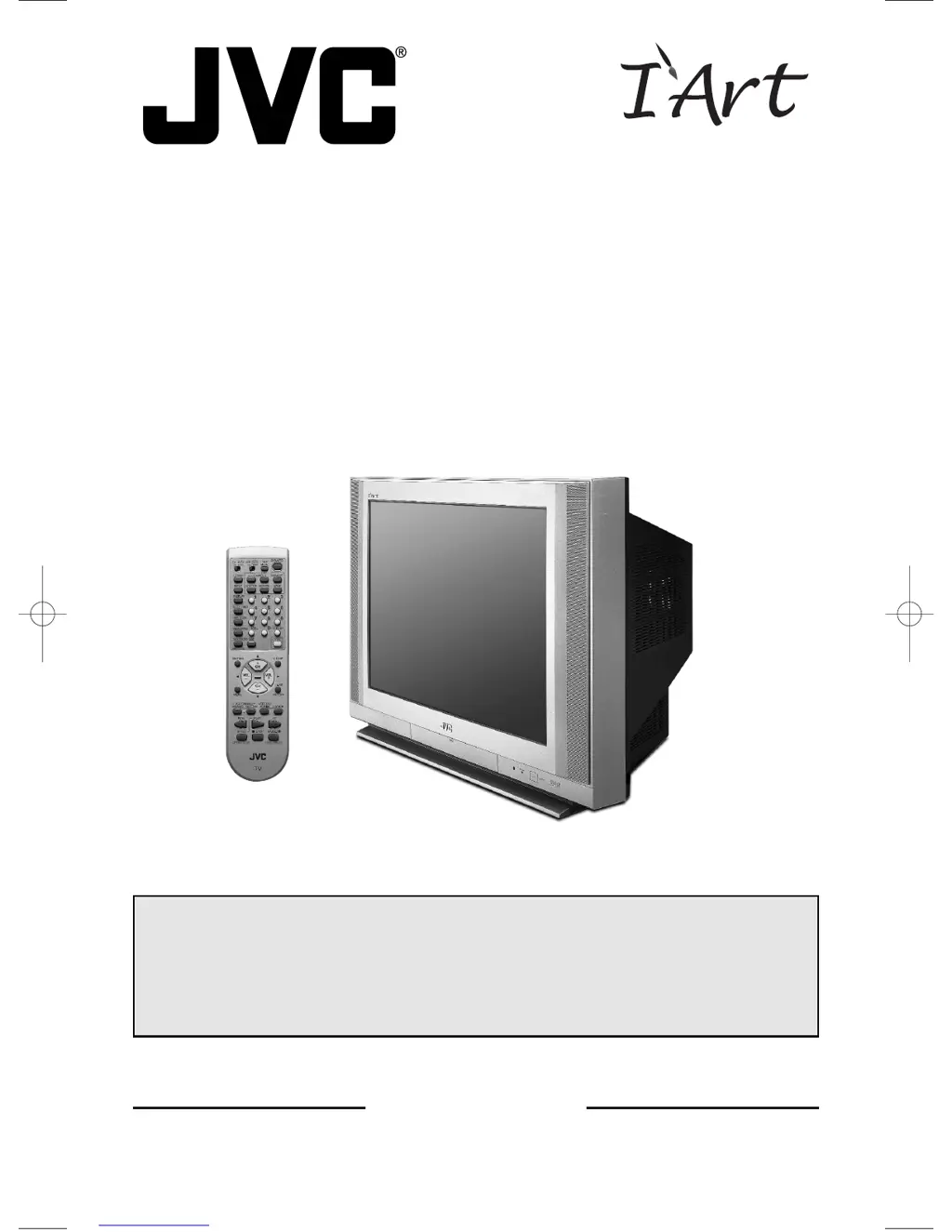
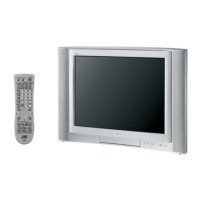
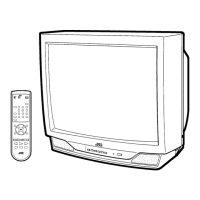
Illustration of AV-27F803 and RM-C325G
IMPORTANT NOTE TO THE CUSTOMER
In the spaces below, enter the model and serial number of your television (locat-
ed at the rear of the television cabinet). Staple your sales receipt or invoice to
the inside cover of this guide. Keep this user's guide in a convenient place for
future reference. Keep the carton and original packaging for future use.
Model Number
Serial Number
LCT1134-001B-A
0602-TN-FAA-JIM
AV-27,32,36F703/713/803 English 6/14/02 5:07 PM Page 1

Table of Contents

Questions and Answers

  • W
    whitejustinAug 20, 2025
    What to do if the JVC TV remote control is not working?
    • M
      Melissa HamiltonAug 20, 2025
      If your JVC TV remote control isn't working, first check the batteries to ensure they are working and properly installed. Ensure there's a clear path between the remote and the TV, and that you are within 23 feet (7 meters). Also, verify that the TV/CATV switch is in the correct position.
  • K
    kevin89Aug 22, 2025
    How to fix JVC AV-27F703 - 27" Real Flat when there is no power?
    • R
      Roy HuntAug 22, 2025
      If your JVC TV has no power, check if the power cord is unplugged. Also, check for a blown fuse or circuit breaker, or if there's a power outage in your area.
  • J
    Jacob RiosAug 25, 2025
    What to do if JVC TV turns off by itself?
    • A
      Angela OwensAug 25, 2025
      If your JVC TV turns off by itself, make sure the power cord hasn't become unplugged. Check if the On/Off Timer or the Sleep Timer are set.
  • A
    Amanda AndersonAug 26, 2025
    Why can't I select a certain channel on my JVC AV-27F703 - 27" Real Flat TV?
    • M
      Melvin SandersAug 26, 2025
      If you cannot select a certain channel on your JVC TV, make sure the channels have been programmed. Also, check to see if the channel is locked.
  • L
    lopezsallyAug 28, 2025
    Why is the picture snowy on my JVC AV-27F703 - 27" Real Flat?
    • J
      Joel NavarroAug 28, 2025
      If the picture on your JVC TV is snowy, your antenna may be damaged, disconnected, or misaligned. Check the antenna connection and replace the antenna if it is damaged.
  • K
    Kevin VargasAug 30, 2025
    Why is the color quality poor on my JVC AV-27F703 - 27" Real Flat TV?
    • R
      Rebecca SampsonAug 30, 2025
      If the color quality on your JVC TV is poor, the Tint and Color settings may be improperly adjusted. Also, the Video Status mode may be set incorrectly.
  • M
    Michelle LopezSep 1, 2025
    Why is the screen 40% black on my JVC AV-27F703 - 27" Real Flat TV?
    • D
      Dr. Elizabeth WelchSep 1, 2025
      If the screen on your JVC TV is 40% black, the Closed Caption Text mode is likely turned on. Turn it off in the Closed Caption Menu.
  • I
    imartinezSep 3, 2025
    Why can't I hear stereo or bilingual programs on my JVC TV?
    • L
      Laura WrightSep 3, 2025
      If you cannot hear stereo or bilingual programs on your JVC TV, make sure the MTS settings are correct.
  • B
    Brandi GibsonSep 5, 2025
    What causes lines across the picture on JVC TV?
    • J
      Jesse GarrettSep 5, 2025
      Lines across the picture on your JVC TV could be due to interference from another electrical appliance, such as a computer, another TV, or VCR. Try moving these appliances further away from the TV.
  • M
    Margaret DanielSep 7, 2025
    Why is the clock wrong on my JVC AV-27F703 - 27" Real Flat?
    • D
      Daniel KentSep 7, 2025
      If the clock on your JVC TV is wrong, the power was likely interrupted, and the clock was not reset.

Summary

Important Safety and Safeguards

Important Safety Precautions

Crucial safety warnings to prevent fire, electric shock, and injury.

Important Safeguards, Installation, and Use

Rules for safe installation, usage, recycling, and general precautions.

Television Setup and Initial Operation

Unpacking Your Television

Checklist of included items and initial unpacking steps.

TV Models and Remote Guide

Diagrams of rear panel ports and front panel controls for TV models.

Quick Setup Guide

Three-step guide for basic setup, remote control, connections, and auto tuner.

Connections Guide

Detailed instructions for connecting antenna, VCR, DVD players, and other devices.

Remote Control Operations

Remote Control Basics and Programming

Overview of remote functions, battery replacement, and programming for external devices.

Remote Control Button Functions

Detailed explanations of various remote control buttons and their operations.

Onscreen Menus and TV Settings

Onscreen Menu System Navigation

How to navigate and use the TV's onscreen menu system for settings.

Plug In Menu Setup

Initial TV configuration including language, tuner, clock, and other preferences.

Picture and Sound Settings

Adjustments for picture quality (tint, color, brightness) and sound (bass, treble, balance).

Channel Management and Parental Controls

Customizing channels, V-Chip ratings, and locking specific content.

Advanced Features and Troubleshooting

Picture-in-Picture (PIP) Functions

Using PIP, On/Move, Freeze, Swap, and Source selection for dual-channel viewing.

Search Codes and Troubleshooting

Finding remote codes and resolving common TV operational problems.

Warranty and Service Information

Product Warranty Details

Information on warranty coverage, terms, and limitations.

Authorized Service Centers

How to locate JVC service centers for repairs and support.

JVC AV-27F703 - 27" Real Flat TV Specifications

General IconGeneral
Screen Size27 inches
Display TypeCRT
Real Flat Picture TubeYes
ResolutionStandard Definition
Aspect Ratio4:3
Audio OutputStereo
Comb Filter3-Line Digital
Speakers2
InputsComposite, S-Video
Audio Output Power5 Watts x 2
Component Video Input1

Related product manuals