EasyManua.ls Logo

JVC AV-27D303 - User Manual

JVC AV-27D303
53 pages
Print Icon
To Next Page IconTo Next Page
Loading...
COLOR TELEVISION
USER'S GUIDE
For models:
AV-27D303
AV-27D203
AV-20D303
AV-27330
AV-27320
AV-27S33
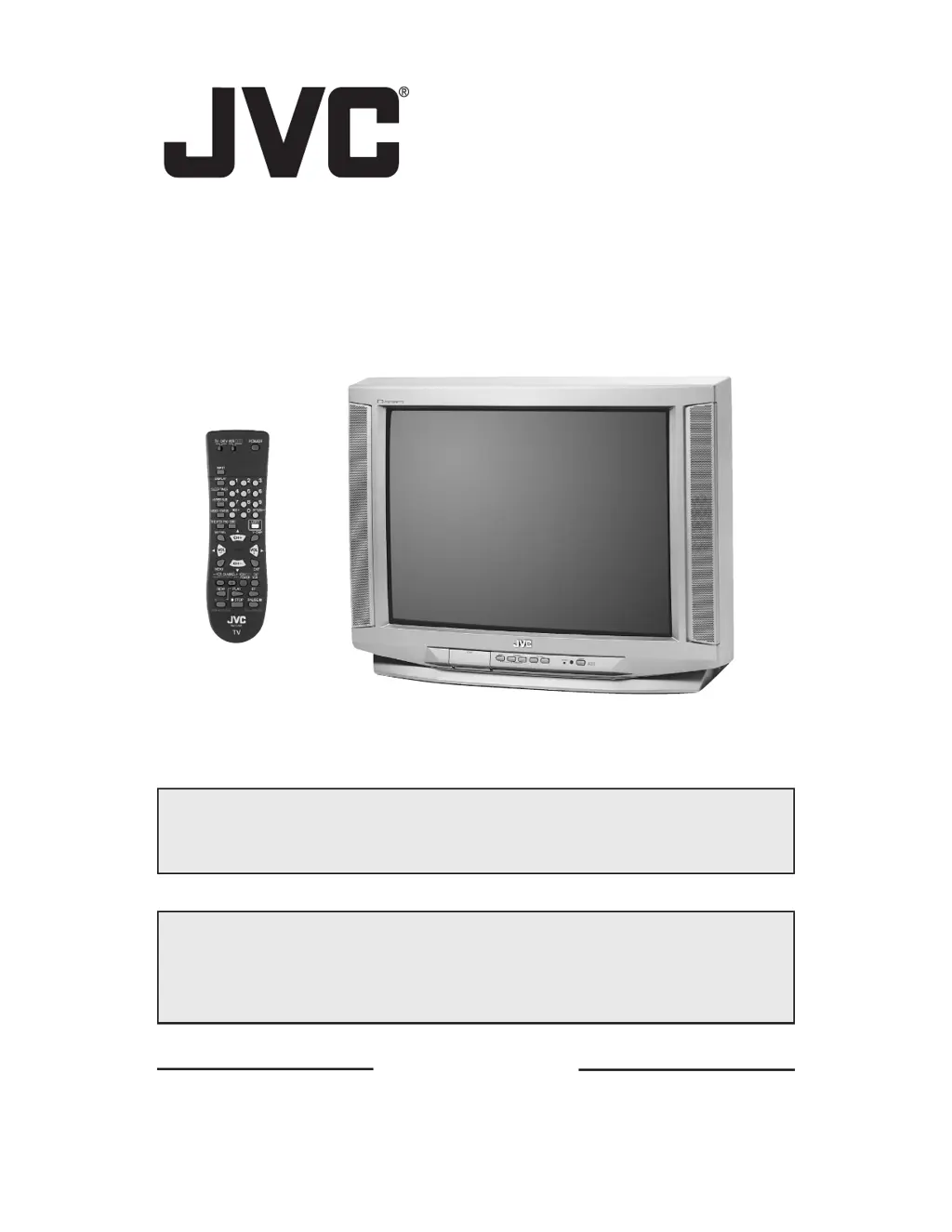
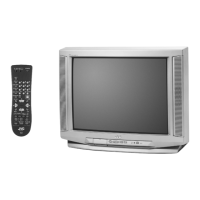
Illustration of AV-27D303 and RM-C252
IMPORTANT NOTE TO THE CUSTOMER
In the spaces below, enter the model and serial number of your television (located at the
rear of the television cabinet). Staple your sales receipt or invoice to the inside cover of this
guide. Keep this user's guide in a convenient place for future reference. Keep the carton and
original packaging for future use.
Model Number
Serial Number
LCT1145-001B-A
0602-TN-FAA-JIM
PLEASE NOTE
This web based PDF File for this instruction book is not an exact replica
of the instruction book that comes with the TV.
Downloaded from: https://www.usersmanualguide.com/

Questions and Answers

  • D
    Douglas RichardAug 19, 2025
    What to do if my JVC AV-27D303 TV remote control is not operating properly?
    • M
      Michelle JonesAug 20, 2025
      If your JVC TV remote isn't working, first ensure the batteries are working and correctly installed. Make sure there's a clear path between the remote and the TV. Also, check that the TV/CATV switch is in the correct position (except for RM-C205). Ensure you're within 23 feet (7 meters) of the TV.
  • M
    Michelle ConnerAug 22, 2025
    How to troubleshoot a JVC AV-27D303 TV that has no power?
    • B
      Bradley WigginsAug 22, 2025
      If your JVC TV has no power, start by checking if the power cord is securely plugged in. Also, check for a blown fuse or circuit breaker, or investigate if there's a power outage in your area.
  • A
    Alicia RodriguezAug 23, 2025
    Why is the color quality poor on my JVC TV?
    • K
      Katherine DavisAug 25, 2025
      If the color quality on your JVC TV is poor, the Tint and Color settings may be improperly adjusted. Another potential reason could be that the Video Status mode is set to the wrong setting. Check these settings to improve the color quality.
  • M
    Mark MccallAug 26, 2025
    Why can't I select a certain channel on my JVC AV-27D303 TV?
    • T
      Tracy DicksonAug 26, 2025
      If you cannot select a specific channel on your JVC TV, ensure the channels have been programmed. Also, check if the channel is locked.
  • D
    Dylan LeonAug 27, 2025
    What causes lines across the picture on my JVC TV?
    • S
      Susan DrakeAug 27, 2025
      Lines across the picture on your JVC TV can be caused by interference from other electrical appliances like computers, other TVs, or VCRs. Try moving these appliances further away from the TV.
  • K
    Kathryn HansenAug 29, 2025
    Why is my JVC AV-27D303 screen 40% black?
    • E
      Emily BraunAug 29, 2025
      If your JVC TV screen is 40% black, the Closed Caption Text mode is likely turned on. To fix this, turn it off in the Closed Caption Menu.
  • D
    Dana HallAug 31, 2025
    How to fix no picture being displayed for V2 COMPONENT-IN on JVC AV-27D303?
    • Z
      zbeanSep 1, 2025
      If there's no picture for V2 COMPONENT-IN on your JVC TV, check that your AV cables are connected tightly and correctly. If using component cables, ensure "YES" is selected for V2 COMPONENT-IN in the onscreen menu. If using composite cables, make sure "NO" is selected for V2 COMPONENT-IN.
  • M
    Matthew LunaSep 2, 2025
    Why can't I hear stereo or bilingual programs on my JVC TV?
    • L
      Leah HarveySep 2, 2025
      If you can't hear stereo or bilingual programs on your JVC TV, ensure that the MTS settings are correctly configured.
  • K
    Kelly DiazSep 4, 2025
    Why is there no picture or sound on my JVC AV-27D303?
    • G
      gouldkelliSep 5, 2025
      If your JVC TV shows no picture or sound, the antenna might be disconnected. Another possible cause is that the input mode or the tuner (Auto Tuner Setup) could be set improperly. In addition, the TV station itself may be experiencing technical issues. Check if other stations are working to rule out this possibility.
  • S
    stephaniewilliamsSep 6, 2025
    Why are there double pictures (ghosts) on my JVC AV-27D303?
    • L
      Leah HillSep 6, 2025
      Double pictures (ghosts) on your JVC TV can occur when a building or passing airplane reflects the original signal, causing a second, slightly delayed image. Try adjusting your antenna position to resolve this.

JVC AV-27D303 Specifications

Power IconPower
power sourceAC 120V, 60Hz
power consumption75W 105W
Display IconDisplay
screen size20 inch / 51 cm, 27 inch / 68 cm
Audio IconAudio
audio output1.2W + 1.2W
speakers2 x 3 1/2 / 5x9 cm
headphone jack3.5 mm x 1
Ports & Interfaces IconPorts & Interfaces
antenna terminal75 ohms (VHF/UHF) (F-type connector)
external video input1 Vp-p, 75 ohms
external audio input500mVrms (-4dBs) high impedance
Weight and Dimensions IconWeight and Dimensions
dimensions23 3/8x 18 x 19 1/4 inches, 25 3/4 x 23 3/8 x 19 1/2 inches, 29 5/8 x 23 1/4 x 23 inches, 59.2 x 45.6 x 48.7 cm, 65.4 x 59.3 x 49.4 cm, 75.2 x 59.0 x 53.1 cm
weight45.0 lbs / 20.4 kg, 68.5 lbs / 31.1 kg, 70.8 lbs / 32.2 kg

Related product manuals