73
Getting your Roku TV on line on a restricted public network
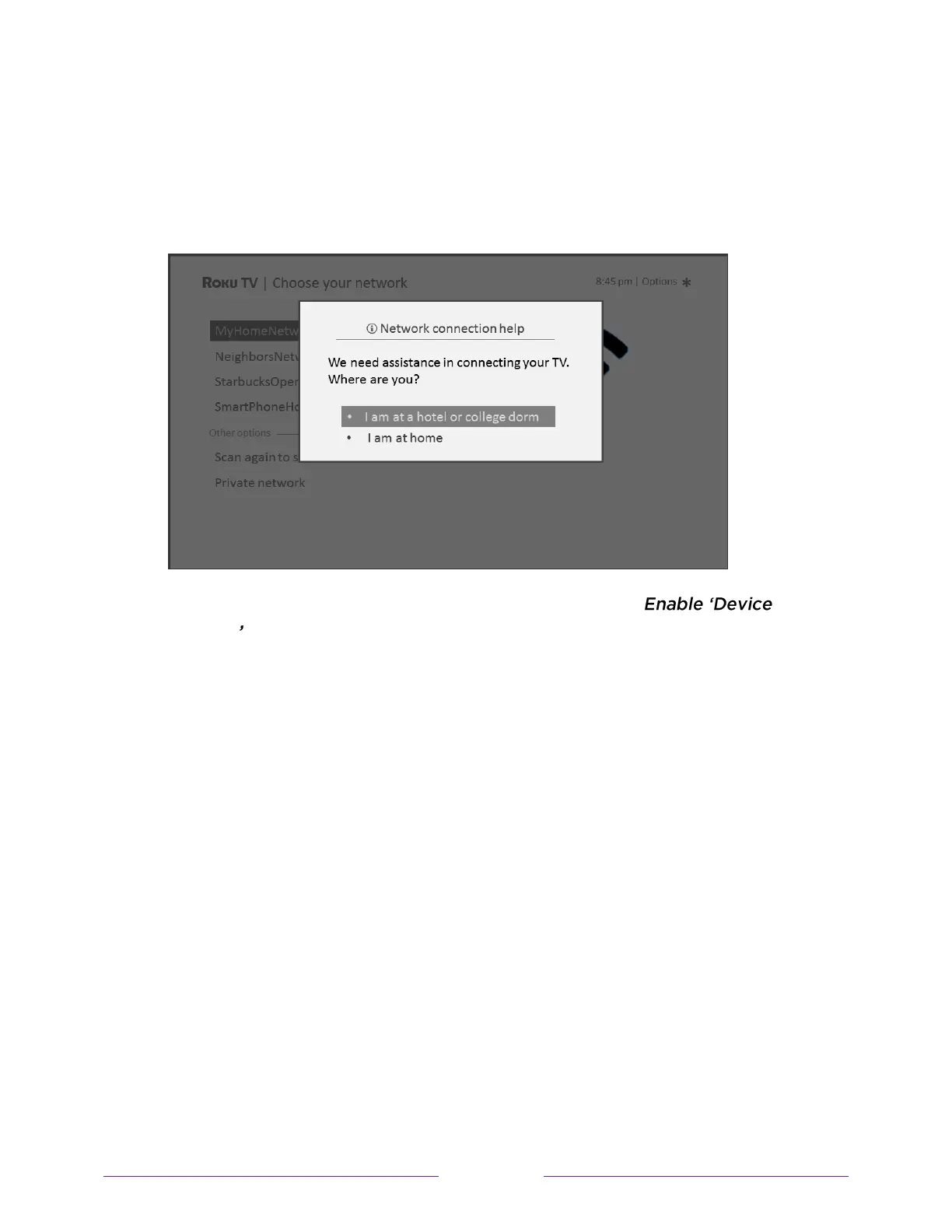
1. Either during Guided Setup or after using the Settings > Network menu to set
up a new connection, the TV automatically detects that you are connecting to
a restricted network and displays the following prompt:
Tip:
Your TV can connect to a restricted network only if
connect is selected in Settings > System > Advanced system settings. (Device
connect is enabled by default, but if you have disabled it, the TV cannot
complete the connection.)
Note:
Device connect is not present if the TV is in non-connected mode.



 To Next Page
 Loading...