EasyManua.ls Logo

JVC SP-PW880 - User Manual

JVC SP-PW880
36 pages
Print Icon
To Next Page IconTo Next Page
Loading...
For Customer Use:
Enter below the Model No. and Serial
No. which are located either on the rear,
bottom or side of the cabinet. Retain this
information for future reference.
Model No.
Serial No.
LVT0508-001A
[ B, E, EN ]
COMPACT COMPONENT SYSTEM
Enter below the Model No. and Serial No.
which are located on the rear, bottom or
side of the cabinet. Retain this information
for future reference.
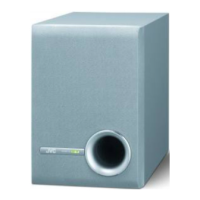
SP-PW880
POWERED SUBWOOFER
SUBWOOFER MIT STROMVERSORGUNG
CAISSON DE GRAVE ACTIF
SUBWOOFER MET INGEBOUWDE VERSTERKER
SUBWOOFER MOTRIZ
SUBWOOFER (ALTOPARLANTE PER TONI BASSI) ALIMENTATO
NÄTDRIVEN LÅGBASHÖGTALARE
SUBWOOFER MED INDBYGGET FORSTÆRKER
TEHOSTETTU APUBASSOKAIUTIN
INSTRUCTIONS
BEDIENUNGSANLEITUNG
MANUEL D’INSTRUCTIONS
GEBRUIKSAANWIJZING
MANUAL DE INSTRUCCIONES
ISTRUZIONI
BRUKSANVISNING
VEJLEDNING
KÄYTTÖOHJE

Other manuals for JVC SP-PW880

Question and Answer IconNeed help?

Do you have a question about the JVC SP-PW880 and is the answer not in the manual?

JVC SP-PW880 Specifications

General IconGeneral
BrandJVC
ModelSP-PW880
CategorySubwoofer
LanguageEnglish

Summary

Safety Warnings and Precautions

General Warnings and Cautions

General safety warnings, precautions, and important notes for safe operation.

Power Switch Operation Safety

Guidance on using the POWER switch for safe operation and power saving.

Proper Ventilation Guidelines

Instructions for ensuring adequate air circulation for safe operation.

Safe Use Equipment Guidelines

Essential Safety Instructions

Essential dos and don'ts for safe equipment usage.

Setup and Initial Use

Confirming Supplied Accessories

Checklist to verify all included accessories are present before use.

Precautions for Use

Guidelines for maintaining unit appearance and good listening etiquette.

Precautions for Installation

Warnings and guidelines for proper and safe installation.

Improving the sound field

Recommendations for enhancing sound quality by managing room acoustics.

Component Identification

Front Panel Overview

Description of the front panel components and indicators.

Rear Panel Overview

Description of the rear panel connections and controls.

Amplifier Section Details

Details on amplifier section inputs, controls, and indicators.

Connecting the Subwoofer

Connecting to Amplifier with Subwoofer;MONO Output

Guide for connecting to amplifiers with subwoofer or MONO output terminals.

Connecting to Amplifier Speaker Output Terminals

Guide for connecting to amplifier speaker output terminals.

Connecting to Amplifier with LINE OUT Terminals

Guide for connecting to amplifiers with LINE OUT output terminals.

Connecting to Amplifier Set

Guide for connecting to a complete amplifier set.

Operating the Subwoofer

Connecting the AC Power Cord

Procedure for connecting the AC power cord after all other connections.

Powering the Unit On and Off

Instructions for powering the unit on and off using the power button.

Adjusting the Volume Level

How to adjust the speaker's volume level for optimal balance.

Using the PHASE Button

Explanation of the PHASE button's function for bass enhancement.

Troubleshooting and Specifications

Troubleshooting Common Issues

Common issues and their solutions for the subwoofer.

Technical Specifications

Technical data and specifications of the powered subwoofer.
Related product manuals