31
Notes:
• An SVCD disc has a pair of stereo channels; Sound 1 and Sound 2.
In the above options, “1” indicates “Sound 1”, while “2” indicates
“Sound 2”.
• Some SVCD discs may not contain audio on Sound 2. When playing
back such a disc, no audio is reproduced by selecting “2 L/R”, “2 L”
or “2 R” above.
To turn off the on-screen display
Press DVD ON SCREEN.
Viewing from Multiple Angles [ANGLE]
You can enjoy a variety of scene angles if the DVD disc
contains “multi-angle” parts, where multiple cameras
were used to shoot the same scene from different angles.
You can select one of these viewing angles from the
normal screen or on-screen display.
At the beginning of “multi-angle” parts,
appears on the TV
screen.
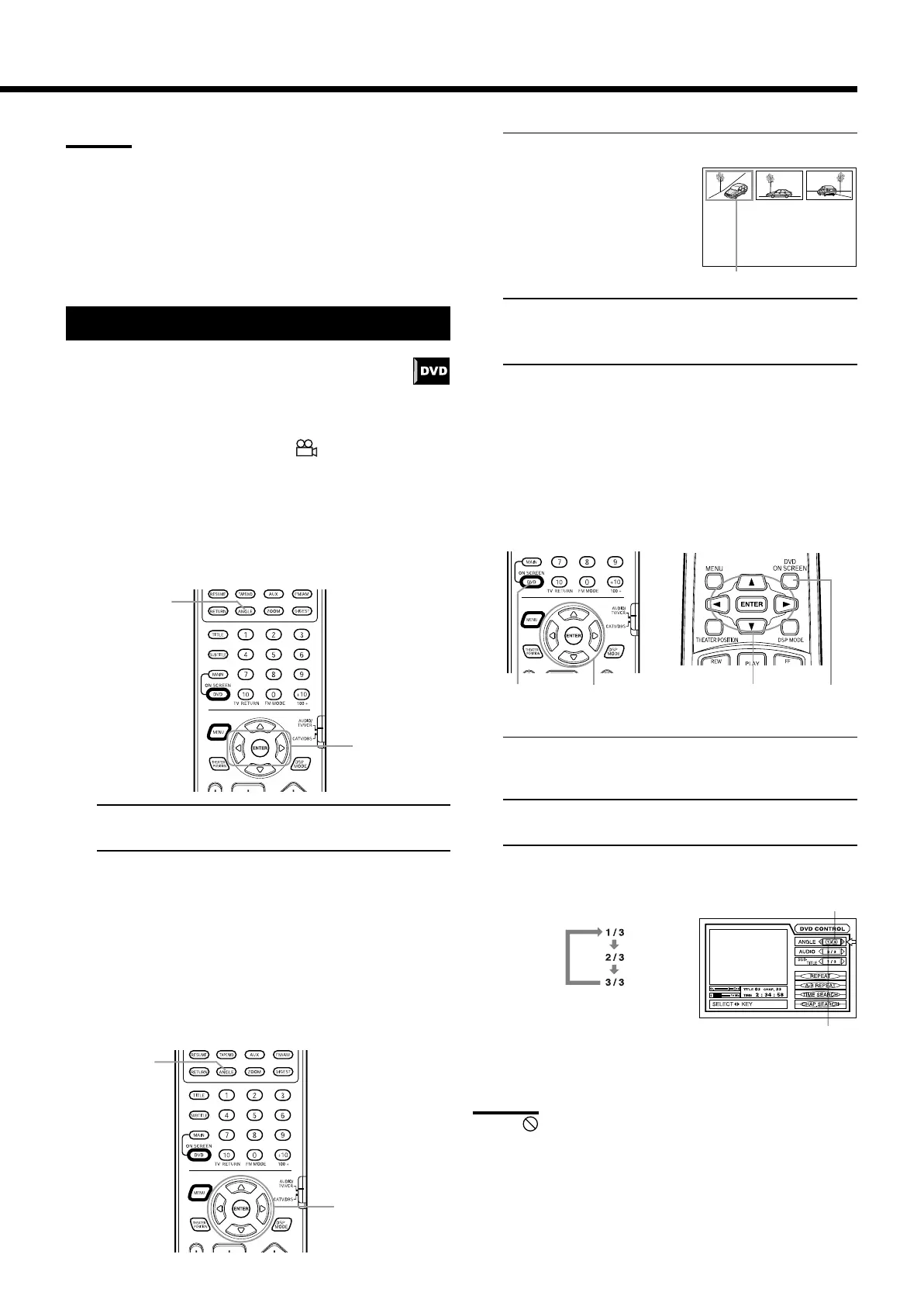
Using the ANGLE button ————————————
7 During playback
From primary remote control only:
1. Press ANGLE.
2. Press ANGLE or the 2/3 cursors to select the
desired angle.
Each time you press ANGLE or the 2/3 cursors, the angle
changes.
Selecting an angle from the angle list display ———
7 During playback
From primary remote control only:
1. Press and hold ANGLE for more than 1 seconds.
Up to nine camera angle
recorded on a disc appear on
the TV screen.
2. Use the 5/∞/2/3 cursors to select the desired
angle.
3. Press ENTER.
The selected angle appears on the TV screen.
Selecting a scene angle from the on-screen display —
7 During playback
From the remote controls:
1. Press DVD ON SCREEN.
The on-screen display appears on the TV screen.
2. Use the 5/∞ cursors to mode the pointer to [ANGLE].
3. Use the 2/3 cursors to select the desired angle
number.
Example:
To turn off the on-screen display
Press DVD ON SCREEN.
Note:
• When appears on the TV screen
The current scene is not recorded from multiple angles.
Using the DVD player
The total munber of recorded angles
The current angle number
1
2
Primary remote control Secondary remote control
11
2 • 32 • 3
1
The selected camera angle
2 • 3



 To Next Page