EasyManua.ls Logo

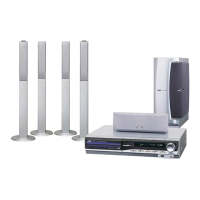
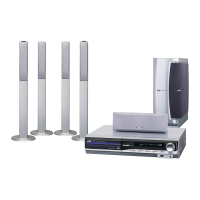
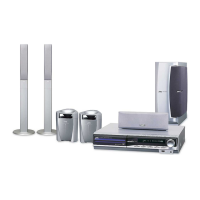
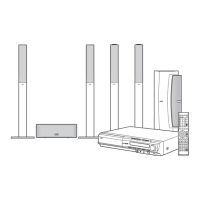
JVC TH-C20C - User Manual

JVC TH-C20C
90 pages
Print Icon
To Next Page IconTo Next Page
Loading...
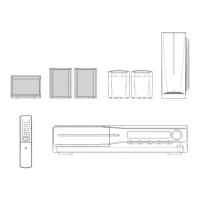
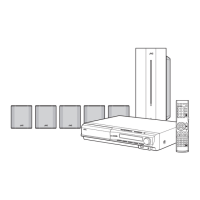
TH-C30
LVT1504-001A
[J]
TH-C20
For Customer Use:
Enter below the Model No. and Serial
No. which are located either on the rear,
bottom or side of the cabinet. Retain this
information for future reference.
Model No.
Serial No.
INSTRUCTIONS
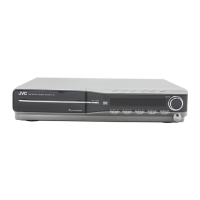
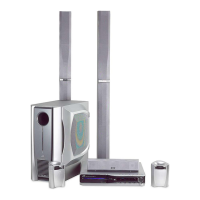
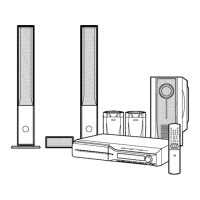
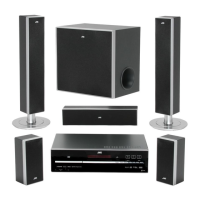
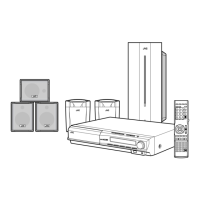
Consists of XV-THC30, SP-PWC30,
SP-THC40F, SP-THC40C and SP-THC40S
Consists of XV-THC20, SP-PWC20,
SP-THC20F, SP-THC20C and SP-THC20S
DVD DIGITAL THEATER SYSTEM
TH-C20-30[JC]5.book Page 1 Thursday, January 12, 2006 11:29 AM

Table of Contents

Questions and Answers

  • A
    Amanda LeeAug 12, 2025
    What to do if no picture is displayed on the JVC Home Theater System?
    • E
      Edward Tran Jr.Aug 12, 2025
      If no picture appears on your JVC Home Theater System's TV screen, it might be due to an incorrectly connected video cord. Ensure the cord is properly connected. Alternatively, the disc or file you're trying to play might not be in a supported format. Try using a playable disc or file.
  • B
    Brandon SmithAug 16, 2025
    Why is there no sound coming from my JVC TH-C20C?
    • C
      Christopher ValdezAug 16, 2025
      If your JVC Home Theater System isn't producing any sound, several things could be wrong. First, the system cord or speaker cord might be loose. Check the connections to ensure they are secure. Second, the audio cord to AUX IN (VCR) or DIGITAL IN (DBS) may not be correctly connected; make sure these are properly connected. Finally, you might have selected the wrong source. Select the appropriate source to resolve the issue.
  • L
    Lori RodriguezAug 19, 2025
    How to fix a JVC TH-C20C remote control that is not working?
    • S
      smithkimberlyAug 19, 2025
      If your JVC Home Theater System's remote control isn't working, the batteries may be dead. Try replacing them. Also, direct sunlight shining on the remote sensor can interfere with its operation. Shield the remote sensor from direct sunlight.
  • A
    Angela FernandezAug 23, 2025
    Why are the video and audio distorted on my JVC Home Theater System?
    • W
      Wendy YangAug 23, 2025
      If the video and audio from your JVC Home Theater System are distorted, the disc might be scratched or dirty. Try replacing or cleaning the disc. Also, if a VCR is connected between the center unit and the TV, it can cause distortion. Connect the center unit and TV directly.
  • E
    Elaine TuckerAug 27, 2025
    How to adjust the screen size on my JVC TH-C20C Home Theater System?
    • K
      Katrina GeorgeAug 27, 2025
      If the picture from your JVC Home Theater System does not fit the TV screen, the monitor type may not be set correctly. Adjust the “MONITOR TYPE” setting appropriately.
  • G
    George HoffmanAug 31, 2025
    What to do if JVC TH-C20C Home Theater System picture is blurred or divided?
    • P
      Patrick FarmerAug 31, 2025
      If the picture on your JVC Home Theater System is not displayed correctly (blurred or divided), and the scan mode is set to “480p”, but your TV does not support progressive video input, change the scan mode to “480i”.
  • R
    Robert NguyenSep 3, 2025
    Why won't my JVC Home Theater System turn on?
    • M
      matthew02Sep 3, 2025
      If your JVC Home Theater System isn't powering on, it's possible that the power cord or system cord isn't properly connected. Ensure both cords are correctly connected.
  • M
    Mark MooreSep 7, 2025
    How to fix noise during broadcast on JVC Home Theater System?
    • K
      Kristin WattsSep 7, 2025
      If you are experiencing difficulty listening to the broadcast on your JVC Home Theater System because of noise, the antennas may be disconnected. Reconnect the antennas correctly and securely.

JVC TH-C20C Specifications

General IconGeneral
TypeHome Theater System
SubwooferYes
ConnectivityBluetooth, USB, AUX
USB PlaybackYes
Remote ControlYes

Related product manuals