(No.MB506)1-9
3.1.2 Removing the front panel assembly
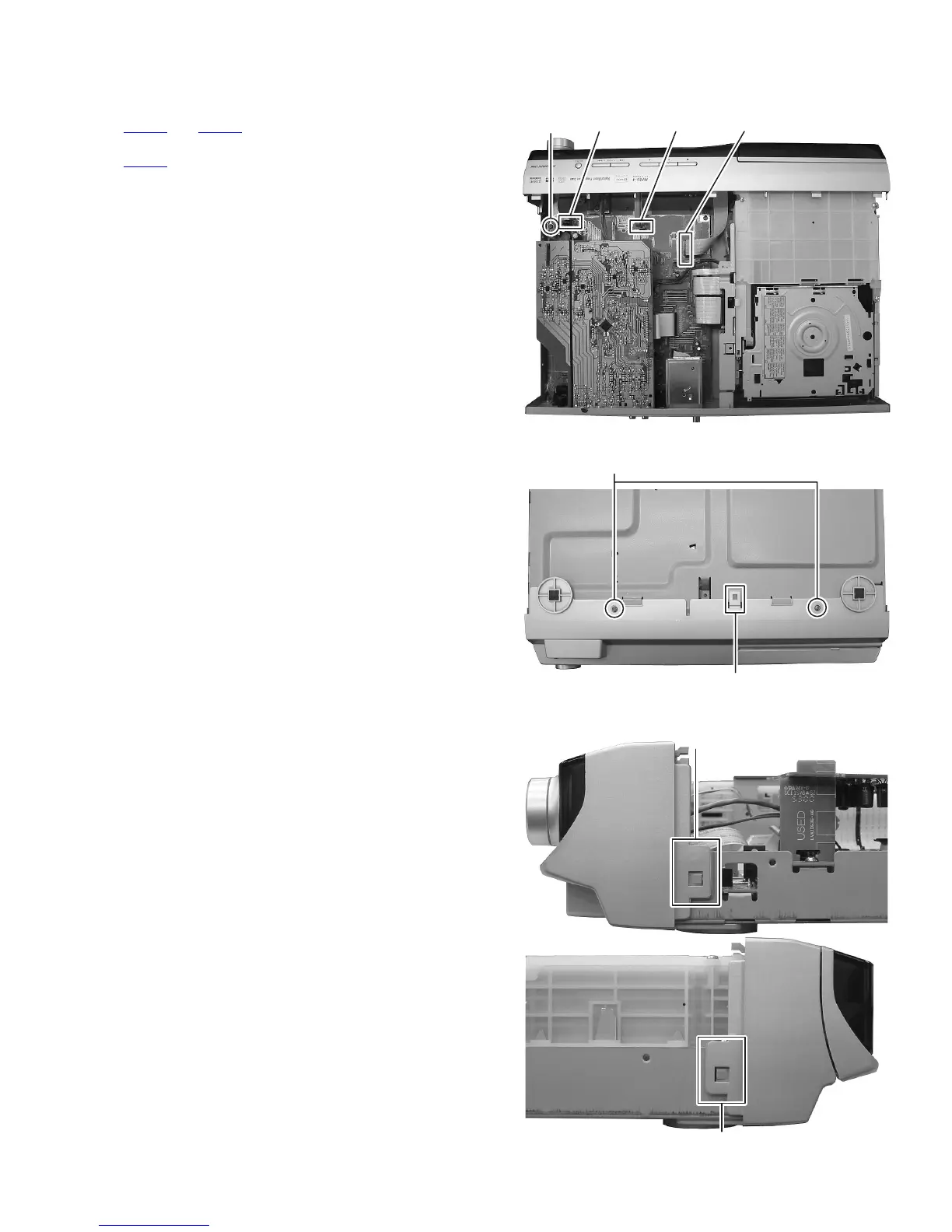
(See Fig.3 to 5)
(1) Disconnect the card wire from front board connected
CN450
and CN451 of main board. (See Fig.3)
(2) Disconnect the card wire from operation board connected
CN457
of main board. (See Fig.3)
(3) Remove the one screw C attaching the grand wire of front
board. (See Fig.3)
(4) Remove the two screws D attaching the front panel from
bottom side. (See Fig.4)
(5) Disengage the hook a of bottom side and hook b of both
side of front panel assembly. (See Fig.4 and 5)
Fig.3
Fig.4
Fig.5
C
CN451 CN457 CN450
D
a
b
b


 To Next Page