(No.MB511)1-11
3.1.2 Removing the front panel assembly
(See Fig.3 to 5)
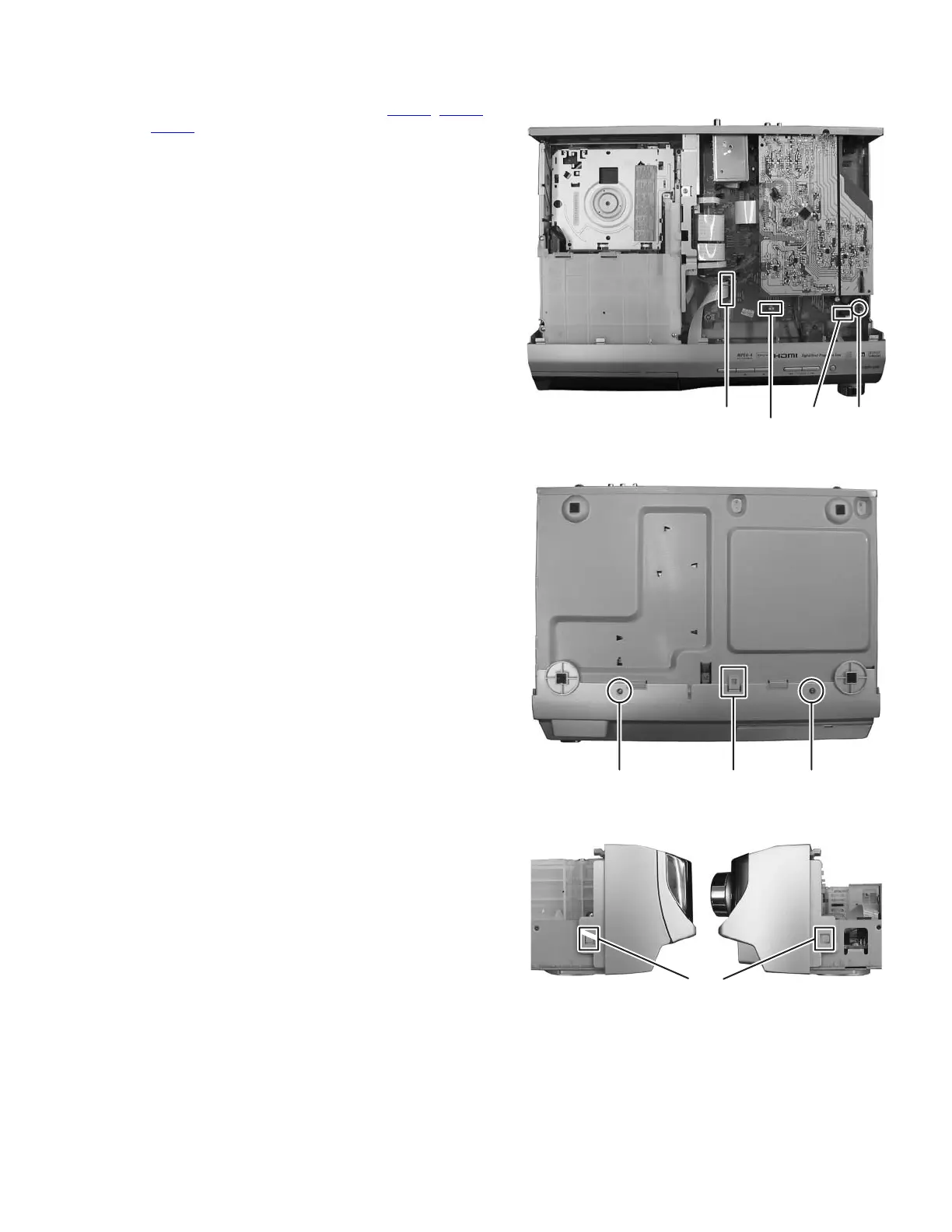
(1) Disconnect the card wires from connector CN450
, CN451
and CN457 of the main board. (See Fig.3)
(2) Remove the one screw C attaching the earth wire to the
main board. (See Fig.3)
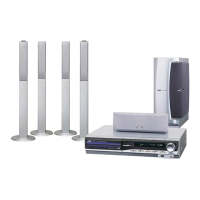
(3) From the bottom side of main body, remove the two screws
D attaching the front panel assembly. (See Fig.4)
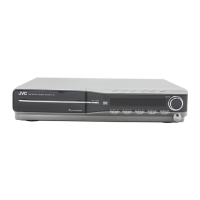
(4) Disengage the hook a of the bottom side and hook b of the
both side of front panel assembly, and then remove the
front panel assembly. (See Fig.4 and 5)
Fig.3
Fig.4
Fig.5
C
CN450
CN451
CN457
DaD
b


 To Next Page