(No.MB365)1-25
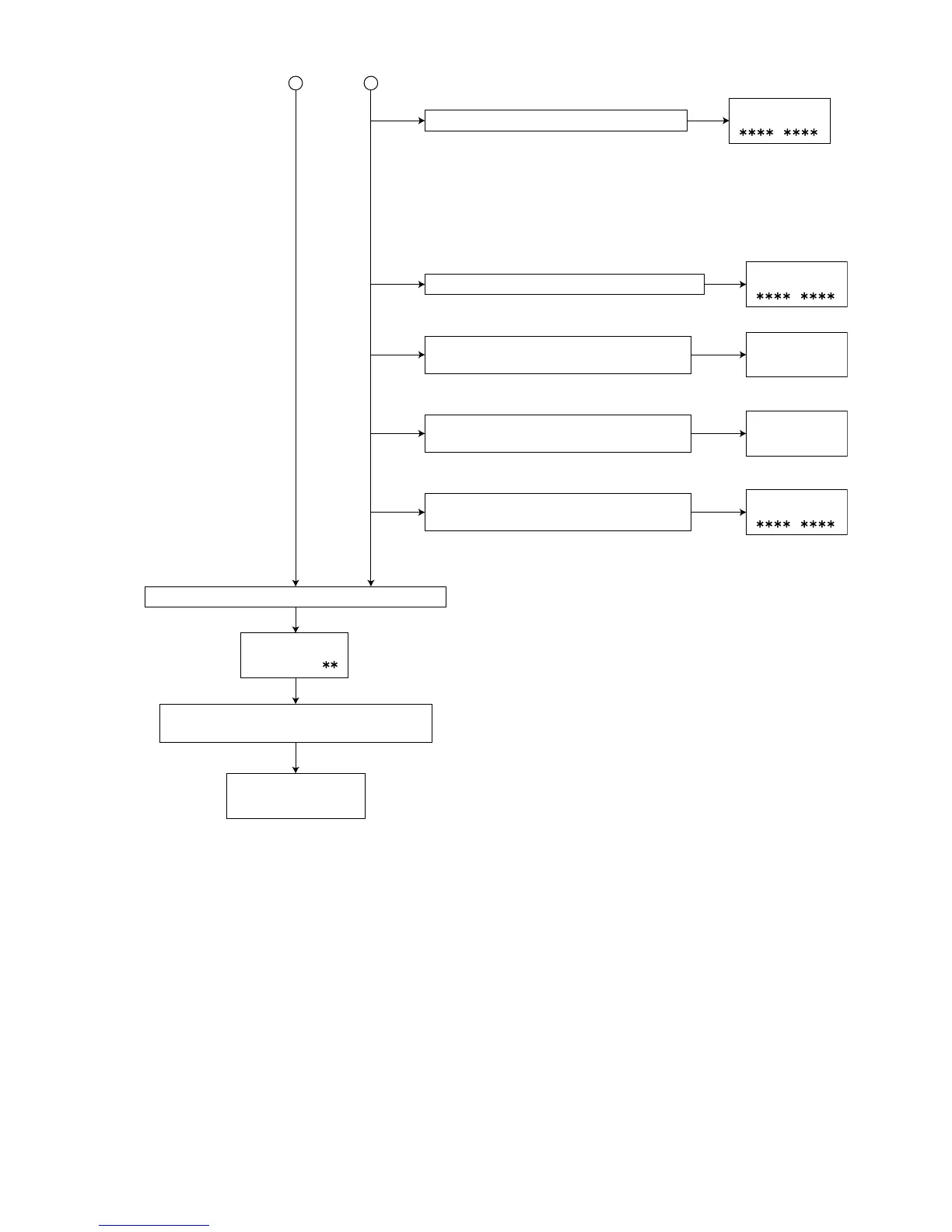
Press the "STOP" key on the main unit or
remote controller.
Disc stop, LD-OFF
Cancellation of the
"DVD TEST MODE"
Press the "+10" key on the remote controller.
Initialization of the contents of a backup memory
2 3
Press the "OPEN/CLOSE" key on the main
unit or remote controller.
Tray open/close
Press the "PLAY" key on the main unit or
remote controller.
Play disc
Press the "MENU" key on the remote controller.
FL indication
TEST bb#
Press the "STANDBY" key on the main unit
or remote controller.
Press the "0" key on the remote controller.
MONITOR output change
1 : SRV_MONI_CIRC
2 : SRV_MONI_SERVO
3-5 : SRV_MONI_ANALOG
6-7 : SRV_MONI_DRC
8-11 : SRV_MONI_SERVO_JIG
12 : SRV_MONI_DEFAULT
FL indication
FL indication
FL indication
FL indication
CHECK
FL indication
CHECK



 To Next Page