EasyManua.ls Logo

JVC TK-1280E - Page 10

JVC TK-1280E
82 pages
Print Icon
To Next Page IconTo Next Page
To Previous Page IconTo Previous Page
Loading...
E]
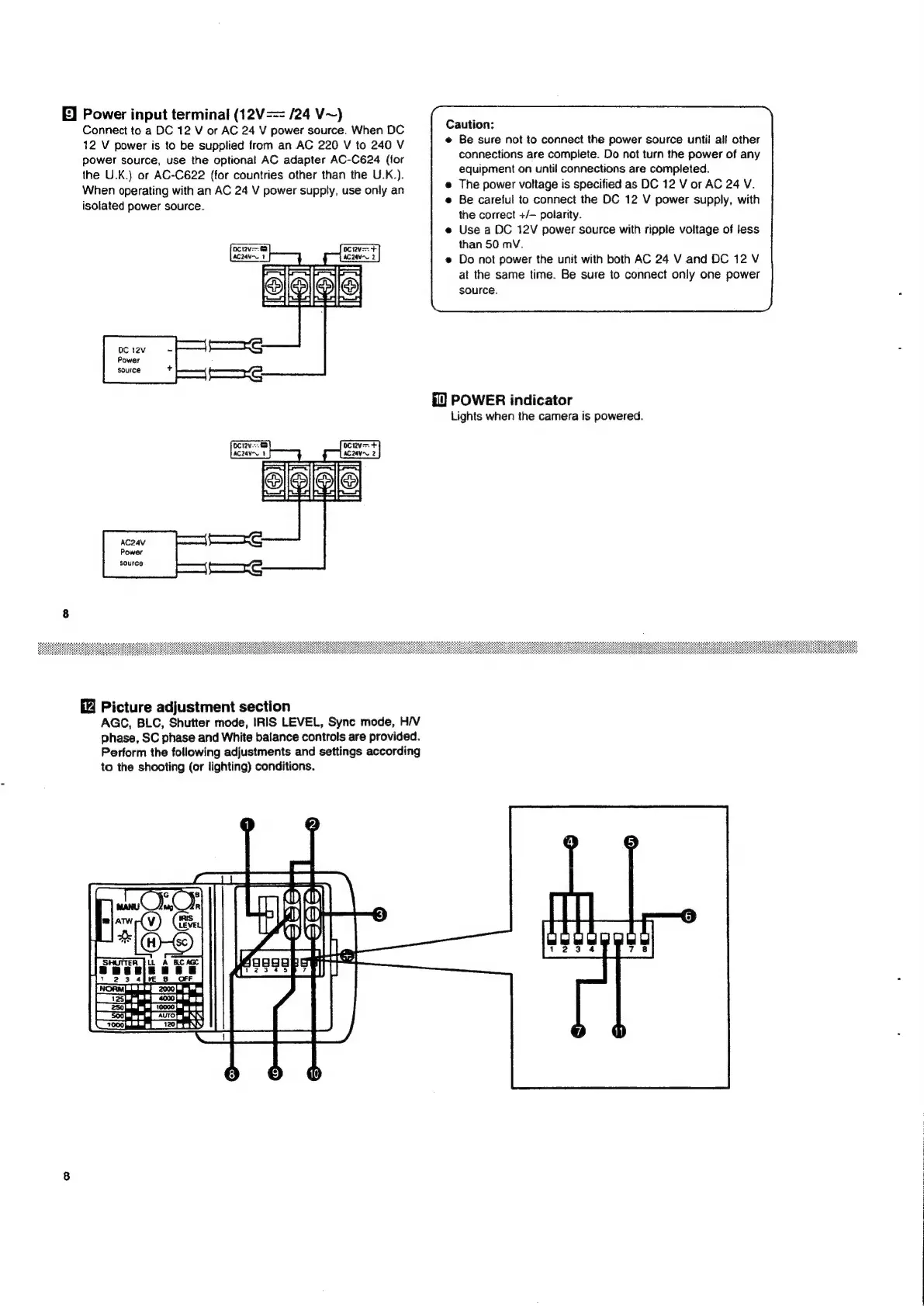
Power
input
terminal
(12V==
/24
V~)
Connect
to
a
DC
12
V
or
AC
24
V
power
source.
When
DC
Caution:
12
V
power
is
to
be
supplied
from
an
AC
220
V
to
240
V
@
Be
sure
not
to
connect
the
power
source
until
all
other
connections
are
complete.
Do
not
turn
the
power
of
any
equipment
on
until
connections
are
completed.
The
power
voltage
is
specified
as
DC
12
V
or
AC
24
V.
Be
careful
to
connect
the
DC
12
V
power
supply,
with
power
source,
use
the
optional
AC
adapter
AC-C624
(for
the
U.K.)
or
AC-C622
(for
countries
other
than
the
U.K.).
When
operating
with
an
AC
24
V
power
supply,
use
only
an
isolated
power
source.
:
the
correct
+/—
polarity.
Use
a
DC
12V
power
source
with
ripple
voltage
of
less
than
50
mV.
Do
not
power
the
unit
with
both
AC
24
V
and
DC
12
V
at
the
same
time.
Be
sure
to
connect
only
one
power
source.
CEE
OC
12v
-
Power
source
POWER
indicator
Lights
when
the
camera
is
powered.
Saee
Picture
adjustment
section
AGC,
BLC,
Shutter
mode,
IRIS
LEVEL,
Sync
mode,
H/V
phase,
SC
phase
and
White
balance
controls
are
provided.
Perform
the
following
adjustments
and
settings
according
to
the
shooting
(or
lighting)
conditions.
|

Related product manuals