UX-A7DVD
1-12 (No.22013)
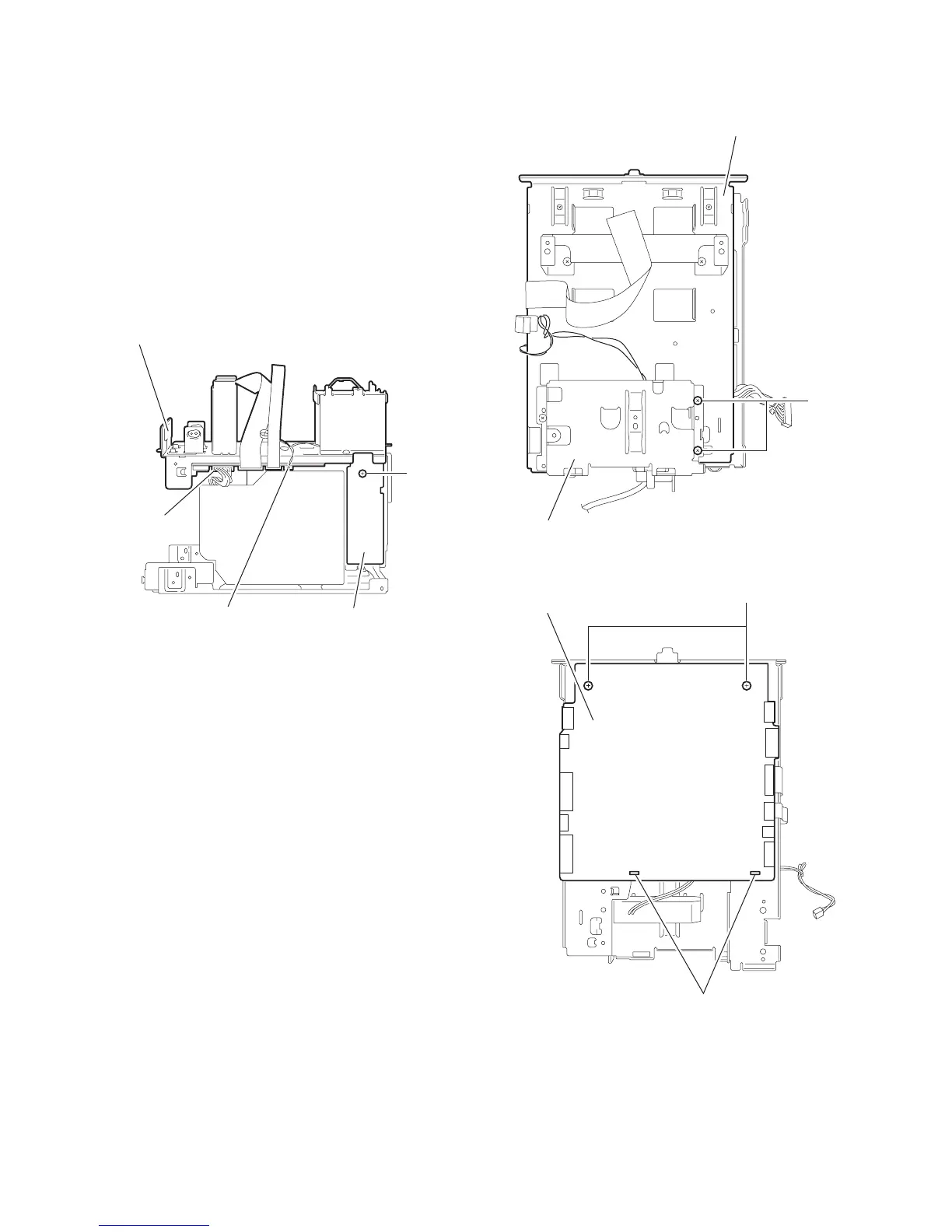
2.1.10 Removing the base chassis / microcomputer board
(See Fig.23~25)
• Prior to performing the following procedure, remove the metal
cover, the DVD mechanism assembly, the front panel assem-
bly, the rear cover/ rear panel, the main board and the DVD re-
lay board.
(1) Disconnect the wires from connector CN701 and CN711
on the microcomputer board in the center of the right side
of the body.
(2) Remove the screw R attaching the voltage selector board.
(3) Remove the two screws S attaching the base chassis on
top of the body.
(4) Remove the two screws T attaching the microcomputer
board and release the two joints f .
Fig.23
Fig.24
Fig.25
Microcomputer board
CN701
Base chassis
CN711
R
Voltage selector board
Base chassis
Fan bracket
S
T
f
Microcomputer
board


 To Next Page
 Loading...