10
English
3
Select a preset number for the station you store.
• You can also use the PRESET UP/PRESET DOWN
buttons.
4
Store the station.
To tune in to a preset station
1
Select the band (FM or AM).
2
Select a preset number for the station you store.
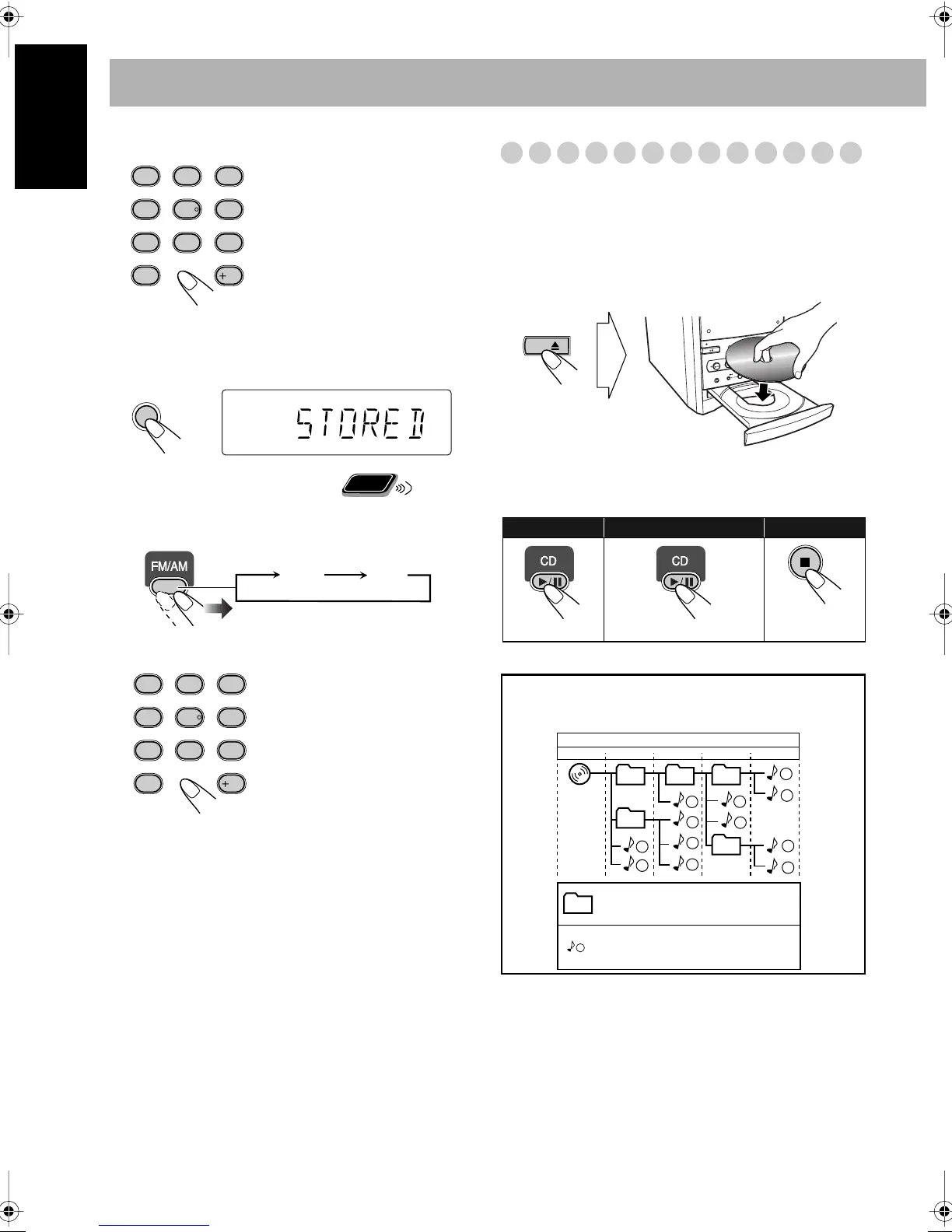
Playing Back a Disc
This System can play back the following discs—regular CD
and CD-R/CD-RW (recorded either in the audio CD or MP3
format).
To insert a disc
You can insert a disc while playing another source.
To close the disc tray,
press 0
again.
• If you press 3
, disc tray closes automatically and playback
starts.
Examples:
To select preset number 5, press
5.
To select preset number 15,
press +10, then 5.
To select preset number 30,
press +10, +10, then 10.
• You can also use the
PRESET UP/PRESET
DOWN buttons.
SET
Remote
ONLY
FM AM
To start:
To pause: To stop:
To release, press again.
CD
1
1
2
3
10
11
12
4
5
6
7
8
9
01
01
02
03 04
05
Hierarchy
ROOT
Level 1 Level 2 Level 3 Level 4 Level 5
MP3 groups/tracks configuration
This System plays back MP3 tracks as follows.
Group with its play order
MP3 track with its play order


 To Next Page
 Loading...