EasyManua.ls Logo

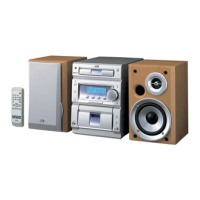
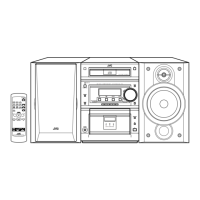
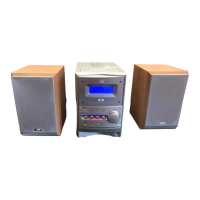
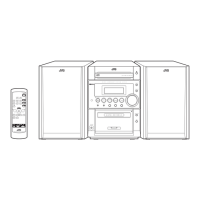
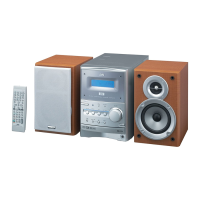
JVC UX-P550 - User Manual

JVC UX-P550
153 pages
Print Icon
To Next Page IconTo Next Page
Loading...
®
MICRO COMPONENT SYSTEM
SISTEMAS DE MICROCOMPONENTES
SISTEMA DE MICRO COMPONENTES
UX-P550
Consists of CA-UXP550 and SP-UXP550
Se compone de CA-UXP550 y SP-UXP550
Composto por CA-UXP550 e SP-UXP550
INSTRUCTIONS
MANUAL DE INSTRUCCIONES
INSTRUÇÕES
GVT0130-002A
[UW]
SUPER VIDEO
g
EnglishEspañolPortuguês
Cover[UW].fm Page 1 Wednesday, May 12, 2004 1:48 PM

Table of Contents

Other manuals for JVC UX-P550

Questions and Answers

  • J
    John BuckleyAug 20, 2025
    What to do if operations are disabled on JVC UX-P550?
    • J
      John EllisAug 20, 2025
      If operations are disabled on your JVC Stereo System, it might be due to a malfunction of the built-in microprocessor caused by external electrical interference. To resolve this, unplug the AC power cord and then plug it back in.
  • K
    Kendra WeberAug 22, 2025
    Why is it impossible to record on JVC UX-P550?
    • S
      Shannon RossAug 22, 2025
      If you can't record on your JVC Stereo System, check the cassette. If the small tabs on the back of the cassette are removed, cover the holes with adhesive tape.
  • H
    Howard BeckAug 25, 2025
    Why no sound is heard from JVC UX-P550?
    • J
      John SmithAug 25, 2025
      If no sound is heard from your JVC Stereo System, it could be due to incorrect or loose speaker connections, or headphones might be connected.
  • C
    Craig MartinezAug 26, 2025
    What to do if the cassette holder cannot be opened on JVC UX-P550?
    • G
      Gregory SchwartzAug 26, 2025
      If the cassette holder on your JVC Stereo System cannot be opened, it may be because the power supply from the AC power cord was cut off while the tape was running. Turn on the System to fix this.
  • L
    lisa16Aug 28, 2025
    Why Daily Timer and Recording Timer do not work on JVC UX-P550?
    • J
      Joanne LawsonAug 28, 2025
      If the Daily Timer and Recording Timer do not work on your JVC Stereo System, note that the timer starts working only when the System is turned off.
  • J
    Joseph JonesAug 30, 2025
    Why is it hard to listen to broadcasts because of noise on JVC UX-P550?
    • M
      michael06Aug 30, 2025
      If you are having trouble listening to broadcasts because of noise on your JVC Stereo System, the antennas connections might be incorrect or loose, the AM loop antenna might be too close to the System, or the FM antenna might not be properly extended and positioned.
  • W
    William JonesSep 1, 2025
    Why MP3, WMA, or JPEG tracks are not played back on JVC UX-P550?
    • M
      Marisa WilliamsonSep 1, 2025
      If MP3/WMA or JPEG tracks are not played back on your JVC Stereo System, the inserted disc may include both types of tracks (MP3/WMA files and JPEG files). In this case, you can only play back the files selected by the 'FILE TYPE' setting. Also, if you have changed the 'FILE TYPE' setting after you inserted a disc, reload the disc.
  • M
    Michele ShermanSep 3, 2025
    Why Daily Timer does not start playback on JVC Stereo System?
    • J
      Joshua FordSep 3, 2025
      If the Daily Timer does not start playback on your JVC Stereo System, it could be because the disc loaded is a DVD video. Try changing the disc. Also, make sure title/group number and chapter/track number are entered while setting the Daily Timer; don't skip these steps if you want to play a disc using the Daily Timer.
  • J
    Jacqueline KaneSep 4, 2025
    Why are adjustments canceled on JVC UX-P550?
    • A
      Amanda KennedySep 5, 2025
      If adjustments or settings are suddenly canceled before you finish on your JVC Stereo System, it may be due to a time limit. Try repeating the procedure again.
  • H
    Harold MathisSep 7, 2025
    Why no picture appears on the screen of JVC UX-P550 Stereo System?
    • H
      Heather CardenasSep 7, 2025
      If no picture appears on the screen of your JVC Stereo System, the video cord connections might be incorrect or loose.

Summary

Safety Precautions

STANDBY;ON Button Operation

Explains the function and indicator lights of the STANDBY/ON button.

Safety Warnings and Precautions

Prevent Electrical Shocks and Fire Risks

Instructions to reduce risks of electrical shocks, fire, and damage.

Ensure Proper Ventilation

Guidelines for installing the unit to ensure adequate airflow.

Laser Product Safety

Important Warnings for Laser Products

Safety warnings for Class 1 laser products.

Ventilation Guidelines

Proper Unit Installation for Airflow

Recommendations for installing the unit to ensure adequate airflow.

Getting Started

Unpacking and Checking Accessories

Steps to unpack the system and check all components.

Initial Component Hookup

Guidance on connecting antennas, speakers, and other components.

Hooking Up System Components

Connecting Audio and Video Devices

Detailed instructions for connecting various input/output devices.

Pre-Operation System Setup

Voltage Selector and Final Connection Check

Ensuring correct voltage and completing all connections before powering.

System Configuration Details

Connecting Speakers and AM Antenna

Detailed steps for connecting speakers and the AM loop antenna.

Video Output and Scanning Mode Settings

Adjusting video output format and scanning mode for optimal picture.

Daily Playback Operations

Powering On and Selecting Source

Steps to turn on the system and select an audio/video source.

Volume Adjustment and Private Listening

How to adjust volume and use headphones for private listening.

Radio Tuning and Station Presets

Tuning FM and AM Stations

Instructions for tuning into radio stations and setting AM intervals.

Basic Playback Procedures

Unique DVD;VCD Playback Features

DVD;VCD Audio and Bonus Content Features

Special Effect Playback Modes

Advanced Disc Playback Operations

Programming Playback Order (Program Play)

Arranging chapters or tracks to play in a custom order before playback.

Random and Program Playback Control

Repeat Playback and Disc Lock Features

On-Screen Disc Operation Interface

Navigating On-Screen Menus

Advanced On-Screen Disc Searches

Control Screen and Still Picture Selection

Advanced Tape Operations

Recording Audio onto Cassette Tapes

Instructions for inserting tapes and setting recording direction and mode.

Tape Recording and Disc Synchronization

Synchronized Disc and Tape Recording

Recording disc content onto tape while both play simultaneously.

Enjoying Karaoke Features

Singing Along with Karaoke Discs

Steps to set up and enjoy singing along to Karaoke discs.

Karaoke Vocal Adjustments and Mixing

Timer Operations

Setting Daily and Recording Timers

Configuring timers for automatic playback or recording.

Timer Functionality and Management

Setup Menu Operations

System Setup Menu Options

Picture, File Type, and Audio Settings

Additional System Setup Options

Parental Lock Submenu Access

Accessing the Parental Lock settings to restrict disc playback.

Parental Lock Setup and Restrictions

Setting Parental Lock Rating Levels

Establishing playback restrictions based on age ratings and country codes.

Creating a Parental Lock Password

Setting a four-digit password to manage parental lock settings.

Managing Parental Lock Settings

Changing Parental Lock Configurations

Modifying existing parental lock settings, including the password.

Temporarily Releasing Parental Lock

Allowing playback of restricted content temporarily by entering the password.

System Maintenance Procedures

Troubleshooting Common Issues

General Operation Problems

Solutions for issues like canceled settings, disabled operations, and remote control problems.

Audio and Video Output Troubleshooting

Addressing problems with sound, picture display, and video signal output.

Disc and Tape Playback Issues

Solutions for discs not playing, sound discontinuities, and tape loading problems.

JVC UX-P550 Specifications

General IconGeneral
BrandJVC
ModelUX-P550
CategoryStereo System
LanguageEnglish

Related product manuals