Before operation
3
XV-NP10S/LET0246-001A/English
Before operation
Names of parts and controls
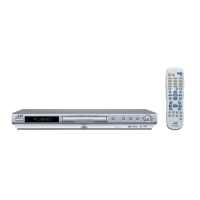
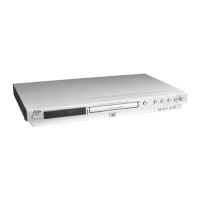
Front panel
1 button (10)
2 STANDBY/ON indicator (10)
3 Disc tray (11)
4 0 (eject) button (11)
5 4 button (13, 14)
6 ¢ button (13, 14)
7 7 (stop) button (12, 13, 15)
8 3 (play) button (11, 13)
9 8 (pause) button (12, 13, 25)
0 DVD/CARD button (13, 24, 27)
- Display window (see below)
= Remote sensor (8)
~ Card door (24)
! Memory card slots (24)
How to open/close the card door
• Make sure the disc playback is stopped when inserting or removing the memory card.
Display window
\
1 Audio format indicators
[LPCM] Turns on when linear PCM audio signals are output
from the player, for example when playing back an
Audio CD disc.
[MPEG] Turns on when MPEG signals are output from the
player, for example when playing back a Video CD
disc.
[Dolby D] Turns on when playing back a Dolby Digital sound
source.
[DTS] Turns on when playing back a DTS-encoded digital
sound source.
2
Progressive indicators
[P] Turns on while in the Progressive scanning mode.
[DDP] Turns on depending on the [PICTURE SOURCE]
preference setting and the source type of the current
DVD VIDEO disc (see page 6).
3
SE (Sound Effect) indicator
Turns on when the Sound Effect function takes effect.
4
Group/title/track/chapter indicators
Show what is indicated by the multi-information display during
playback.
5
Repeat mode indicator
Turns on while in the repeat mode and shows the currently
selected repeat mode.
6
Program/random indicators
Turn on while in the program playback mode or random
playback mode respectively.
7
Total time/remaining time indicators
[TOTAL] Turns on when total elapsed time is indicated by the
multi-information display.
[REM] Turns on when remaining playback time is indicated
by the multi-information display.
8 3
(play) / 8(pause) indicators
Turn on while in playback or in pause respectively.
9
M (memory) CARD indicator
Turns on while accessing a memory card.
p
Multi-information window
Indicates various kinds of information by numbers and
alphabets, such as the player’s current status (“READING,”
“OPEN,” etc.) or currently played DVD’s title and chapter.
12
3459
0876
~
-=
!
Inside of the card door (~).
1
8 9 p
2 3 4 5 6 7
XV-NP10[J_UJ].book Page 3 Monday, April 19, 2004 9:57 PM


 To Next Page
 Loading...