EasyManua.ls Logo

JVC XV-S65GDJ - User Manual

JVC XV-S65GDJ
61 pages
Print Icon
To Next Page IconTo Next Page
Loading...
STANDBY
STANDBY/ON
PAUSEPLAYSTOP
SKIP
OPEN/CLOSE
387
0
¢4
PROGRESSIVE
DVD/VIDEO CD/CD
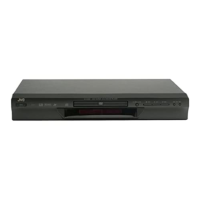
XV-S60 DVD/CD PLAYER


OPEN
/COSE
TV DVD
REPEAT
123
56
89
0
+
1010
7
4
3D
PHONIC
TV/VIDEO
CANCEL
SUBTITLEANGLE
TV1 TV2 TV3
TV4 TV5 TV6
TV7 TV8 TV9
TV
-/-- TV0
MUTING
AUDIO
VFP
DIGEST
PRE
VIOUS
NE
XT
CLEA
R
ST
ROBE
SLOW
+
SL
OW
TITLE
MENU
CHOICE
ENTER
CH
+
SELECT
CH
-
VOL
+
VOL
-
O
N
S
C
R
EE
N
+ZOOM
RETURN
4
¢
1
¡
5
5
5
7
8
3
TV DVD
STANDBY/ON
RM-SXVS60J REMOTE CONTROL
PROGRESSIVE
SCAN
Introduction
Introduction
2
Preliminary knowledge
Notions préliminaires
5
Getting started
Pour commencer
14
Basic operations
Commandes de base
21
Advanced operations
Commandes complexes
25
MP3 disc playback
Lecture de disque MP3
41
Initial settings
Réglages initiaux
44
Additional information
Information
complémentaires
51







 !"
#$%




Table of Contents

Questions and Answers

  • X
    Xavier YoungAug 21, 2025
    What to do if no picture is displayed on my JVC XV-S65GDJ?
    • G
      gina96Aug 21, 2025
      If your JVC DVD Player isn't displaying a picture on the monitor, there could be several reasons. First, check that the video cable is correctly connected. Second, ensure that the input selection on your TV is correct. Third, verify that the disc you're using is playable. Finally, if you are connected via the VIDEO OUT jack, make sure the Progressive scan mode is set to OFF.
  • S
    Shannon BrownAug 25, 2025
    How to fix distorted sound on JVC XV-S65GDJ?
    • R
      Rachel JohnstonAug 25, 2025
      If your JVC DVD Player is producing distorted sound or noise, the disc may be dirty. Try wiping the disc surface to resolve the issue.
  • P
    philipmorrisonAug 26, 2025
    Why won't my JVC DVD Player turn on?
    • P
      pgarnerAug 26, 2025
      If your JVC DVD Player isn't powering on, make sure the power plug is securely inserted into the outlet. Plug it in securely.
  • S
    sonyamaldonadoAug 27, 2025
    What to do if TV/VIDEO, CANCEL, CURSOR, or numeric buttons do not work on JVC XV-S65GDJ?
    • V
      vgoodmanAug 28, 2025
      If the TV/VIDEO - CANCEL, CURSOR, or numeric buttons are not working, the TV - DVD switch might not be correctly set. To control the unit, set the TV - DVD switch to “DVD”. To control your TV, set the TV - DVD switch to “TV”.
  • A
    Alec ClarkAug 29, 2025
    Why is my JVC XV-S65GDJ remote control not working?
    • T
      Terry WilliamsAug 30, 2025
      If the remote control for your JVC DVD Player isn't working, try these steps: First, move closer to the unit. Second, make sure to point the remote's infrared light-emitting window directly at the remote sensor on the front panel. Third, replace the batteries with new ones. Finally, check the battery polarity; remove the batteries and re-insert them in the correct direction.
  • J
    James HernandezSep 1, 2025
    Why is the picture on my JVC XV-S65GDJ DVD Player noisy or blurred?
    • D
      Darin RodriguezSep 1, 2025
      If the picture from your JVC DVD Player appears noisy or blurred, it could be due to a couple of reasons. If the unit is connected to a VCR directly and the copyguard function is activated, connect the unit so that the picture signal flows directly to the TV. Also, with some discs, a picture may be blurred when setting the “PROGRESSIVE MODE” to “FILM” or “AUTO”. Set the “PROGRESSIVE MODE” to “VIDEO“.
  • V
    valenciamiguelSep 3, 2025
    Why is there no sound coming from my JVC XV-S65GDJ DVD Player?
    • T
      Thomas RodriguezSep 3, 2025
      If you're not getting any audio from your JVC DVD Player, first check all the connections to ensure they are correct. Second, make sure the input selection on your amplifier is correctly selected.
  • M
    Melanie GregorySep 5, 2025
    How to adjust the screen size on my JVC XV-S65GDJ?
    • J
      Jonathan KingSep 5, 2025
      If the picture from your JVC DVD Player doesn't fit the television screen, the MONITOR TYPE may not be correctly set. Select the correct monitor type. Also, ensure that the television itself is correctly set.
  • J
    Jessica PriceSep 7, 2025
    What to do if there is no audio when playing a DVD with 96 kHz PCM audio on my JVC XV-S65GDJ?
    • V
      Vanessa BrownSep 7, 2025
      If you're not getting any audio when playing back a DVD disc recorded with 96 kHz, linear PCM audio using the DIGITAL OUT jack on your JVC DVD Player, it's likely because the audio signal is not derived from the unit’s DIGITAL OUT. Use the AUDIO OUT when playing back such discs.
  • D
    Diane GriffinSep 9, 2025
    Why JVC DVD Player remote control does not work?
    • J
      Jessica ThomasSep 9, 2025
      The remote control might not be working for several reasons: * You may be too far from the unit; try moving closer. * The remote might not be pointed correctly; ensure the infrared light-emitting window is aimed at the remote sensor on the front panel. * The batteries might be dead; replace them with new ones. * The batteries might be inserted incorrectly; take them out and reinsert them in the correct direction.

JVC XV-S65GDJ Specifications

General IconGeneral
TypeDVD player
Progressive ScanYes
Remote ControlYes
Playable MediaCD
Playback FormatsJPEG, MP3
Video OutputComposite, S-Video
Video DAC10 bit / 27 MHz

Related product manuals