EasyManua.ls Logo

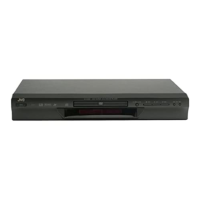
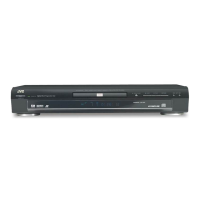
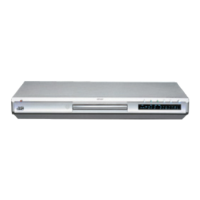
JVC XV-S42SL - User Manual

JVC XV-S42SL
48 pages
Print Icon
To Next Page IconTo Next Page
Loading...
DVD VIDEO PLAYER
XV-S40BK/XV-S42SL
OPEN
/CLOSE
STANDBY/ON
PLAY
MODE
123
56
89
0
+
1010
7
4
3D
PHONIC
CANCEL
SUBTITLEANGLE AUDIO
THEATER
POSITION
DIGEST
PREVIOUS
NEXT
CLEAR
STROBE
SLOW
+
SLOW
TITLE
MENU
CHOICE
ENTER
RM-SXVB40A REMOTE CONTROL
SELECT
DISPLAY
ZOOM
RETURN
4
¢
1
¡
5
5
5
∞
7
8
3
STANDBY
STANDBY ON
DVD/VIDEO CD/CD
PAUSEPLAYSTOP
SKIP
OPEN/CLOSE
387
0
¢4
DVD/CD PLAYER
DOLBY
D
I
G
I
T
A
L
Introduction 2
Preliminary knowledge 5
Getting started 13
Basic operations 17
Advanced operations 20
Initial settings 35
Additional information 42
For Customer Use:
Enter below the Model No. and Serial No.
which are located on the rear, bottom or
side of the cabinet. Retain this information
for future reference.
Model No.
Serial No
LET0178-005A
[B]
XV-E100SL
INSTRUCTIONS
6(1*ERRN 3DJH 7KXUVGD\ -DQXDU\   $0
All manuals and user guides at all-guides.com
all-guides.com

Other manuals for JVC XV-S42SL

Questions and Answers

  • J
    Jeffery OlsenAug 20, 2025
    Why is there no audio coming from my JVC DVD Player?
    • M
      Melanie StokesAug 20, 2025
      If your JVC DVD Player isn't producing any sound, start by checking all audio connections to ensure they are correctly connected. Also, make sure the input selection on your amplifier is correctly set.
  • M
    Melvin GrahamAug 22, 2025
    What to do if my JVC XV-S42SL has no picture?
    • M
      Mark CampbellAug 22, 2025
      If your JVC DVD Player isn't displaying a picture on the monitor, verify that the video cable is correctly connected. Also, ensure that the input selection on your TV is correctly set. Finally, confirm that you are using a playable disc.
  • M
    Michael WrightAug 25, 2025
    How to fix a JVC DVD Player that does not power on?
    • N
      nelsoncrystalAug 25, 2025
      If your JVC DVD Player is not turning on, make sure the power plug is securely inserted into the outlet.
  • M
    Matthew FoxAug 26, 2025
    What to do if there is no picture on JVC XV-S42SL using COMPONENT or S-VIDEO?
    • J
      Jordan CarterAug 26, 2025
      If your JVC DVD Player is not displaying a picture when using the COMPONENT or S-VIDEO output jack(s), make sure that the jacks in use are active.
  • M
    Mary BlanchardAug 28, 2025
    What to do if no picture on JVC DVD Player?
    • L
      Logan NorrisAug 28, 2025
      If no picture is displayed on the monitor, check the video cable connections to ensure they are correctly connected. Also, verify that the input selection on your TV is correctly set. Lastly, make sure you are using a playable disc.
  • B
    Bryan HendersonAug 29, 2025
    Why JVC DVD Player has no audio?
    • D
      Denise PerkinsAug 29, 2025
      If no audio is being reproduced, first check all the connections to ensure they are correct. Also, make sure the input selection on your amplifier is correctly set.
  • M
    Michael TranAug 31, 2025
    What to do if JVC DVD Player has no audio with 96-kHz, linear PCM DVD?
    • L
      Lisa MartinezAug 31, 2025
      If no audio is reproduced when playing back a DVD disc recorded with 96-kHz, linear PCM audio, and the audio signal is derived from the unit's DIGITAL OUT, use the AUDIO OUT when playing back such discs.
  • R
    Rebecca HerreraSep 2, 2025
    Why is my JVC XV-S42SL remote control not working?
    • J
      Jeffery AustinSep 2, 2025
      If the remote control for your JVC DVD Player isn't working, first ensure you're close enough to the unit and pointing the remote directly at the remote sensor on the front panel. If that doesn't work, replace the batteries with new ones, making sure to insert them with the correct polarity.
  • S
    Sarah ClarkSep 4, 2025
    Why is the picture on my JVC XV-S42SL noisy?
    • J
      Joseph BennettSep 4, 2025
      If your JVC DVD Player's picture is noisy, and the unit is connected to a VCR, the copyguard function might be activated. Connect the unit so the picture signal flows directly to the TV.
  • W
    Wesley JohnsonSep 6, 2025
    What to do if my JVC XV-S42SL DVD Player operation is not possible?
    • N
      Nancy SantiagoSep 6, 2025
      If your JVC DVD Player's operation is not possible, it might be due to a microcomputer malfunction caused by lightning or static electricity. Turn off the power and unplug the power cord, then connect the power cord again. Alternatively, moisture condensation caused by a sudden change of temperature or humidity can be the reason. Turn off the power, then turn it on a few hours later.

JVC XV-S42SL Specifications

General IconGeneral
TypeDVD Player
Audio Formats SupportedDolby Digital, DTS
Video OutputComposite, S-Video, Component
Progressive ScanYes
Weight2.2 kg
Remote ControlYes
Disc FormatsCD, CD-R, CD-RW
Audio OutputStereo, Optical, Coaxial

Related product manuals