EasyManua.ls Logo

JVC XV-S332SL - User Manual

JVC XV-S332SL
60 pages
Print Icon
To Next Page IconTo Next Page
Loading...

VIDEO CD
OPEN/
CLOSE
STANDBY/ON
DVD
TV1
123
456
789
10 0
+
10
TV2 TV3
TV4 TV5 TV6
TV7
SUB TITLE
AUDIO
THEATER
POSITION
DIGEST ANGLE ZOOM
AMP VOL
-
+
3D
PHONIC
TV8 TV9
TV
PREVIOUS
CLEAR SELECT STROBE
NEXT
RETURN
VOL
-
SLOW
-
SLOW
+
VOL
+
TV/VIDEO
CANCEL
TV0
ENTER
MUTING
TV DVD
RM-SXV007U
REMOTE CONTROL
D
I
S
P
L
A
Y
M
E
N
U
T
O
P
M
E
N
U
C
H
O
I
C
E
TV
PLAY
MODE
CH
+
CH
-
OPEN/
CLOSE
STANDBY/ON
123
456
789
10 0
+
10
PLAY
MODE
SUB TITLE
AUDIO
THEATER
POSITION
3D
PHONIC
DIGEST ANGLE ZOOM
PREVIOUS
CLEAR SELECT STROBE
NEXT
RETURN
SLOW
-
SLOW
+
CANCEL
ENTER
RM-SXV002U
REMOTE CONTROL
D
I
S
P
L
A
Y
M
E
N
U
T
O
P
M
E
N
U
C
H
O
I
C
E
OPEN/CLOSE
STANDBY/ON
STANDBY
DOLBY
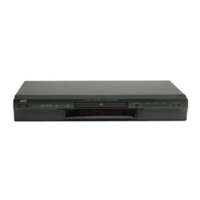
XV-S402 DVD/SUPER VCD/VCD/CD PLAYER
SKIP
PAUSEPLAYSTOP
D I G I T A L
OPEN/CLOSE
STANDBY/ON
STANDBY
DOLBY
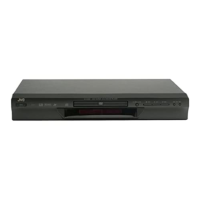
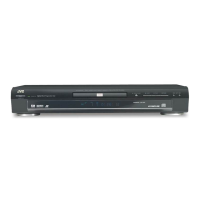
XV-S332 DVD/SUPER VCD/VCD/CD PLAYER
SKIP
PAUSEPLAYSTOP
D
I
G
I
T
A
L
Introduction 2
Preliminary knowledge 5
Getting started 16
Basic operations 23
Advanced operations 26
MP3 CD playback 41
Initial settings 45
Additional information 52







 !
"#$
,16758&7,216



 !"#


Table of Contents

Other manuals for JVC XV-S332SL

Questions and Answers

  • M
    murphyjeffreyAug 15, 2025
    How to fix JVC DVD Player when it does not turn on?
    • G
      Gregory SimpsonAug 15, 2025
      If your JVC DVD Player isn't powering on, the most common reason is that the power plug isn't fully inserted. Make sure the power plug is securely plugged into the outlet.
  • C
    Carrie PettyAug 18, 2025
    What to do if my JVC XV-S332SL shows no picture?
    • S
      Stephanie ArcherAug 18, 2025
      If no picture is displaying on the monitor when using your JVC DVD Player, there are a few things to check. First, verify that the video cable is correctly connected. Second, confirm that the input selection on your TV is correct. Finally, make sure you are using a playable disc.
  • C
    Christina WilsonAug 22, 2025
    Why does my JVC XV-S332SL have no audio output?
    • D
      davecaldwellAug 22, 2025
      If you're not getting any audio from your JVC DVD Player, start by checking all the connections to ensure they are correct. Also, make sure the input selection on your amplifier is correctly set.
  • D
    Deborah HallAug 26, 2025
    How to resolve distorted sound on JVC XV-S332SL DVD Player?
    • B
      Bianca YoungAug 26, 2025
      If the sound from your JVC DVD Player is distorted or generating noise, the disc surface might be dirty. Try wiping the disc to clean it.
  • D
    David Hernandez DVMAug 28, 2025
    How to fix noisy picture on JVC DVD Player?
    • K
      Kelly BarajasAug 28, 2025
      If the picture from your JVC DVD Player appears noisy, and the unit is connected to a VCR directly, it might be due to the copyguard function being activated. Connect the unit so that the picture signal flows directly to the TV.
  • T
    Thomas MartinezAug 31, 2025
    Why are the TV/VIDEO buttons not working on my JVC DVD Player XV-S402SL?
    • S
      Scott HicksSep 1, 2025
      If the TV/VIDEO - CANCEL, CURSOR, or numeric buttons aren't working on your JVC DVD Player (XV-S402SL model), the TV - DVD switch may not be correctly set. To control the DVD player, set the switch to “DVD”. To control your TV, set the switch to “TV”.
  • N
    Nicholas MoralesSep 4, 2025
    What to do if JVC XV-S332SL DVD Player has no audio with 96 kHz, linear PCM audio?
    • U
      ustevensSep 4, 2025
      If you're not getting any audio when playing a DVD disc recorded with 96 kHz, linear PCM audio on your JVC DVD Player, it might be because the audio signal isn't derived from the unit's DIGITAL OUT. Use the AUDIO OUT when playing back such discs.
  • W
    William McdanielSep 7, 2025
    Why is my JVC DVD Player remote control not working?
    • W
      Wendy CarsonSep 7, 2025
      If the JVC DVD Player's remote control isn't working, several factors could be the cause. First, ensure you are close enough to the unit. Second, make sure you are pointing the remote's infrared light-emitting window directly at the remote sensor on the front panel. Also, try replacing the batteries with new ones, ensuring they are inserted with the correct polarity. If the batteries are already inserted, take them out and re-insert them, making sure they're in the right direction.
  • S
    Susan ParkerSep 12, 2025
    How do I adjust the screen size on my JVC XV-S332SL?
    • S
      Sharon GriffinSep 12, 2025
      If the picture from your JVC DVD Player doesn't fit the television screen, make sure the MONITOR TYPE is correctly set. Also, ensure that your television is correctly set.

JVC XV-S332SL Specifications

General IconGeneral
BrandJVC
ModelXV-S332SL
CategoryDVD Player
LanguageEnglish

Related product manuals