40
Selecting a view angle of DVD
While playing back a DVD containing multi-view angles, you
can enjoy the same scene at different angles.
Selecting a view angle
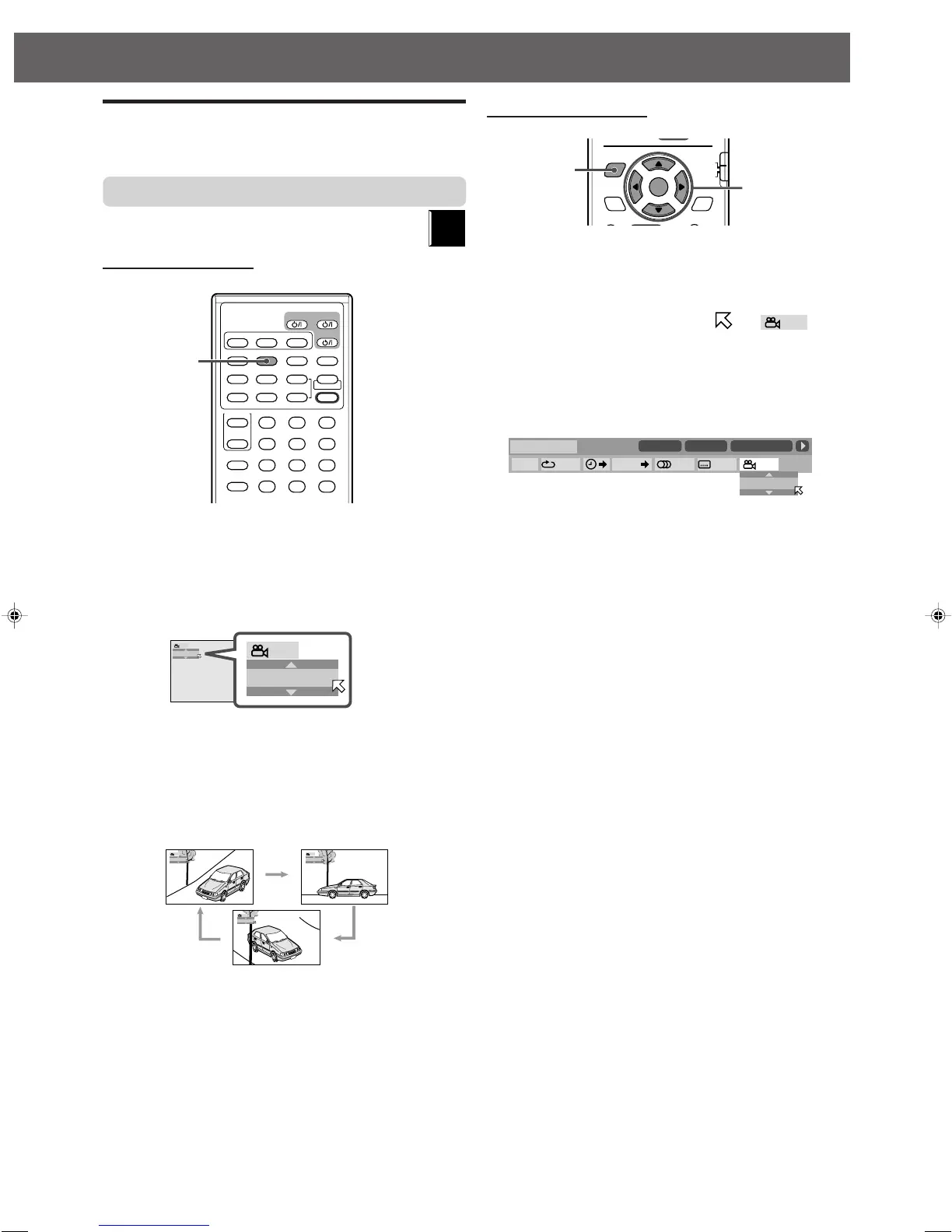
Using the direct button:
7 During playback
1 Press ANGLE.
The following pop-up window appears on the TV.
Example: The first view angle is selected out of 3 view
angles recorded.
2 Press ANGLE repeatedly to select the desired
view angle.
Each time you press the button, the angle of the scene
changes.
Example:
] 1/3 ] 2/3 ] 3/3 ] (back to the beginning)
The pop-up window goes off if no operation is done for
about 5 seconds.
DVD
VCR 1
AUDIO
AUX
ANGLE
FM/AM
SUBTITLE
DECODE
RETURN DIGEST ZOOM VFP
TOP MENU MENU ZOOM
CONTROL
– SUBWOOFER + EFFECT
– CENTER +
–
REAR-R +
TEST
SLEEP
TV
VCR
SETTING
TV RETURN
FM MODE
123
456
789
10
0
+10
100+
TV AUDIO
VCR
SOUND
–
+
– REAR-L +
PROGRESSIVE
ANGLE button
Using the on-screen bar:
7 During playback
1 Press ON SCREEN twice.
The on-screen bar appears on the TV.
2 Press Cursor 3/2 to move to in
the on-screen bar, then press ENTER.
The following pop-up window appears under the on-
screen bar.
Example: The first view angle is selected out of 3 view
angles recorded.
3 Press Cursor ∞/5 repeatedly to select the
desired view angle.
Each time you press the button, the angle of the scene
changes.
4 Press ENTER.
The pop-up window goes off.
To turn off the on-screen bar
Press ON SCREEN.
TV RETURN
ENTER
ON
SCREEN
CHOICE
AUDIO/
TV/VCR
SURROUND
MODE
FM MODE
100+
CATV/DBS
Cursor and
ENTER buttons
ON SCREEN
button
8.5Mbps
DVD-VIDEO
TITLE
14
TIME
1:25:58
CHAP
23
OFF
1/3
1/3 1/3
TIME
CHAP.
1
EN37-50TH-V70[A]1 02.4.9, 10:17 AM40



 To Next Page