POWER SOURCES NORMAL BATTERIES / AC ADAPTOR
Battery Power Operation
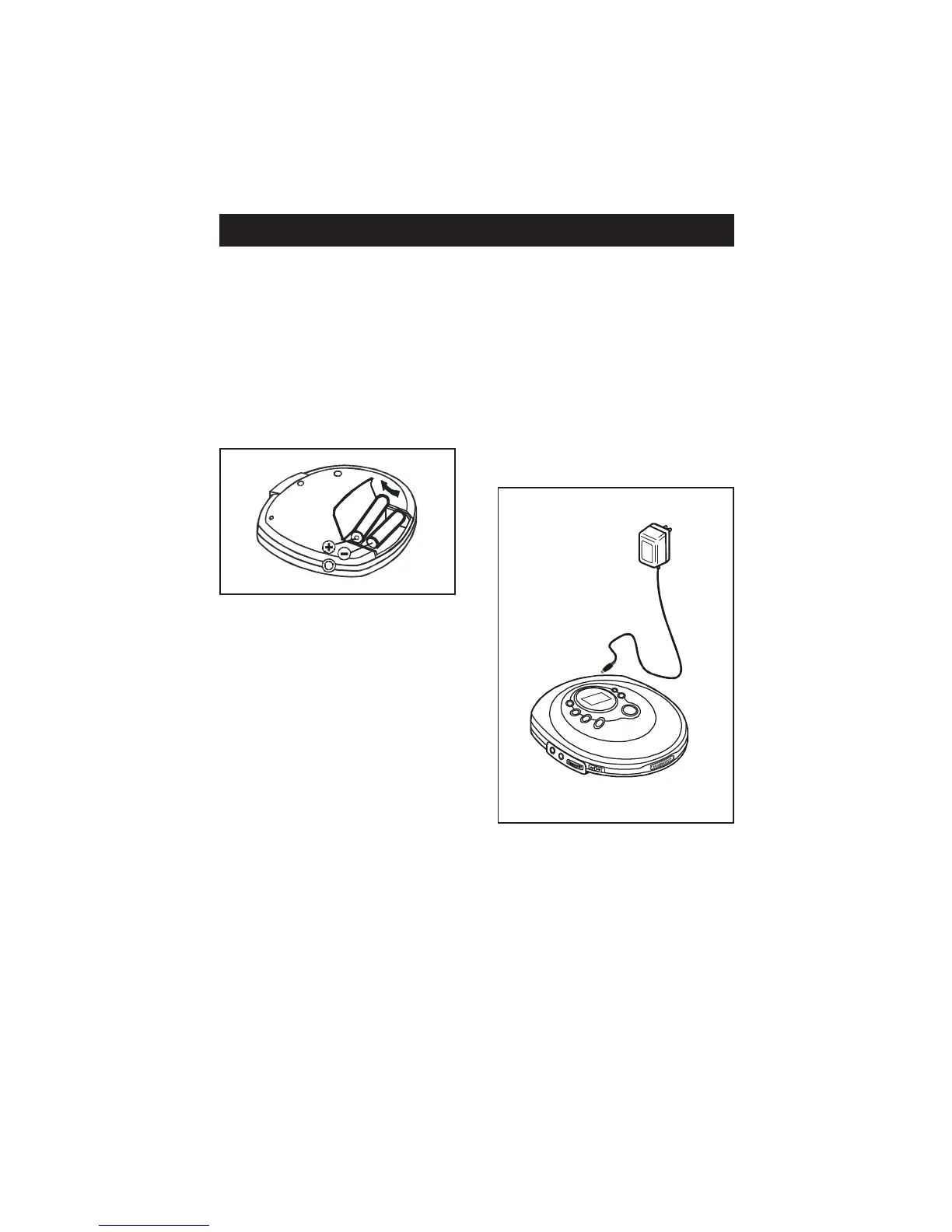
1. Open the battery compartment
cover and insert two “AA” (UM-3)
alkaline batteries (not included)
inside the battery compartment.
F oll ow the polari ty as indica ted
in the battery compartment.
2. Close the battery compartment
cover.
Note: When the unit is to be op erated
using batteries, always unplug the AC
adaptor from the AC power outlet and
the DC input jack from the set.
Otherwise the player will not operate.
3. For better performance and longer
operating time, we r ecom men d the
use of alkaline batteries.
4. (a) Do not mix old and new
batteries.
(b) Do not mix alkaline, standard
( car bon- zinc ) or rechargeable
(nickel-cadmium) batteries.
5. If the unit is not to be used for an
extended per iod of time, rem ove
the batter ies. Ol d or leaki ng
batteri es can cause d amage to the
unit and may void the warranty.
AC Adaptor Operation
( AC adaptor not included )
Only use a 4.5V/500mA DC, positive
center pin power adapter. Any other
adapter may damage the set.
1. M ake sur e the l oca l voltag e corr e-
sponds to the adapter’s voltage.
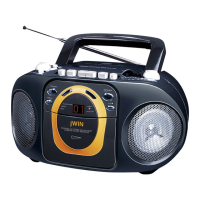
2. Connect the power adapter to the
4.5V DC jack of the player and to
the wall outlet.
1
2
EN- 3


 To Next Page