HEADPHONE AND HI-FI CONNECTION
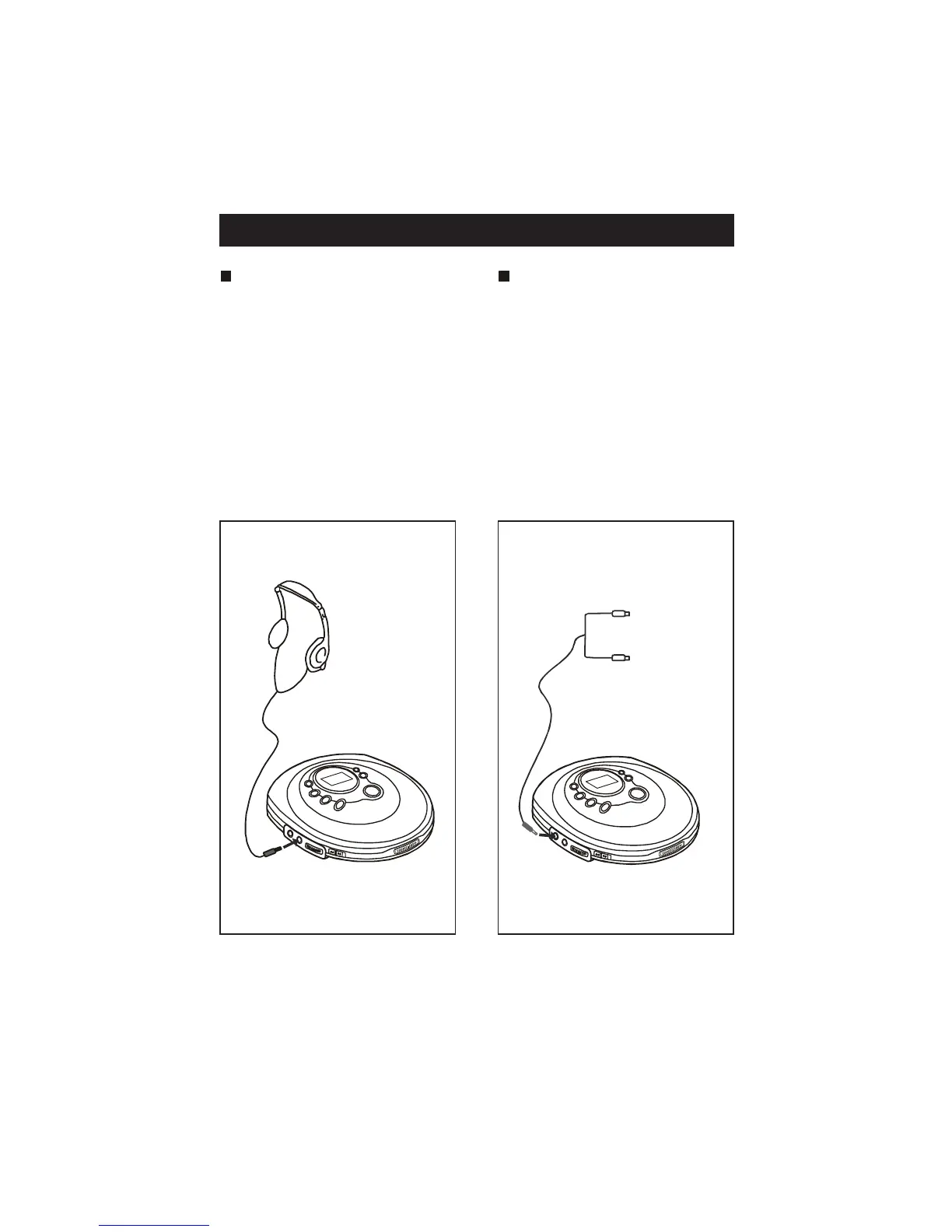
Listening with the
headphones
Connect the plug of the stereo
headphones ( included ) into the
PHONES ( GREEN ) socket.
Caution: Avoid excessive volume lev-
els for a long period of time
when using headphones, as this may
im pa ir your heari ng.
Connecting to component
audio systems
Connect the stereo connection
cable ( not included ) into the LINE
OUT ( BLACK ) socket of the
unit and the CD / AUX inputs of
an audio system.
Note: Always switch the power off
before ma king any connections
between the player and another unit.
TO CD / AUX
INPUT
TO PHONES
TO LINE OUT
EN- 4


 To Next Page