18
3
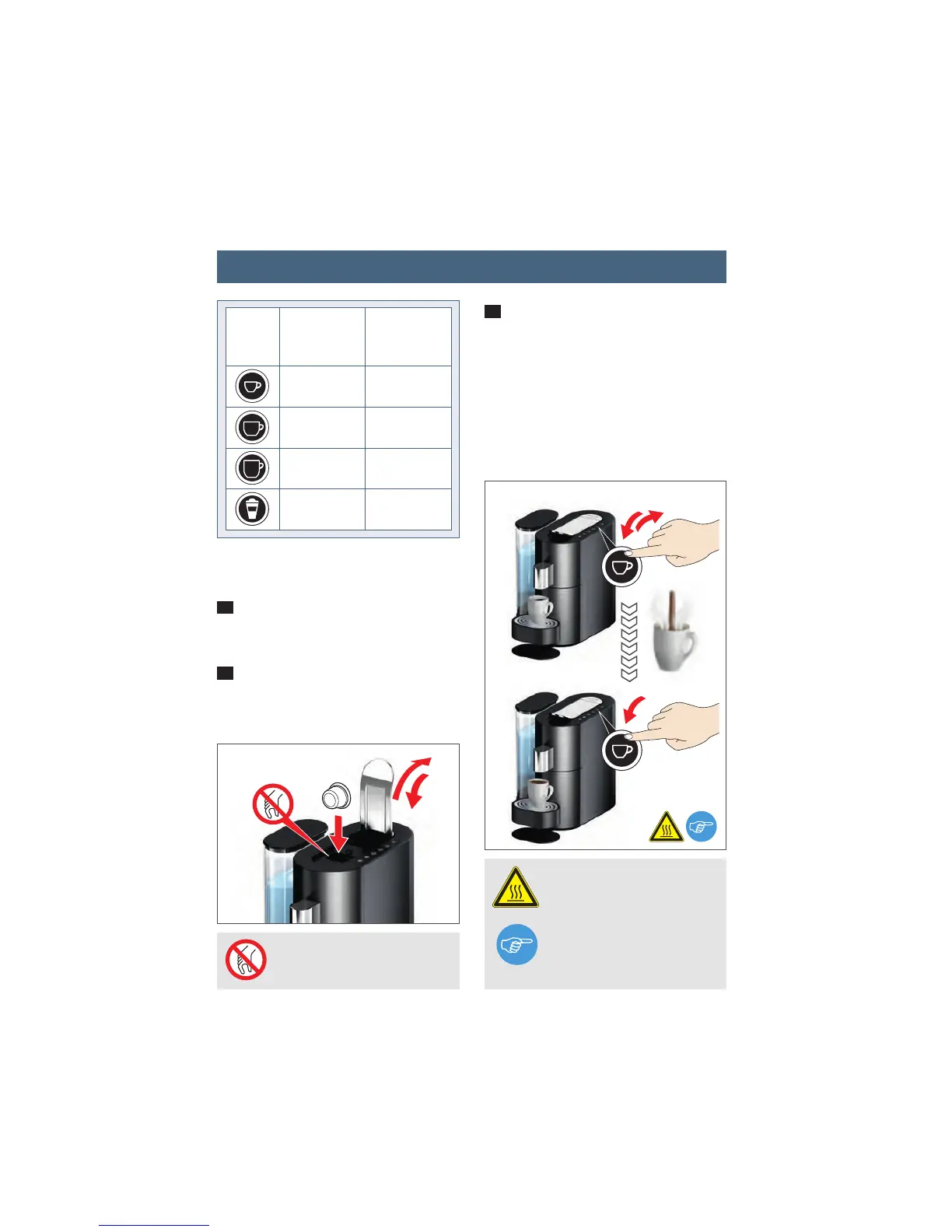
Now press the button for the required
cup size for at least 3 seconds to activa-
te programming. Release the button. The
cup will now be filled up with the drink.
Stop the brewing process by pressing the
button again once the required capacity
has been reached. This new setting will
be saved automatically.
1
Switch the appliance on and place the
required cup under the spout.
2
Open the lever and insert the required
capsule. Now close the lever completely
again.
Buttons
setting range
[ml]
30 - 100
80 - 200
100 - 240
65 - 130
45
105
200
65
factory setting
[ml]
PROHIBITED Do not reach
inside – injury hazard.
WARNING Very hot water –
scalding hazard.
NOTE It is possible to reset
the appliance to the factory
settings (see P. 29).
min. 3 sec.
Stop
3
2
Programming cup capacity




 To Next Page