1
It is possible to reset
the machine to the
factory settings. To do
this, read the last frequently
asked question on page 43.
Programming the
cup capacity
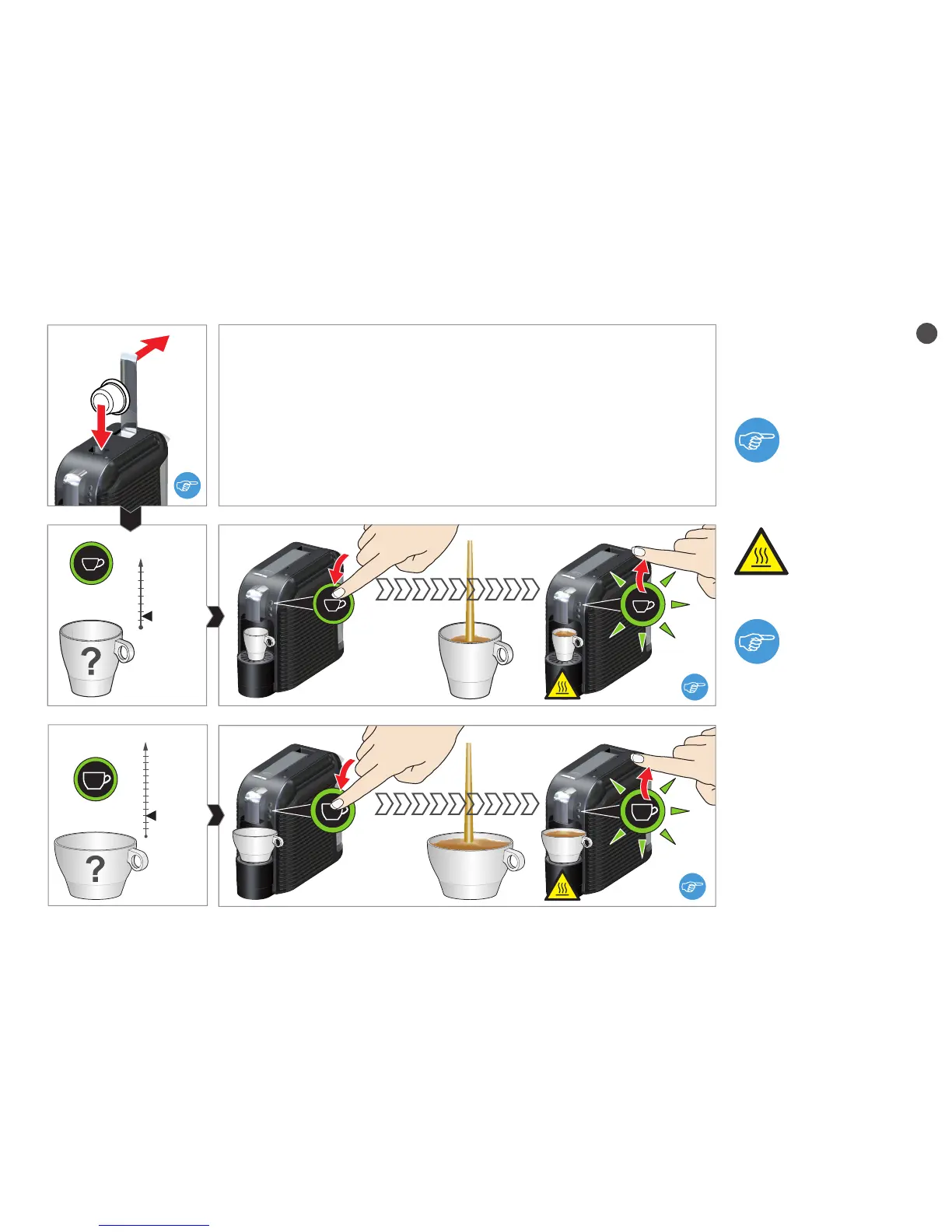
First insert a capsule
before programming the
cup capacity.
Risk of scalding!
Very hot beverage.
3 seconds
min
3 seconds
min
Keep the "small cup" or "large cup" button depressed for a minimum of
3 seconds in order to start the programming. Keep the button depressed
until the required fill quantity has been reached.
The new fill quantity remains stored (even after a mains failure).


 To Next Page