13
Entering Euro/Latin Characters
Enter European and Latin characters easily by pressing the Euro/Latin key.
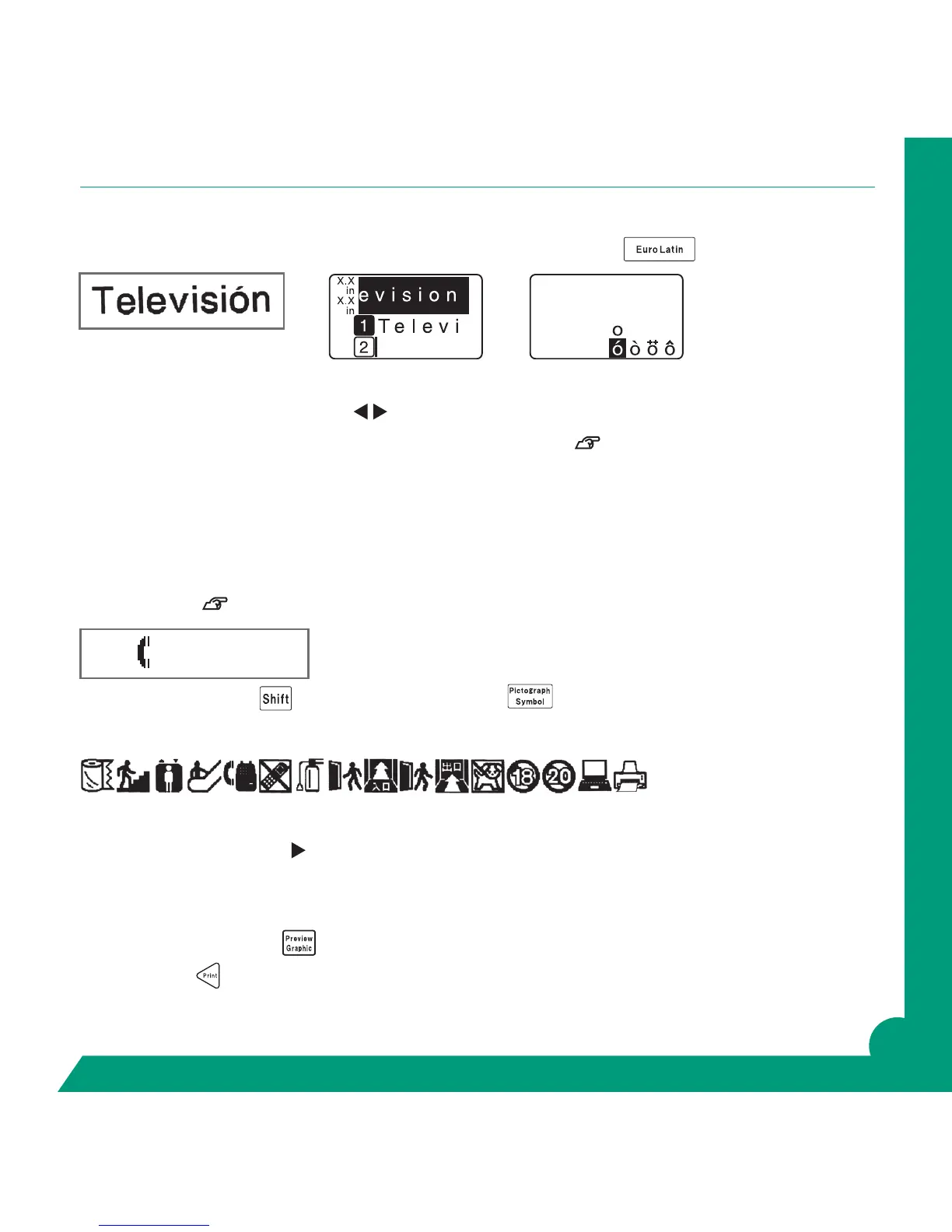
Enter “Televisi” and then “o”.
Press the Euro/Latin key several times to select the ó, and press return key. Enter the “n”.
You can also use the arrow keys ▲▼
to select the desired character.
See page 126 in your manual for all available Euro/Latin characters.
Entering Symbols or Pictographs
Symbols and pictographs add interest and explanations to your label. Easily select a symbol by pressing the
Symbol key or Shift + Symbol.
A complete guide to the symbols or pictographics in the GREEN MACHINE
®
are found in your manual on
pages 121-124.
Press and hold Shift key
and press Symbol/Picto Key.
The Pictograph menu appears.
Using your Up Down arrows scroll to the “Public Signs” category, Return.
Now using the forward arrow , press to the phone pictograph, Return.
Enter a space using Space Key.
Now enter “Dial 911”. Do not return.
Press Preview/Graphic Key
to view your label before printing.
Press Print Key
to print.
Dial 911



 To Next Page