15
Mirror Printing
Reverses the image, text to mirror image. This is especially useful for displays on glass.
Works best with a clear-based tape.
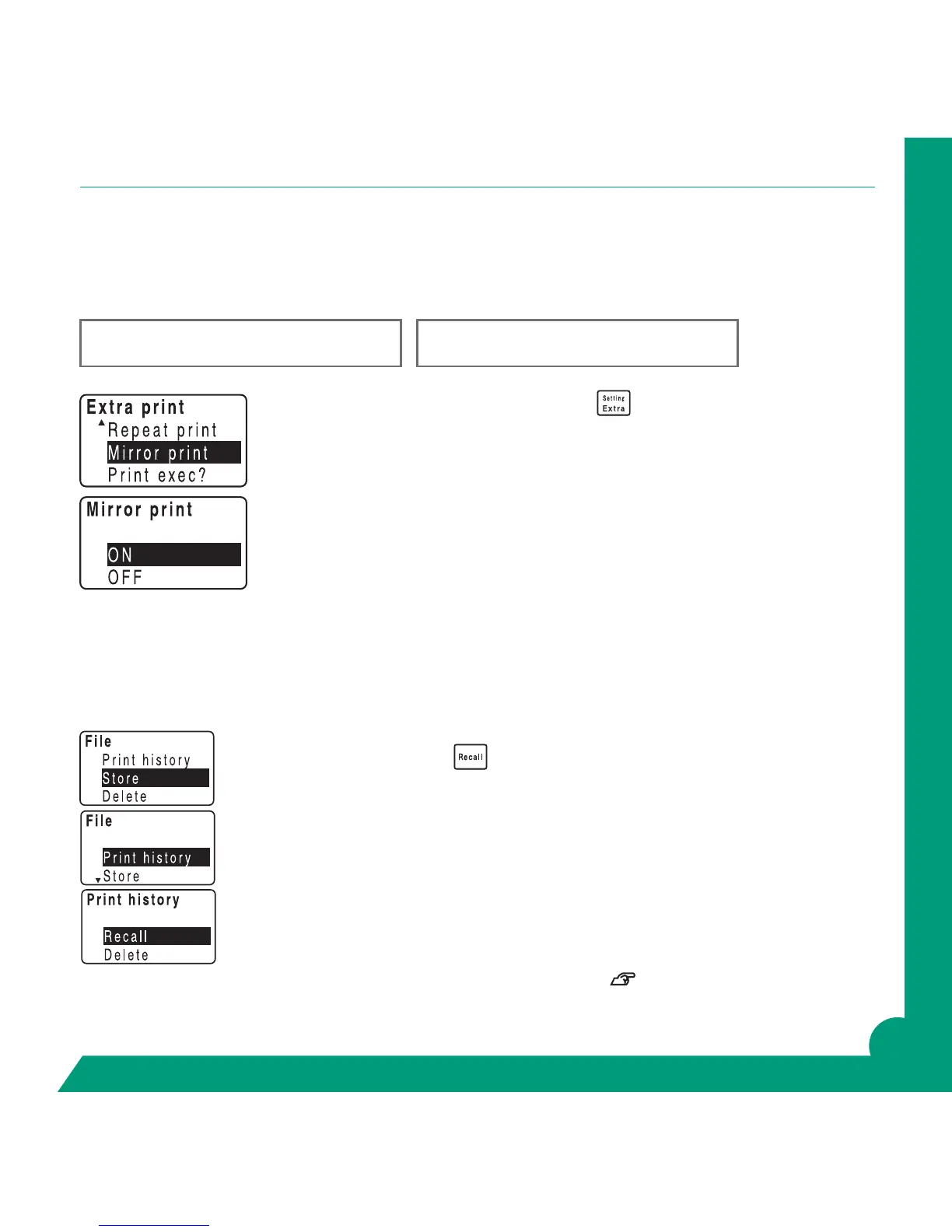
Enter the text and press the Setting/Extra Key.
The “Extra Print” menu will be displayed.
Arrow up or down to mirror print. Return.
Screen will show ON or OFF.
Make sure ON is highlighted and return.
To turn off, repeat steps but choose OFF.
Recalling the Print History
The GREEN MACHINE
®
will keep up to 5 les of unstored, recently created labels in memory. Use this
feature if nd you need just one more label or should have stored a created label.
To recall the print history:
Press Shift and the Recall key.
Your screen will show the word “File”.
Arrow to Print history. Return.
Your screen will show “Print history”.
Arrow to Recall. Return.
Using the Up Down Arrows toggle thru the most recent labels.
When you nd the label you need, Return.
Screen will conrm Recall OK? Return.
Now you can print your label!
For more information in storing label les and recalling stored les see Manual page 89.
GREEN MACHINE
GREEN MACHINE



 To Next Page