7
Change the Font
Using the Font key.
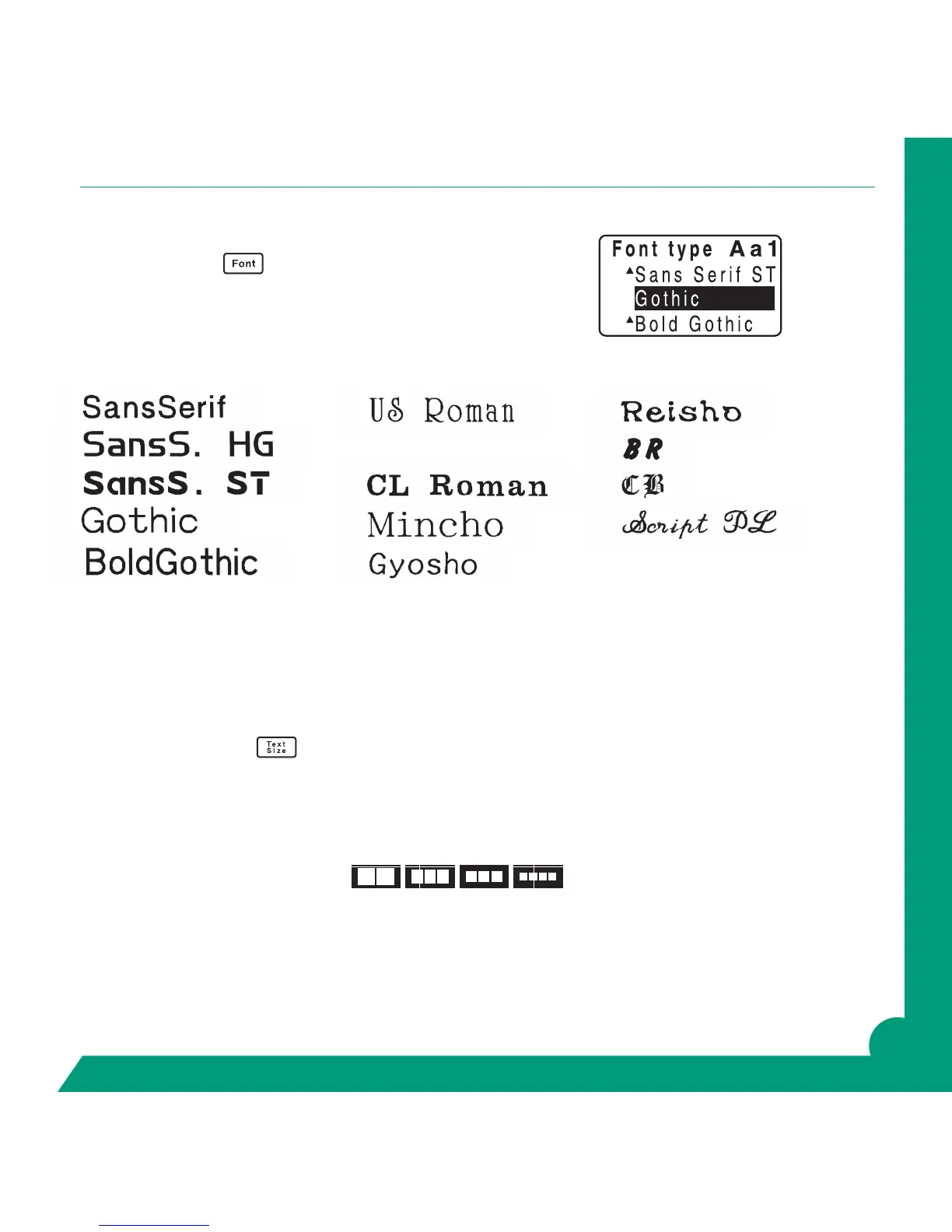
To use the font you want, press the Font key repeatedly until the
font you want appears.
Fonts appear in the following order:
Hint: The graphic display will change to reect the font you have selected.
Change the Text Size
Using the Text Size key.
Enter your text.
Press the Text Size key repeatedly until the font size you want appears. Watch the blocks for graphic
display changes.
Here illustrates the sizes for one line:
The text size of the line with the cursor can be checked on the right side of the display.
Hint: The graphic display will change to reect the text size you have selected.
Roman



 To Next Page