For Professional Technical Support call 1-844-242-2475 7
4. Operating
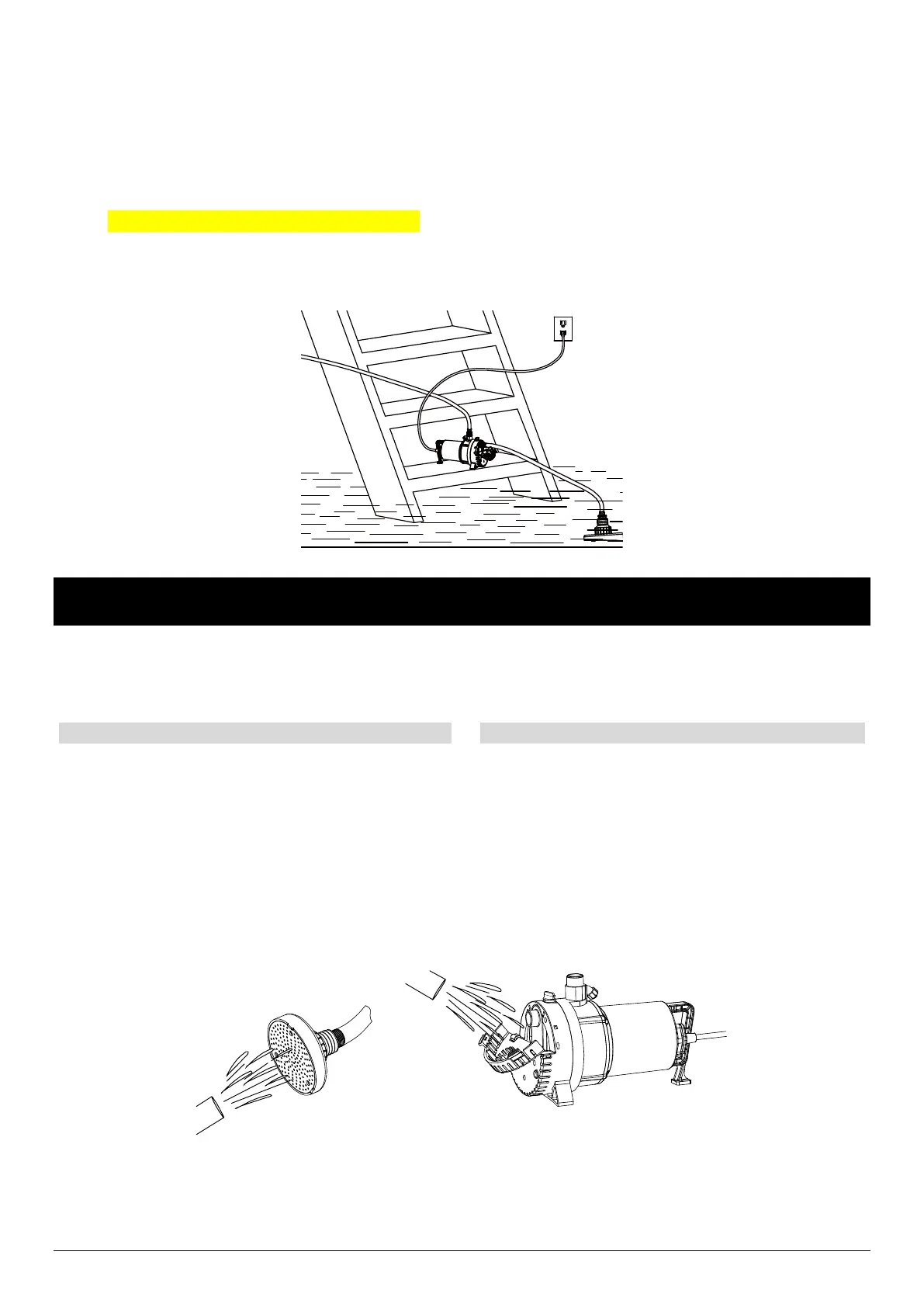
To operate, plug the pump into a 115V GFCI outlet.
When the water level has been reduced to approximately 1/16 in. you MUST UNPLUG THE PUMP. DO NOT RUN
DRY.
NOTE: Make sure the suction hose and suction strainer are in the water before plugging in the pump.
NOTE: If water does not begin to pump in 30 seconds, unplug the power cord and check the connection on the two ends
of the inlet hose to make sure there are no air leaks. Then, add water into the outlet again and repeat the process.
CARE AND CLEANING
CAUTION: Always use the handle to lift the pump. Never use the power cord to lift the pump. To avoid skin burns,
unplug the pump and allow time for it to cool after periods of extended use.
When the power is disconnected, inspect the pump
suction screen and remove all debris, then plug the
pump back into the grounded (GFCI) outlet.
Do not disassemble the motor housing. This motor
has NO repairable internal parts, and disassembly
may cause leakage or dangerous electrical wiring
issues.
Do not lift up the pump by the power cord.
To clean a pump clogged with debris:
Unplug the pump from electrical power.
Remove debris from the screen.



 To Next Page